CentOS7 修复grub
如果grub配置文件丢失,开机后会直接进入grub界面,显示为grub>:
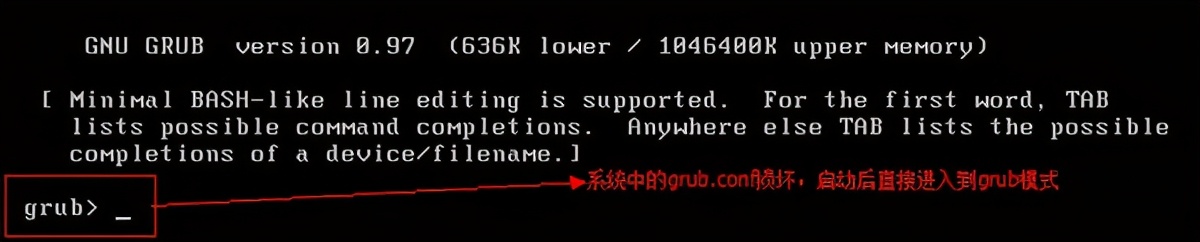
找到centos7 的boot分区1) 先使用ls命令在 grub>下输入以下命令:
ls会罗列所有的磁盘分区信息,比方说:
(hd0,1),(hd0,5),(hd0,3),(hd0,2)注:我的是(hd0),(hd0,msdos1),(hd0,msdos2)等
2) 然后依次调用如下命令: X表示各个分区号码如果/boot没有单独分区,用以下命令:
ls (hd0,X)/boot/grub2如果/boot单独分区,则用下列命令:
ls (hd0,X)/grub2例如:
grub > ls (hd0,msdos1)/grub2 会有如下的输出:
-grub2 grub grub.cfg i386-pc ...手动引导进入系统引导步骤如下:
grub> insmod xfs
grub> set root=(hd0,msdos1) (----> 这个为你上一步中找到的boot分区)
grub> linux16 /vmlinuz-xxxxx root=/dev/mapper/centos-root (xxxxx代表os内核版本号,使用tab键补全)
grub> initrd16 /initramfs-.xxxxx.img
grub> boot如果没问题,则这个时候系统会正常启动。
修复grub上面已经进入到系统了,这个时候可以查看/boot/grub2/grub.cfg文件,应该是空的。可以通过如下命令来修复grub 。
sudo grub2-mkconfig -o /boot/grub2/grub.cfg1有时候使用sudo grub2-mkconfig命令已经识别了Windows系统,但是就是没有更新grub2的配置文件/boot/grub2/grub.cfg。那就多加一个参数-o
操作完成之后,便可以重启确认。