概述
作为DBA,ORACLE的监听管理,是其管理的重要内容,下面对监听命令做了一下汇总。
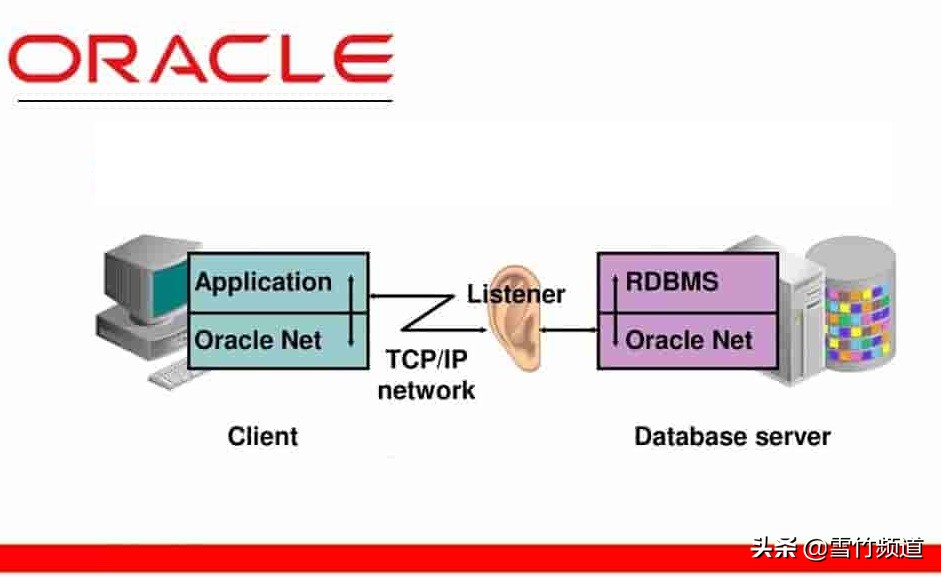
oracle监听命令汇总
$ lsnrctl start [listener_name]
$ lsnrctl stop [listener_name]
$ lsnrctl status [listener_name]
$ lsnrctl reload [listener_name]
$ lsnrctl services [listener_name]
LSNRCTL> help
LSNRCTL> version [listener_name] -- get the version information of the listener
LSNRCTL> start [listener_name] -- starts the listener
LSNRCTL> stop [listener_name] -- stops the listener
LSNRCTL> status [listener_name] -- get the status of listener
LSNRCTL> services [listener_name] -- get the service information of the listener
LSNRCTL> servacls [listener_name] - ACLs
LSNRCTL> reload [listener_name] -- reload the parameter files and SIDs
LSNRCTL> save_config [listener_name] -- saves configuration changes to parameter file
LSNRCTL> trace OFF | USER | ADMIN | SUPPORT [listener_name] -- set tracing to the specified level
LSNRCTL> spawn [listener_name] spawn_alias [(ARGUMENTS='arg0, arg1,...')]
LSNRCTL> change_password [listener_name] -- changes the password of the listener
LSNRCTL> set [below_modifier]
password rawmode
displaymode trc_file
trc_directory trc_level
log_file log_directory
log_status current_listener
inbound_connect_timeout startup_waittime
save_config_on_stop dynamic_registration
enable_global_dynamic_endpoint connection_rate_limitLSNRCTL> show [below_modifier]
rawmode displaymode
rules trc_file
trc_directory trc_level
log_file log_directory
log_status current_listener
inbound_connect_timeout startup_waittime
snmp_visible save_config_on_stop
dynamic_registration enable_global_dynamic_endpoint
oracle_home pid
connection_rate_limit
LSNRCTL> quit
LSNRCTL> exit
default listener_name is LISTENER