
前置程序:
# yum -y install fontconfig
# yum -y install ttmkfdir
*载下**字体,汇总编码,加入conf路径,应用
让我们用msyh.ttf 雅黑字体来示例:
# 查看字体列表;
# fc-list
# mkdir /usr/share/fonts/Chinese
# chmod -R 755 /usr/share/fonts/Chinese
# cd /usr/share/fonts/Chinese
# wget https://oo0oo.ooo/down/msyh.ttf
# wget https://oo0oo.ooo/down/msyhbd.ttf
# ttmkfdir -e /usr/share/X11/fonts/encodings/encodings.dir
# vim /etc/fonts/fonts.conf
 <dir>/usr/share/fonts/Chinese</dir>
# fc-cache
这样所有的步骤就算完成了,最后再次通过fc-list看一下字体列表:

可以看到已经成功安装上了雅黑字体,至此安装过程就全部结束!
选用字体:
设置/外观,(或应用程序/优化)字体,选择新加字体!
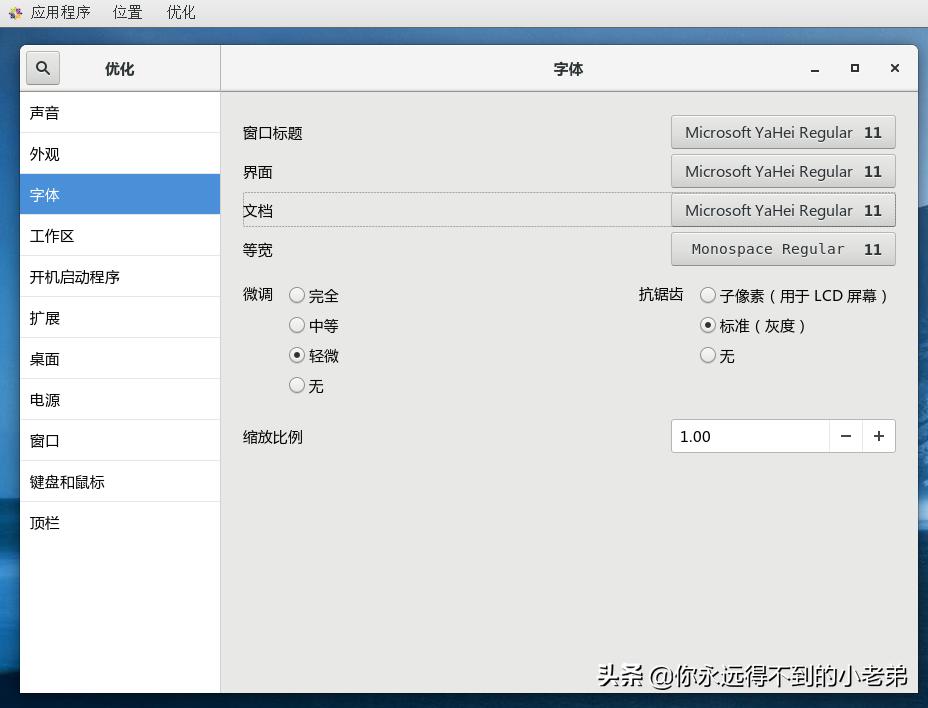
看一下显示效果:

小知识:
# ttmkfdir
ttmkfdir -d 字体所在目录 -o 字体所在目录/fonts.scale
这个命令的作用是搜索目录中所有的字体信息,汇总生成fonts.scale文件。
# fc-cache -v -f
系统一个个检查chkfontpath -l 列表中列出的目录,列出检查其中可以用的字体的情况。
# fc-cache 目录名
用于刷新内存中字体缓存,这样无需重启机器,新的字体就可以在系统中生效了。