2022-02-23:如何搭建k8s单机环境(用k3s),并且搭建dashboard?
答案2022-02-03:
使用场景:个人电脑。需要安装虚拟机,操作系统是centos。
个人电脑上测试,不需要安装k8s。k8s太重量级了。
# 1.安装docker,不是必须的
查看是否安装docker
```powershell
yum list installed | grep docker
```
#删除docker
```powershell
yum remove –y docker.x86_64
yum remove –y docker-client.x86_64
yum remove –y docker-common.x86_64
```
安装docker
```powershell
curl -sSL https://get.daocloud.io/docker | sh
yum install –y docker-ce
```
镜像加速
```powershell
cat /etc/docker/daemon.json
```
修改 /etc/docker/daemon.json 文件内容
```markup
{
"registry-mirrors":["https://docker.mirrors.ustc.edu.cn","https://kzorq22x.mirror.aliyuncs.com","http://hub-mirror.c.163.com"]
}
```
运行docker
```powershell
systemctl daemon-reload
systemctl start docker
systemctl status docker
```
# 2.安装k3s
安装k3s,用docker容器,不建议用。测试失败。
```powershell
curl -sfL http://rancher-mirror.cnrancher.com/k3s/k3s-install.sh | INSTALL_K3S_MIRROR=cn sh -s - --docker --service-node-port-range 10000-65535
```
安装k3s,用containerd容器,建议用这个
```powershell
curl -sfL http://rancher-mirror.cnrancher.com/k3s/k3s-install.sh | INSTALL_K3S_MIRROR=cn sh -s - --service-node-port-range 10000-65535
```
```powershell
systemctl status k3s
```
卸载k3s
```powershell
cd /usr/local/bin
k3s-killall.sh
k3s-uninstall.sh
```
# 3.安装dashboard
## 安装指令
```shell
k3s kubectl apply -f https://kuboard.cn/install-script/kuboard.yaml
k3s kubectl apply -f https://addons.kuboard.cn/metrics-server/0.3.7/metrics-server.yaml
```
## 卸载指令
```shell
k3s kubectl delete -f https://kuboard.cn/install-script/kuboard.yaml
k3s kubectl delete -f https://addons.kuboard.cn/metrics-server/0.3.7/metrics-server.yaml
```
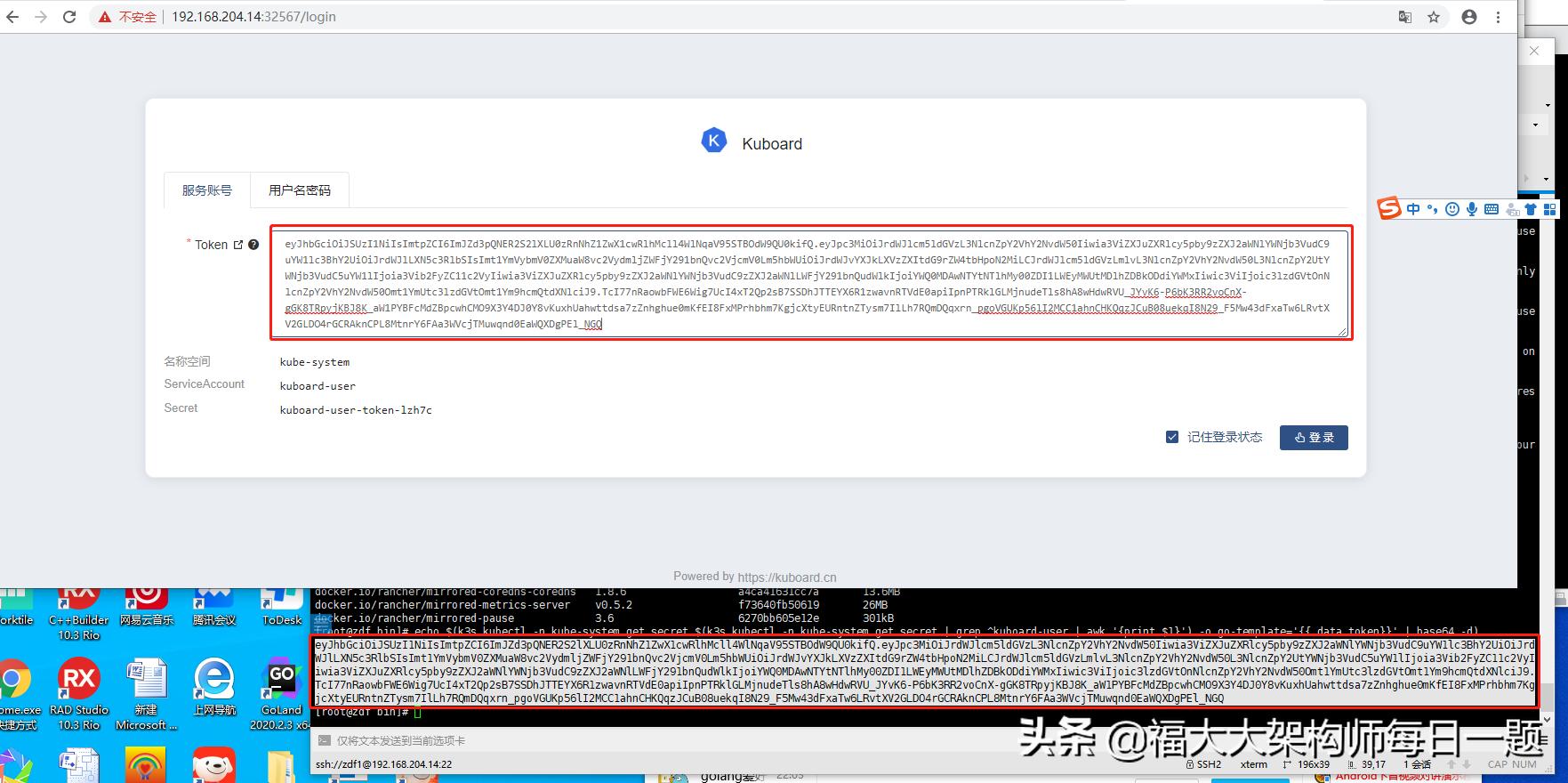
## 获取Token
```shell
echo $(k3s kubectl -n kube-system get secret $(k3s kubectl -n kube-system get secret | grep ^kuboard-user | awk '{print $1}') -o go-template='{{.data.token}}' | base64 -d)
```
## 4.输入网址
查看网址
```powershell
k3s kubectl get svc -n kube-system
```
从结果里可以看出,端口号是32567
[root@zdf bin]# k3s kubectl get svc -n kube-system
NAME TYPE CLUSTER-IP EXTERNAL-IP PORT(S) AGE
kube-dns ClusterIP 10.43.0.10 <none> 53/UDP,53/TCP,9153/TCP 9m
kuboard NodePort 10.43.14.155 <none> 80:32567/TCP 6m51s
metrics-server ClusterIP 10.43.251.251 <none> 443/TCP 8m59s
traefik LoadBalancer 10.43.24.24 192.168.204.14 80:64064/TCP,443:59762/TCP 4m58s
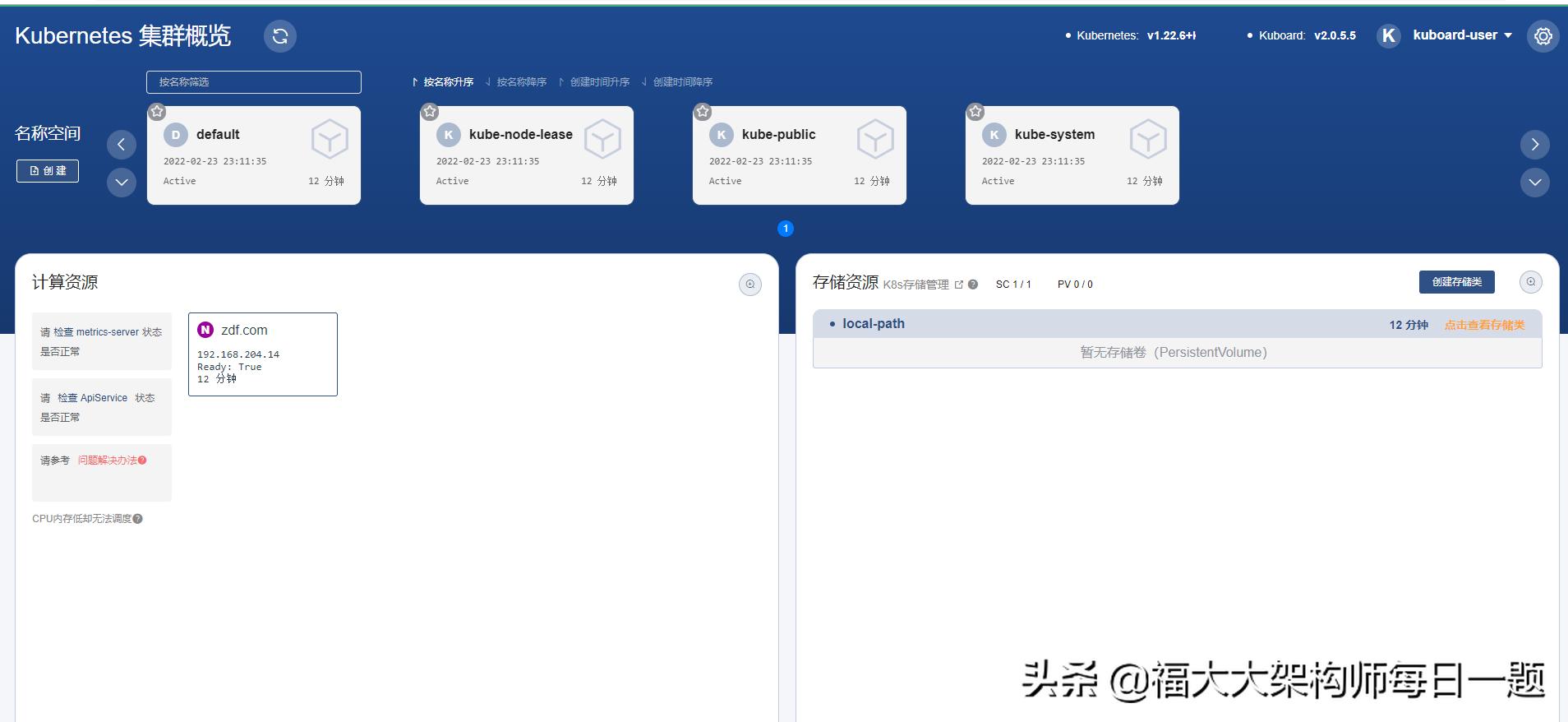
输入网址,输入token,如下图: