目录
- 前言
- 1,关于EdgeX加入摄像头
- 2,首先要增加docker-compose依赖
- 3,设置 device-onvif-camera 的 tp-link 摄像头用户名密码
- 4,认证完成之后就可以测试接口了,支持Get、Set有些接口有问题
- 5,使用总结
1,关于EdgeX加入摄像头
视频参考:
https://www.bilibili.com/video/BV1QG41137iN/
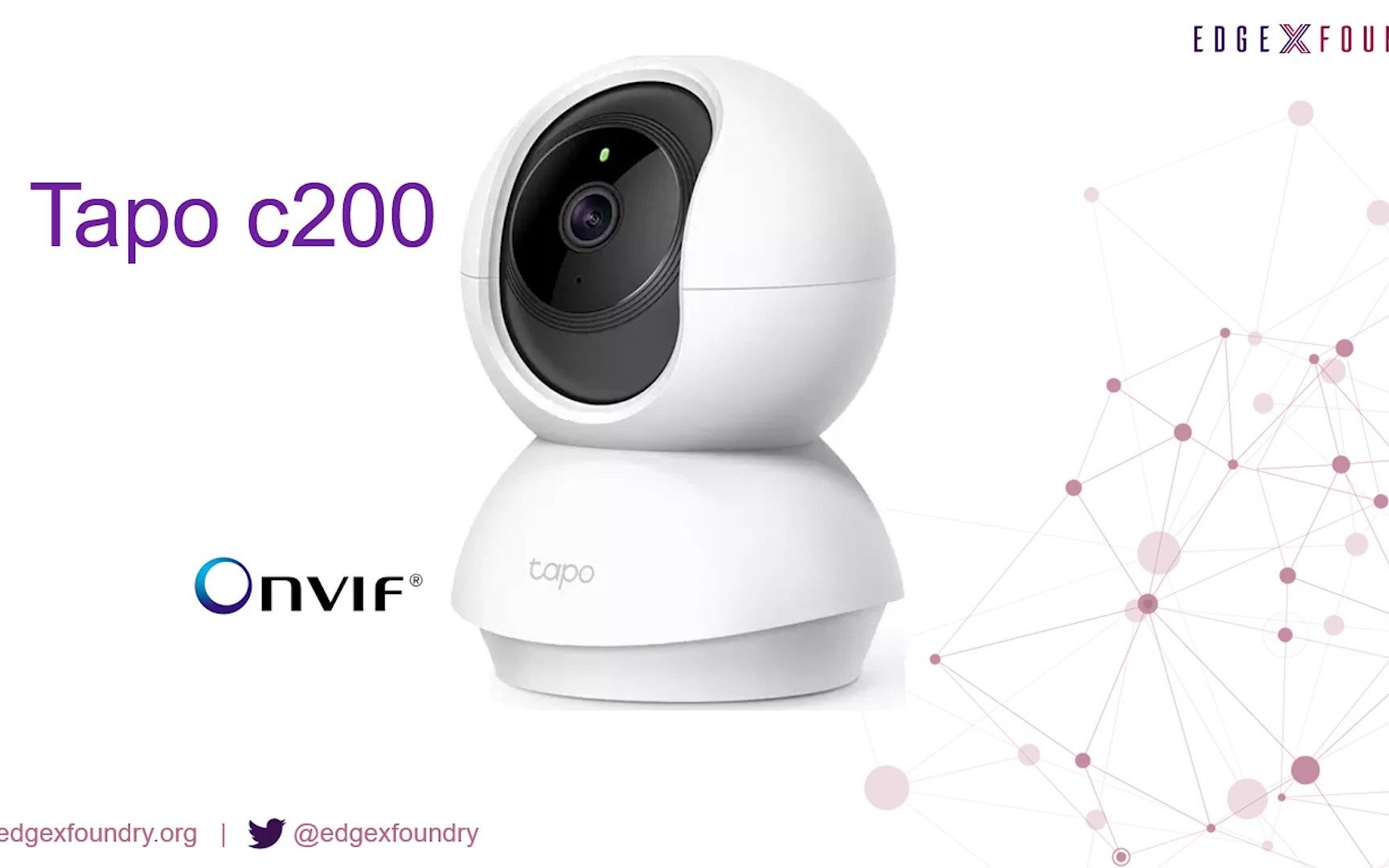
EdgeX ONVIF Camera Device Service Demo
项目地址:https://github.com/edgexfoundry/device-onvif-camera使用文档:https://github.com/edgexfoundry/device-onvif-camera/blob/main/doc/running-guide.md
camera的配置文件https://github.com/edgexfoundry/edgex-compose/blob/main/compose-builder/add-device-camera.yml
2,首先要增加docker-compose依赖
这里可以通过官方的命令,执行docker 增加,这里直接给下 docker-compose 带摄像头的配置就行:
#  * Copyright 2021 Intel Corporation.
#  *
#  * Licensed under the Apache License, Version 2.0 (the "License"); you may not use this file except
#  * in compliance with the License. You may obtain a copy of the License at
#  *
#  * http://www.apache.org/licenses/LICENSE-2.0
#  *
#  * Unless required by applicable law or agreed to in writing, software distributed under the License
#  * is distributed on an "AS IS" BASIS, WITHOUT WARRANTIES OR CONDITIONS OF ANY KIND, either express
#  * or implied. See the License for the specific language governing permissions and limitations under
#  * the License.
#  *
#  * EdgeX Foundry, Jakarta (2.1.0) release
#  *******************************************************************************/

networks:
  edgex-network:
    driver: bridge
services:
  app-service-rules:
    container_name: edgex-app-rules-engine
    depends_on:
    - consul
    - data
    environment:
      CLIENTS_CORE_COMMAND_HOST: edgex-core-command
      CLIENTS_CORE_DATA_HOST: edgex-core-data
      CLIENTS_CORE_METADATA_HOST: edgex-core-metadata
      CLIENTS_SUPPORT_NOTIFICATIONS_HOST: edgex-support-notifications
      CLIENTS_SUPPORT_SCHEDULER_HOST: edgex-support-scheduler
      DATABASES_PRIMARY_HOST: edgex-redis
      EDGEX_PROFILE: rules-engine
      EDGEX_SECURITY_SECRET_STORE: "false"
      REGISTRY_HOST: edgex-core-consul
      SERVICE_HOST: edgex-app-rules-engine
      TRIGGER_EDGEXMESSAGEBUS_PUBLISHHOST_HOST: edgex-redis
      TRIGGER_EDGEXMESSAGEBUS_SUBSCRIBEHOST_HOST: edgex-redis
    hostname: edgex-app-rules-engine
    image: edgexfoundry/app-service-configurable:2.1.1
    networks:
      edgex-network: {}
    ports:
    - 127.0.0.1:59701:59701/tcp
    read_only: true
    restart: always
    security_opt:
    - no-new-privileges:true
    user: 2002:2001
  command:
    container_name: edgex-core-command
    depends_on:
    - consul
    - database
    - metadata
    environment:
      CLIENTS_CORE_COMMAND_HOST: edgex-core-command
      CLIENTS_CORE_DATA_HOST: edgex-core-data
      CLIENTS_CORE_METADATA_HOST: edgex-core-metadata
      CLIENTS_SUPPORT_NOTIFICATIONS_HOST: edgex-support-notifications
      CLIENTS_SUPPORT_SCHEDULER_HOST: edgex-support-scheduler
      DATABASES_PRIMARY_HOST: edgex-redis
      EDGEX_SECURITY_SECRET_STORE: "false"
      REGISTRY_HOST: edgex-core-consul
      SERVICE_HOST: edgex-core-command
    hostname: edgex-core-command
    image: edgexfoundry/core-command:2.1.1
    networks:
      edgex-network: {}
    ports:
    - 127.0.0.1:59882:59882/tcp
    read_only: true
    restart: always
    security_opt:
    - no-new-privileges:true
    user: 2002:2001
  consul:
    command: agent -ui -bootstrap -server -client 0.0.0.0
    container_name: edgex-core-consul
    hostname: edgex-core-consul
    image: consul:1.10.3
    networks:
      edgex-network: {}
    ports:
    - 8500:8500/tcp
    read_only: true
    restart: always
    security_opt:
    - no-new-privileges:true
    user: root:root
    volumes:
    - consul-config:/consul/config:z
    - consul-data:/consul/data:z
  data:
    container_name: edgex-core-data
    depends_on:
    - consul
    - database
    - metadata
    environment:
      CLIENTS_CORE_COMMAND_HOST: edgex-core-command
      CLIENTS_CORE_DATA_HOST: edgex-core-data
      CLIENTS_CORE_METADATA_HOST: edgex-core-metadata
      CLIENTS_SUPPORT_NOTIFICATIONS_HOST: edgex-support-notifications
      CLIENTS_SUPPORT_SCHEDULER_HOST: edgex-support-scheduler
      DATABASES_PRIMARY_HOST: edgex-redis
      EDGEX_SECURITY_SECRET_STORE: "false"
      MESSAGEQUEUE_HOST: edgex-redis
      REGISTRY_HOST: edgex-core-consul
      SERVICE_HOST: edgex-core-data
    hostname: edgex-core-data
    image: edgexfoundry/core-data:2.1.1
    networks:
      edgex-network: {}
    ports:
    - 127.0.0.1:5563:5563/tcp
    - 127.0.0.1:59880:59880/tcp
    read_only: true
    restart: always
    security_opt:
    - no-new-privileges:true
    user: 2002:2001
  database:
    container_name: edgex-redis
    environment:
      CLIENTS_CORE_COMMAND_HOST: edgex-core-command
      CLIENTS_CORE_DATA_HOST: edgex-core-data
      CLIENTS_CORE_METADATA_HOST: edgex-core-metadata
      CLIENTS_SUPPORT_NOTIFICATIONS_HOST: edgex-support-notifications
      CLIENTS_SUPPORT_SCHEDULER_HOST: edgex-support-scheduler
      DATABASES_PRIMARY_HOST: edgex-redis
      EDGEX_SECURITY_SECRET_STORE: "false"
      REGISTRY_HOST: edgex-core-consul
    hostname: edgex-redis
    image: redis:6.2.6-alpine
    networks:
      edgex-network: {}
    ports:
    - 6379:6379/tcp
    read_only: true
    restart: always
    security_opt:
    - no-new-privileges:true
    user: root:root
    volumes:
    - db-data:/data:z
  device-rest:
    container_name: edgex-device-rest
    depends_on:
    - consul
    - data
    - metadata
    environment:
      CLIENTS_CORE_COMMAND_HOST: edgex-core-command
      CLIENTS_CORE_DATA_HOST: edgex-core-data
      CLIENTS_CORE_METADATA_HOST: edgex-core-metadata
      CLIENTS_SUPPORT_NOTIFICATIONS_HOST: edgex-support-notifications
      CLIENTS_SUPPORT_SCHEDULER_HOST: edgex-support-scheduler
      DATABASES_PRIMARY_HOST: edgex-redis
      EDGEX_SECURITY_SECRET_STORE: "false"
      MESSAGEQUEUE_HOST: edgex-redis
      REGISTRY_HOST: edgex-core-consul
      SERVICE_HOST: edgex-device-rest
    hostname: edgex-device-rest
    image: edgexfoundry/device-rest:2.1.1
    networks:
      edgex-network: {}
    ports:
    - 127.0.0.1:59986:59986/tcp
    read_only: true
    restart: always
    security_opt:
    - no-new-privileges:true
    user: 2002:2001
  metadata:
    container_name: edgex-core-metadata
    depends_on:
    - consul
    - database
    - notifications
    environment:
      CLIENTS_CORE_COMMAND_HOST: edgex-core-command
      CLIENTS_CORE_DATA_HOST: edgex-core-data
      CLIENTS_CORE_METADATA_HOST: edgex-core-metadata
      CLIENTS_SUPPORT_NOTIFICATIONS_HOST: edgex-support-notifications
      CLIENTS_SUPPORT_SCHEDULER_HOST: edgex-support-scheduler
      DATABASES_PRIMARY_HOST: edgex-redis
      EDGEX_SECURITY_SECRET_STORE: "false"
      NOTIFICATIONS_SENDER: edgex-core-metadata
      REGISTRY_HOST: edgex-core-consul
      SERVICE_HOST: edgex-core-metadata
    hostname: edgex-core-metadata
    image: edgexfoundry/core-metadata:2.1.1
    networks:
      edgex-network: {}
    ports:
    - 127.0.0.1:59881:59881/tcp
    read_only: true
    restart: always
    security_opt:
    - no-new-privileges:true
    user: 2002:2001
  notifications:
    container_name: edgex-support-notifications
    depends_on:
    - consul
    - database
    environment:
      CLIENTS_CORE_COMMAND_HOST: edgex-core-command
      CLIENTS_CORE_DATA_HOST: edgex-core-data
      CLIENTS_CORE_METADATA_HOST: edgex-core-metadata
      CLIENTS_SUPPORT_NOTIFICATIONS_HOST: edgex-support-notifications
      CLIENTS_SUPPORT_SCHEDULER_HOST: edgex-support-scheduler
      DATABASES_PRIMARY_HOST: edgex-redis
      EDGEX_SECURITY_SECRET_STORE: "false"
      REGISTRY_HOST: edgex-core-consul
      SERVICE_HOST: edgex-support-notifications
    hostname: edgex-support-notifications
    image: edgexfoundry/support-notifications:2.1.1
    networks:
      edgex-network: {}
    ports:
    - 127.0.0.1:59860:59860/tcp
    read_only: true
    restart: always
    security_opt:
    - no-new-privileges:true
    user: 2002:2001
  rulesengine:
    container_name: edgex-kuiper
    depends_on:
    - database
    environment:
      CONNECTION__EDGEX__REDISMSGBUS__PORT: 6379
      CONNECTION__EDGEX__REDISMSGBUS__PROTOCOL: redis
      CONNECTION__EDGEX__REDISMSGBUS__SERVER: edgex-redis
      CONNECTION__EDGEX__REDISMSGBUS__TYPE: redis
      EDGEX__DEFAULT__PORT: 6379
      EDGEX__DEFAULT__PROTOCOL: redis
      EDGEX__DEFAULT__SERVER: edgex-redis
      EDGEX__DEFAULT__TOPIC: rules-events
      EDGEX__DEFAULT__TYPE: redis
      KUIPER__BASIC__CONSOLELOG: "true"
      KUIPER__BASIC__RESTPORT: 59720
    hostname: edgex-kuiper
    image: lfedge/ekuiper:1.4.4-alpine
    networks:
      edgex-network: {}
    ports:
    - 127.0.0.1:59720:59720/tcp
    read_only: true
    restart: always
    security_opt:
    - no-new-privileges:true
    user: kuiper:kuiper
    volumes:
    - kuiper-data:/kuiper/data:z
  scheduler:
    container_name: edgex-support-scheduler
    depends_on:
    - consul
    - database
    environment:
      CLIENTS_CORE_COMMAND_HOST: edgex-core-command
      CLIENTS_CORE_DATA_HOST: edgex-core-data
      CLIENTS_CORE_METADATA_HOST: edgex-core-metadata
      CLIENTS_SUPPORT_NOTIFICATIONS_HOST: edgex-support-notifications
      CLIENTS_SUPPORT_SCHEDULER_HOST: edgex-support-scheduler
      DATABASES_PRIMARY_HOST: edgex-redis
      EDGEX_SECURITY_SECRET_STORE: "false"
      INTERVALACTIONS_SCRUBAGED_HOST: edgex-core-data
      INTERVALACTIONS_SCRUBPUSHED_HOST: edgex-core-data
      REGISTRY_HOST: edgex-core-consul
      SERVICE_HOST: edgex-support-scheduler
    hostname: edgex-support-scheduler
    image: edgexfoundry/support-scheduler:2.1.1
    networks:
      edgex-network: {}
    ports:
    - 127.0.0.1:59861:59861/tcp
    read_only: true
    restart: always
    security_opt:
    - no-new-privileges:true
    user: 2002:2001
  system:
    container_name: edgex-sys-mgmt-agent
    depends_on:
    - command
    - consul
    - data
    - metadata
    - notifications
    - scheduler
    environment:
      CLIENTS_CORE_COMMAND_HOST: edgex-core-command
      CLIENTS_CORE_DATA_HOST: edgex-core-data
      CLIENTS_CORE_METADATA_HOST: edgex-core-metadata
      CLIENTS_SUPPORT_NOTIFICATIONS_HOST: edgex-support-notifications
      CLIENTS_SUPPORT_SCHEDULER_HOST: edgex-support-scheduler
      DATABASES_PRIMARY_HOST: edgex-redis
      EDGEX_SECURITY_SECRET_STORE: "false"
      EXECUTORPATH: /sys-mgmt-executor
      METRICSMECHANISM: executor
      REGISTRY_HOST: edgex-core-consul
      SERVICE_HOST: edgex-sys-mgmt-agent
    hostname: edgex-sys-mgmt-agent
    image: edgexfoundry/sys-mgmt-agent:2.1.1
    networks:
      edgex-network: {}
    ports:
    - 127.0.0.1:58890:58890/tcp
    read_only: true
    restart: always
    security_opt:
    - label:disable
    - no-new-privileges:true
    user: root:root
    volumes:
    - /var/run/docker.sock:/var/run/docker.sock:z
  ui:
    container_name: edgex-ui-go
    environment:
      EDGEX_SECURITY_SECRET_STORE: "false"
    hostname: edgex-ui-go
    image: edgexfoundry/edgex-ui:2.1.0
    networks:
      edgex-network: {}
    ports:
    - 4000:4000/tcp
    read_only: true
    restart: always
    security_opt:
    - no-new-privileges:true
    user: 2002:2001
  device-onvif-camera:
    image: edgexfoundry/device-onvif-camera:2.2.0
    ports:
      - "127.0.0.1:59984:59984"
    container_name: edgex-device-onvif-camera
    hostname: edgex-device-onvif-camera
    read_only: true
    restart: always
    networks:
      - edgex-network
    environment:
      EDGEX_SECURITY_SECRET_STORE: false
      REGISTRY_HOST: edgex-core-consul
      CLIENTS_CORE_DATA_HOST: edgex-core-data
      CLIENTS_CORE_METADATA_HOST: edgex-core-metadata
      CLIENTS_CORE_COMMAND_HOST: edgex-core-command
      CLIENTS_SUPPORT_NOTIFICATIONS_HOST: edgex-support-notifications
      CLIENTS_SUPPORT_SCHEDULER_HOST: edgex-support-scheduler
      DATABASES_PRIMARY_HOST: edgex-redis
      SERVICE_HOST: edgex-device-onvif-camera
      MESSAGEQUEUE_HOST: edgex-redis
    depends_on:
      - consul
      - data
      - metadata
    security_opt:
      - no-new-privileges:true
version: '3.7'
volumes:
  consul-config: {}
  consul-data: {}
  db-data: {}
  kuiper-data: {}
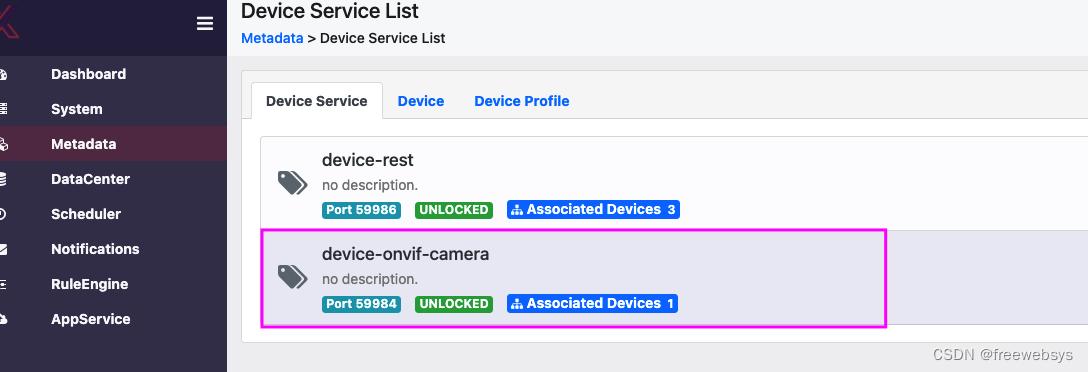
启动项目之后就可以看到camera 的摄像头服务了:
接下来在配置 TP-Link 的摄像头,首先找了个路由器激活下,然后配置好账号密码。使用的设备是
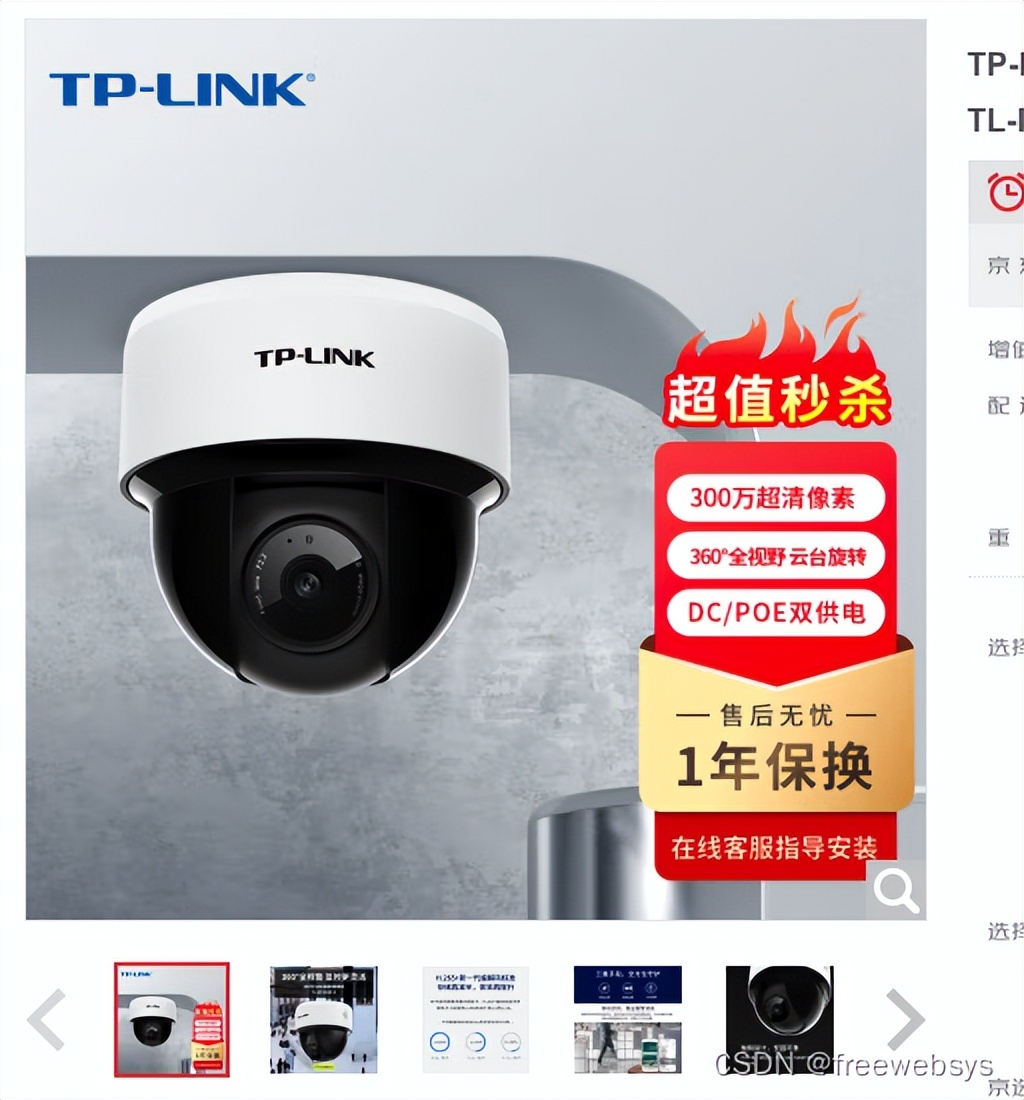
https://security.tp-link.com.cn/m/detail_article_4041.html
需要记住 admin 账号密码和 IP,比如我的是 192.168.1.110 ,还有设备的mac地址:
在机器上执行命令,需要设置 Onvif 的ip 地址,mac 信息,这个时候不需要输入用户名密码。
curl -X POST -H 'Content-Type: application/json'  \
http://localhost:59881/api/v2/device \
-d '[
         {
            "apiVersion": "v2",
            "device": {
               "name":"Camera001",
               "serviceName": "device-onvif-camera",
               "profileName": "onvif-camera",
               "description": "My test camera",
               "adminState": "UNLOCKED",
               "operatingState": "UP",
               "protocols": {
                  "Onvif": {
                     "Address": "192.168.1.110",
                     "Port": "80",
                     "MACAddress": "aa:bb:cc:11:22:33",
                     "FriendlyName":"Default Camera"
                  },
                  "CustomMetadata": {
                     "Location":"Front door"
                  }
               }
            }
         }
]'
返回成功:
[{"apiVersion":"v2","statusCode":201,"id":"471bd6c5-edbb-4783-8105-fcb2a75e286a"}]
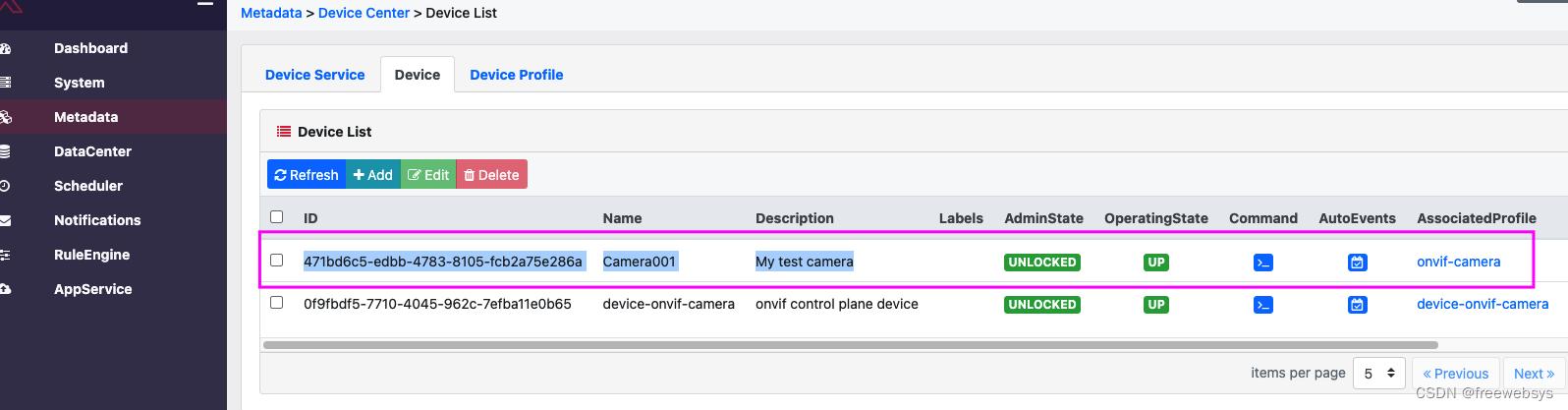
然后在界面中看到设备,上面是新创建的。通过post 命令创建的。
3,设置 device-onvif-camera 的 tp-link 摄像头用户名密码
按照操作说明一步一步就可以执行了:
Map credentials using the map-credentials.sh script.a. Run bin/map-credentials.shb. Select (Create New) c. Enter the Secret Path to associate with these credentialsd. Enter the usernamee. Enter the passwordf. Choose the Authentication Modeg. Assign one or more MAC Addresses to the credential group
需要*载下**项目到本地,执行bin/map-credentials.sh 脚本设置账号密码,这个脚本很神奇,可以弹出界面窗口。
git clone https://github.com/edgexfoundry/device-onvif-camera.git
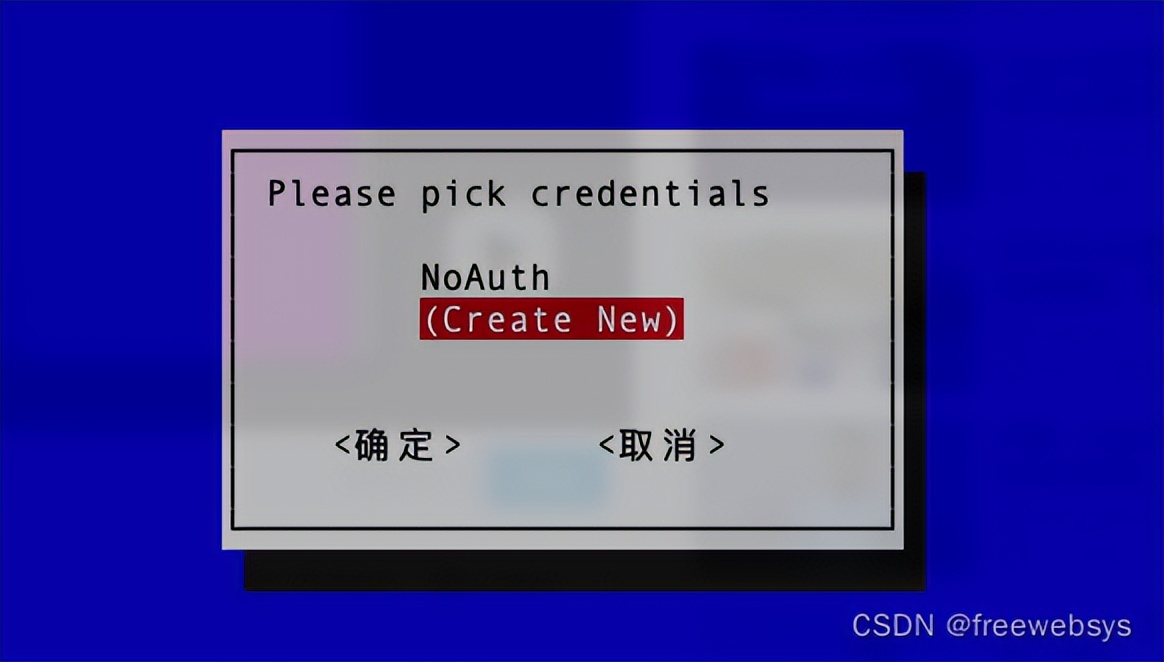
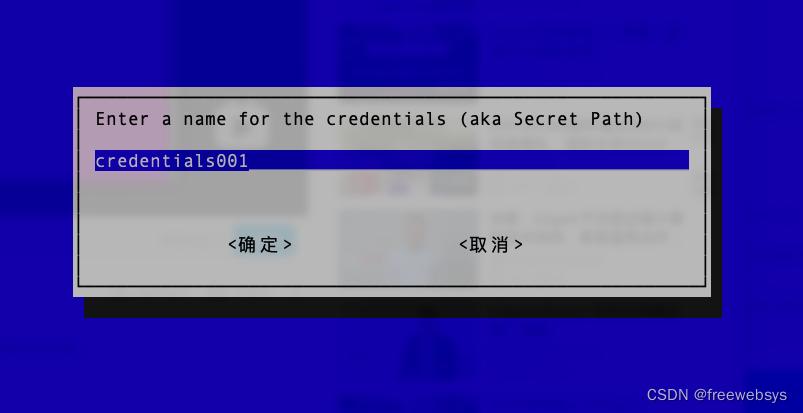
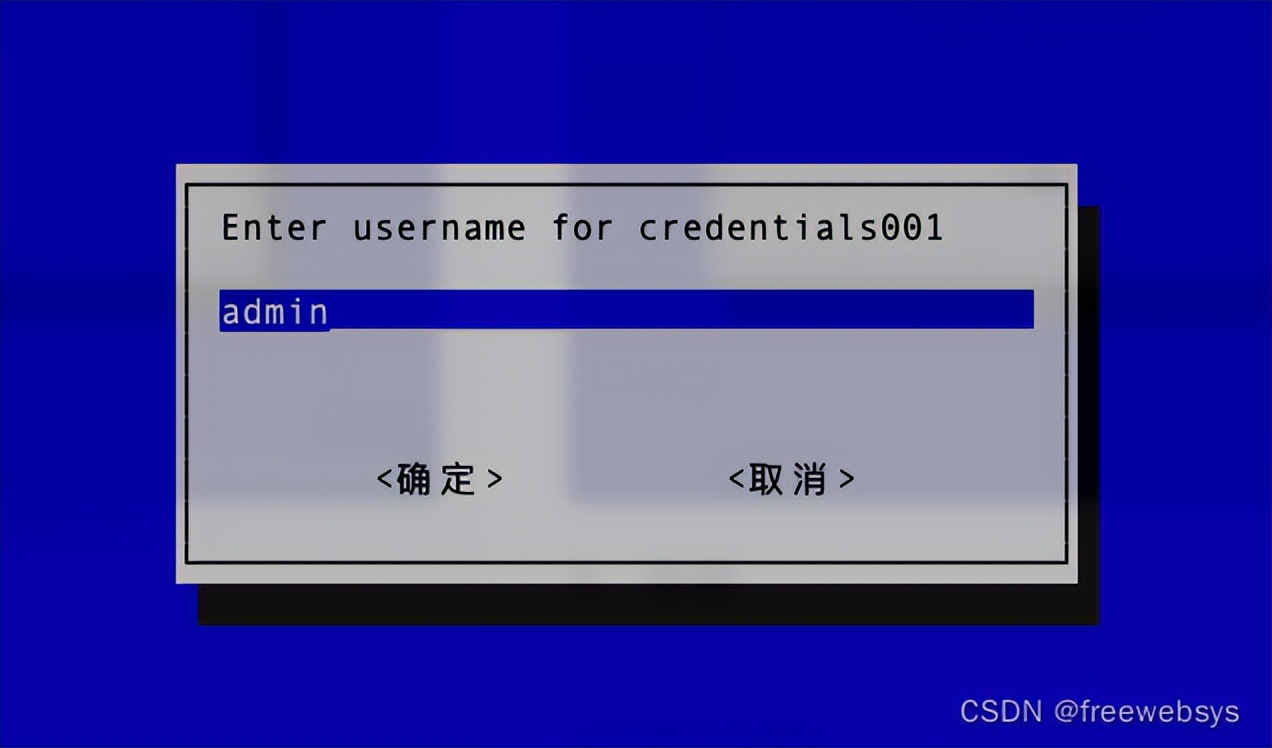
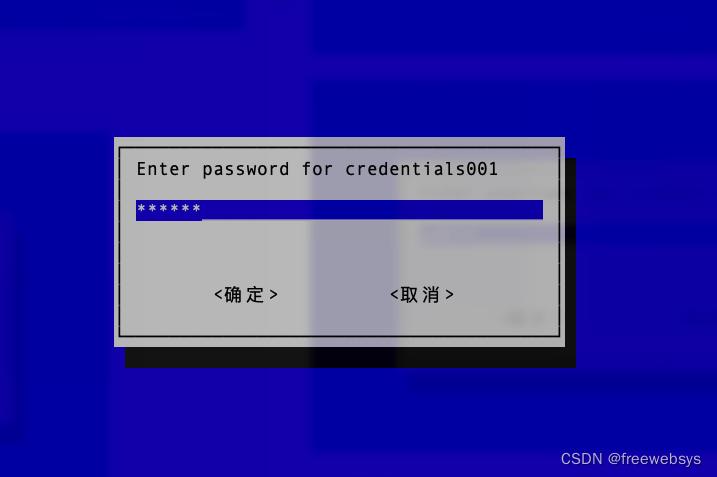
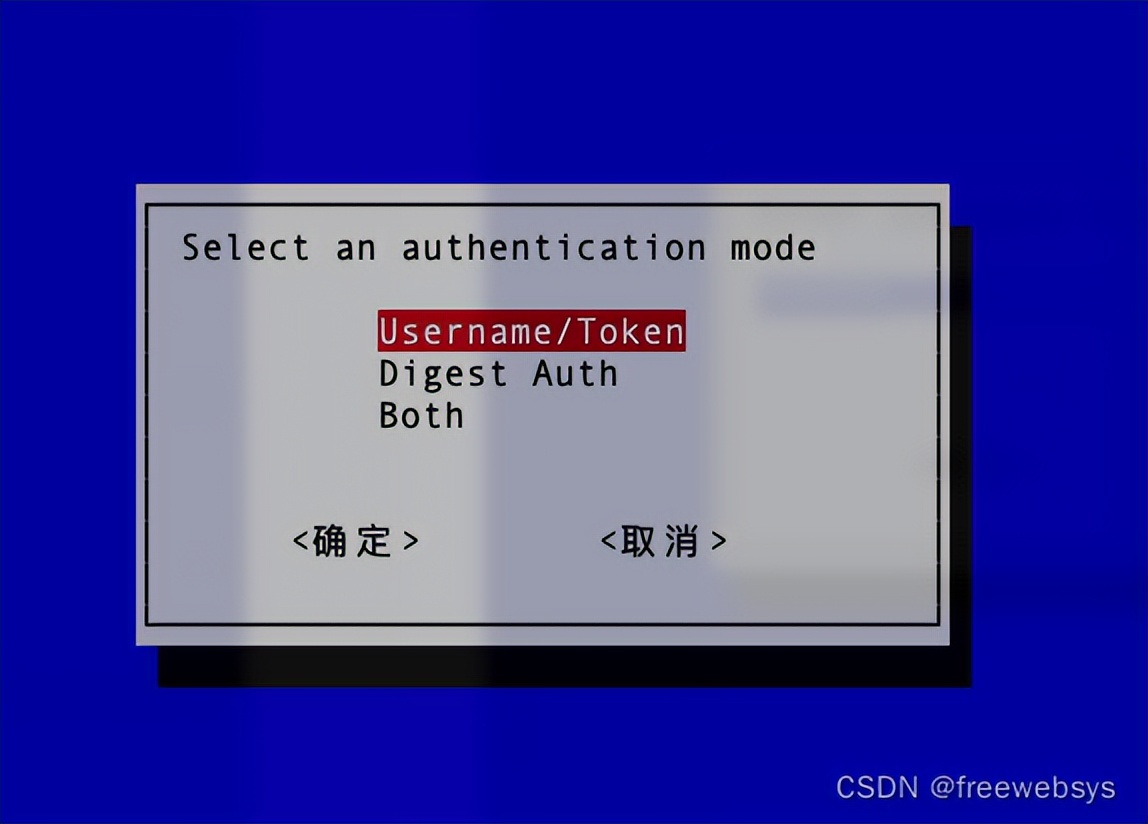
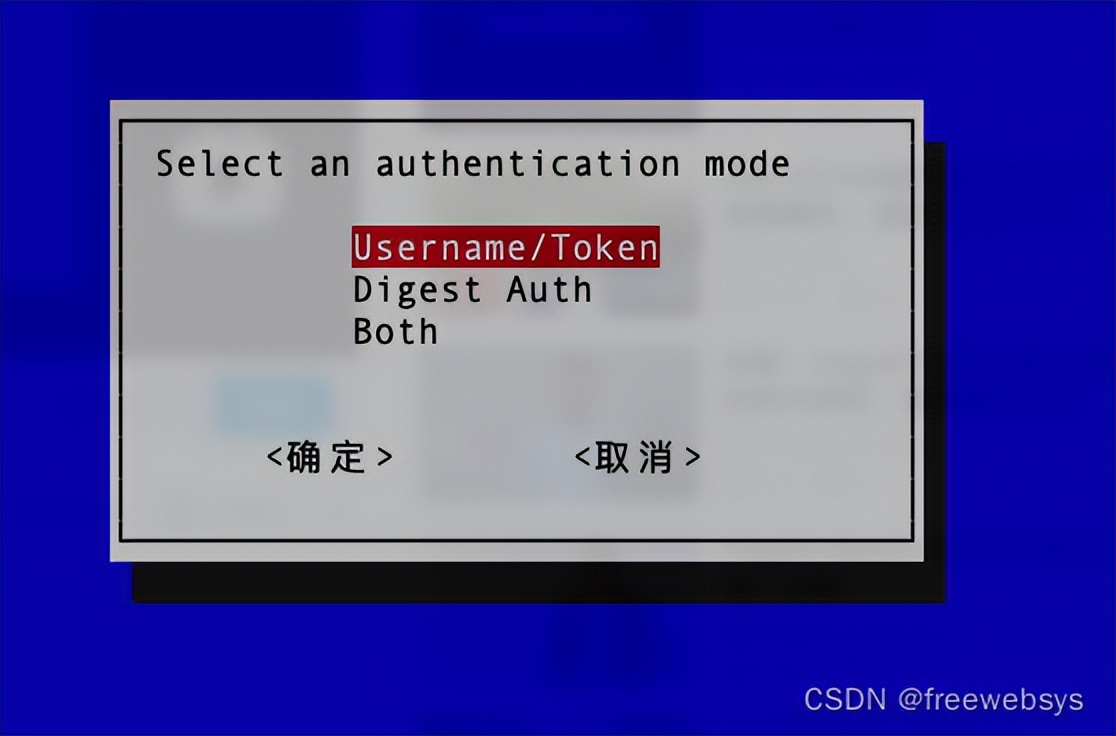
最后输入mac 地址,然后就可以了,可以看到这个脚本直接是通过命令行的方式去批量执行 POST接口信息。
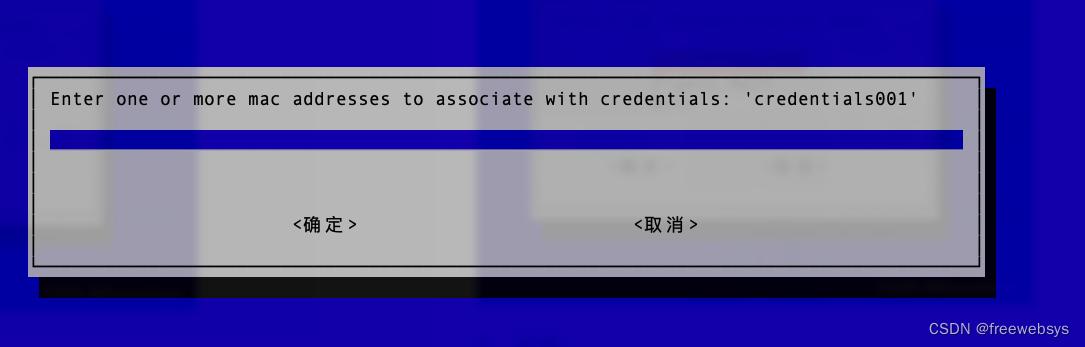
可以看到,当把参数都输入之后,就会请求 post 数据:各种执行细节都有。
...
$ bash bin/map-credentials.sh
Dependencies Check: Success
      Consul Check: ...
                    curl -X GET http://localhost:8500/v1/kv/edgex/devices/2.0/device-onvif-camera?keys=true
Response [200]      Success
curl -X GET http://localhost:8500/v1/kv/edgex/devices/2.0/device-onvif-camera/AppCustom/CredentialsMap?keys=true
Response [200]
Secret Path: credentials001
Setting InsecureSecret: credentials001/Path
curl --data 'credentials001' -X PUT http://localhost:8500/v1/kv/edgex/devices/2.0/device-onvif-camera/Writable/InsecureSecrets/credentials001/Path
Response [200] true


Setting InsecureSecret: credentials001/Secrets/username
curl --data 'admin' -X PUT http://localhost:8500/v1/kv/edgex/devices/2.0/device-onvif-camera/Writable/InsecureSecrets/credentials001/Secrets/username
Response [200] true


Setting InsecureSecret: credentials001/Secrets/password
curl --data '<redacted>' -X PUT http://localhost:8500/v1/kv/edgex/devices/2.0/device-onvif-camera/Writable/InsecureSecrets/credentials001/Secrets/password
Response [200] true


Setting InsecureSecret: credentials001/Secrets/mode
curl --data 'usernametoken' -X PUT http://localhost:8500/v1/kv/edgex/devices/2.0/device-onvif-camera/Writable/InsecureSecrets/credentials001/Secrets/mode
Response [200] true


Setting Credentials Map: credentials001 = ''
curl -X PUT http://localhost:8500/v1/kv/edgex/devices/2.0/device-onvif-camera/AppCustom/CredentialsMap/credentials001
Response [200] true


Secret Path: credentials001
curl -X GET http://localhost:8500/v1/kv/edgex/devices/2.0/device-onvif-camera/AppCustom/CredentialsMap/credentials001?raw=true
Response [200]
Setting Credentials Map: credentials001 = 'mac xxx'
curl --data 'mac xxx ' -X PUT http://localhost:8500/v1/kv/edgex/devices/2.0/device-onvif-camera/AppCustom/CredentialsMap/credentials001
Response [200] true


Success
4,认证完成之后就可以测试接口了,支持Get、Set有些接口有问题
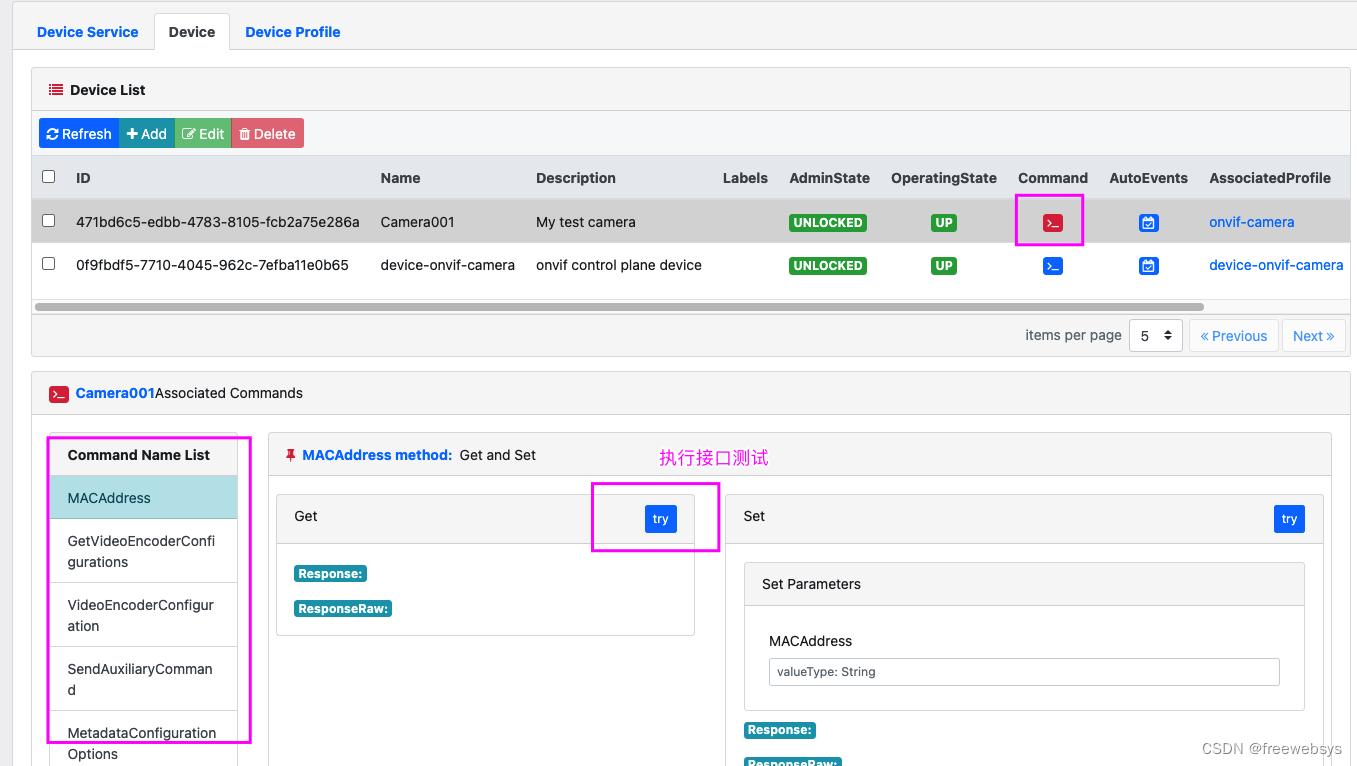
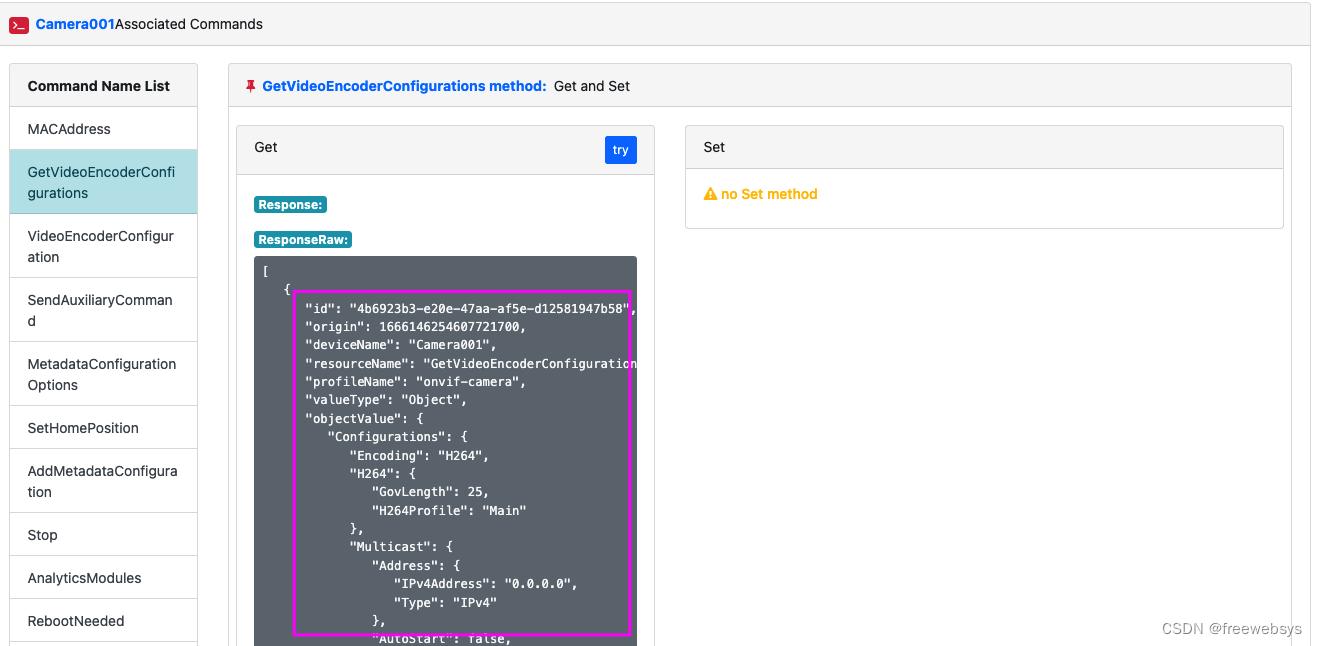
有些接口可以返回。
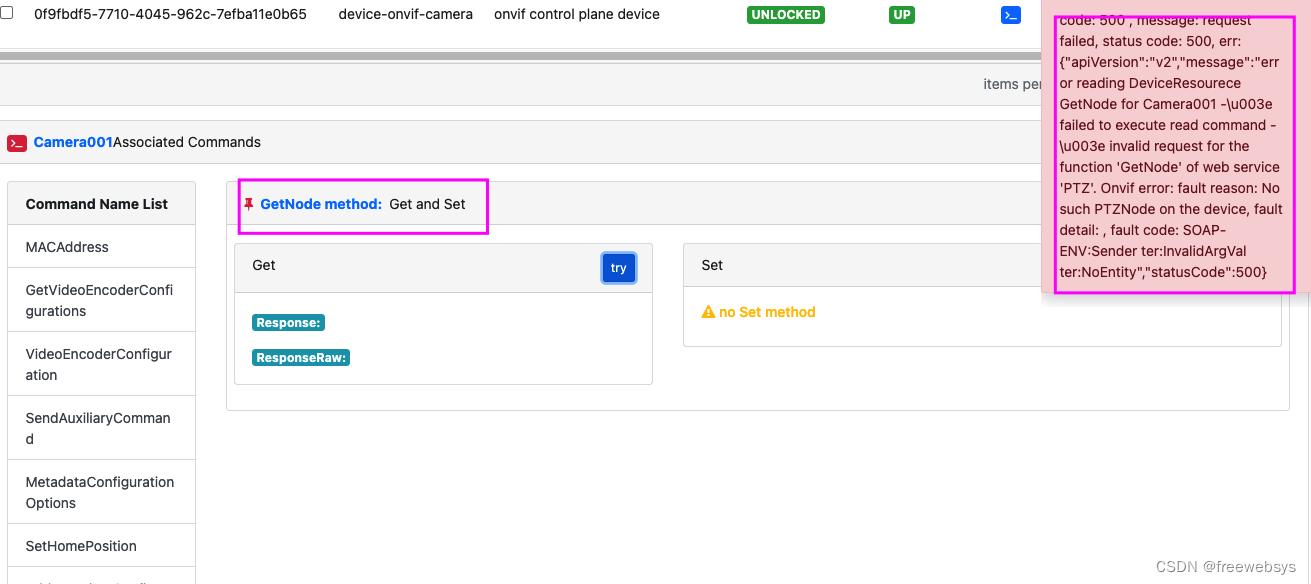
比如 getNode 接口就报错了。
然后通过接口查询,可以看到onvif的相关接口都可以了。
$ curl -s http://localhost:59882/api/v2/device/name/Camera001/Profiles | jq -r '"profileToken: " + '.event.readings[].objectValue.Profiles[].Token''

# 返回两个配置:
profileToken: profile_1
profileToken: profile_2

# 转换参数成 base64 ,请求第一个 profile
$ echo -n '{
> "ProfileToken": "profile_1"
> }' | base64
ewoiUHJvZmlsZVRva2VuIjogInByb2ZpbGVfMSIKfQ==

# 请求接口,就可以看到可以正常返回 onvif 摄像头的 URI 地址了。
$ curl -s http://localhost:59882/api/v2/device/name/Camera001/StreamUri?jsonObject=ewoiUHJvZmlsZVRva2VuIjogInByb2ZpbGVfMSIKfQ== | jq -r '"streamURI: " + '.event.readings[].objectValue.MediaUri.Uri''

streamURI: rtsp://192.168.1.110:554/stream1
其实这个就是 tplink 摄像头的流地址。和摄像头之前的 IP 地址一样。
4,总结
经过这几部操作设备就注册到 edgex 服务上了。然后就可以通过 EdgeX 的api 获得设备的url 流地址。需要借助几个命令,操作下就可以了,还是非常的方便的。也可以识别出摄像头的版本、信息等。非常方便。