需求分析:
1.需求:经验+3
分析:封号机制是什么?
2.1.大量回复固定的词 ->不是这个,词库我都准备好了,还是被封了
2.2.回复时间的间隔 ->可能有关,我10s一回复能回复三页,2s一回复20句不到就被封了
3.当弹出验证码框时如何操作?
这个还没刷出来就被封了
为了帮助大家更轻松的学好Python,无私分享一套Python学习资料,希望对正在学习的你有所帮助!
2.源码展示:
1
2
3
4
5
6
7
8
9
10
11
12
13
14
15
16
17
18
19
20
21
22
23
24
25
26
27
28
29
30
31
32
33
34
35
36
37
38
39
40
41
42
43
44
45
46
47
48
49
50
51
52
53
54
55
56
57
58
59
60
61
62
63
64
65
66
67
68
69
70
71
72
73
74
75
76
77
78
79
80
81
82
83
84
85
86
87
88
89
90
91
92
93
94
95
96
97
98
99
100
101
102
103
104
105
106
107
108
109
110
111
112
113
114
115
116
117
————————————————
版权声明:本文为CSDN博主「喝口水先」的原创文章,遵循 CC 4.0 BY-SA 版权协议,转载请附上原文出处链接及本声明。
原文链接:https://blog.csdn.net/weixin_43386443/article/details/105565059from lxml import etree
from selenium import webdriver
import time
import random
from pynput.keyboard import Controller
chrome_driver=r"C:\Program Files (x86)\Google\Chrome\chromedriver*ex.e**"
header = {"User-Agent": "Mozilla/5.0 (Windows NT 10.0; Win64; x64) AppleWebKit/537.36 (KHTML, like Gecko) Chrome/80.0.3987.122 Safari/537.36"}
count_num = 0
count_page = 0
host = "https://tieba.baidu.com"
reply_list = [
    "经验加三!",
    "哈哈,不懂",
    "卧槽!牛批",
    "我过去就是一个滑稽#(滑稽)",
    "/手动滑稽#(滑稽)",
    "#(滑稽)","#(滑稽)",
    "秀我那瓜子了哈哈",
    "哈哈",
    "不懂撒",
    "这是什么","gkd",
    "???",
    "不知道说什么#(滑稽)",
    "你知道的,我只想水一波经验#(滑稽)",
    "经验加三,告辞!!#(滑稽)",
    "#(滑稽)"
]
keyboard = Controller()     # 控制键对象
opt = webdriver.ChromeOptions()
opt.headless = False            # 是否隐藏浏览器 True为隐藏
browser = webdriver.Chrome(executable_path=chrome_driver, options=opt)
def browser_of(host_idx, idx):
    global host
    global count_num
    global reply_list
    print("本章:"+ host_idx, end=" --- ")
    browser.get(host_idx)
    re = browser.page_source
    html = etree.HTML(re)
    urls = html.xpath('//div[@class="threadlist_title pull_left j_th_tit "]/a/@href')
    time.sleep(5)       # 给扫描时间
    print("扫描有{}个贴,准备开始水!".format(len(urls)))
    j = 0
    for url in urls:
        url = host + url
        print(url)
        browser.get(url)
        try:
            browser.find_element_by_id("ueditor_replace").click()  # 鼠标点击
            time.sleep(2)
            input_box = browser.find_element_by_id("ueditor_replace")
            list_len = len(reply_list)
            ran_idx = random.randint(0, list_len)
            if opt.headless:            # 判断浏览器是否显示状态,显示就逐个打印
                time.sleep(4)
                input_box.send_keys(reply_list[ran_idx] + "经验+3!")
                time.sleep(4)
            else:
                input_box.send_keys(reply_list[ran_idx])
                # ---------------每句后面增加经典回复------------------
                keyboard.press("e")
                time.sleep(1)
                keyboard.press("x")
                time.sleep(1)
                keyboard.press("p")
                time.sleep(1)
                keyboard.press("e")
                time.sleep(1)
                keyboard.press("r")
                time.sleep(1)
                keyboard.press("i")
                time.sleep(1)
                keyboard.press("e")
                time.sleep(1)
                keyboard.press("n")
                time.sleep(1)
                keyboard.press("c")
                time.sleep(1)
                keyboard.press("e")
                #-----------------------------------------
            j += 1
            count_num += 1
            print('{0} - 第{1}页 第{2}条 回复成功:经验+3!'.format(count_num, idx, j))
            browser.find_element_by_css_selector(".ui_btn.ui_btn_m.j_submit.poster_submit").click()
        except Exception as e:
            print(e)
            print('fail')
            time.sleep(10)
    return True
def get_to_next_page(host_idx):
    global count_page
    count_page += 1
    print("本页为 = "+host_idx)
    browser.get(host_idx)
    re = browser.page_source                                          # 获取网页源码
    html = etree.HTML(re)
    next_url = html.xpath('//div[@id="frs_list_pager"]/a/@href')[-2]  # 获取下一页链接
    print("下一页 = "+next_url)
    # "file://tieba.baidu.com/f?kw=%E6%BB%91%E7%A8%BD&ie=utf-8&pn=50"
    if browser_of(host_idx, count_page):        # 执行完成
        get_to_next_page("https:" + next_url)
    browser.close()
if __name__ == '__main__':
    host_idx = "https://tieba.baidu.com/f?kw=%E6%BB%91%E7%A8%BD&ie=utf-8&pn=0"           # 放置贴吧内第一页url
    get_to_next_page(host_idx)
3.源码说明:
关于键盘输入:如果要控制其他程序,建议把opt.headless改为True,光标在哪就在哪敲字把opt.headless改为True又扫描登录不到,哈哈,可以自行查找selenium 保存账号和密码的操作
4.运行结果
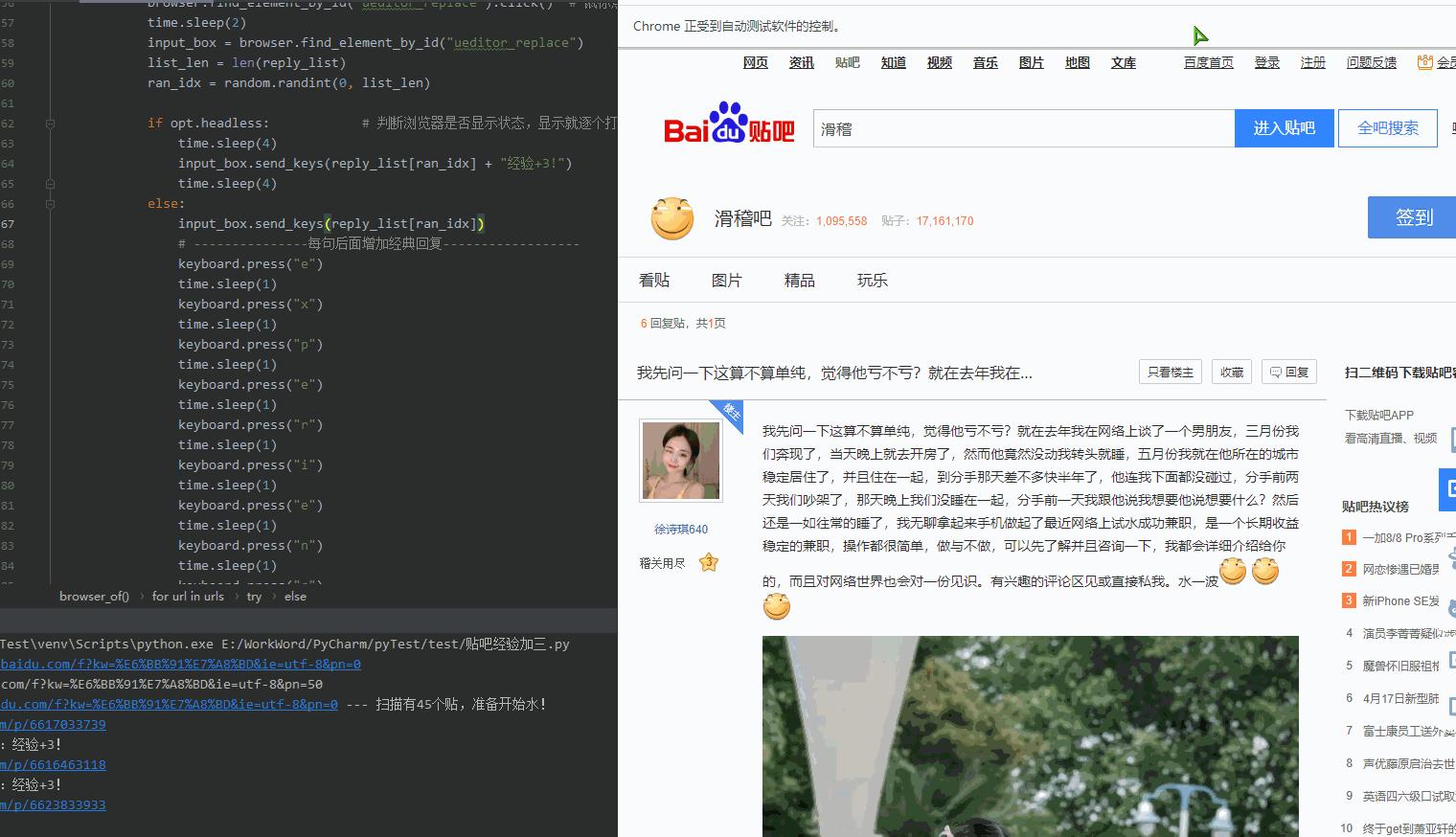
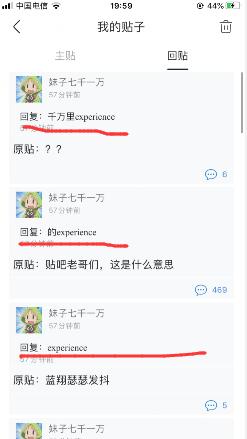

5.关于:
1.大量水贴有风险
2.记得要登录沃
非常感谢你的阅读
大学的时候选择了自学python,工作了发现吃了计算机基础不好的亏,学历不行这是
没办法的事,只能后天弥补,于是在编码之外开启了自己的逆袭之路,不断的学习python核心知识,深入的研习计算机基础知识,整理好了,如果你也不甘平庸,那就与我一起在编码之外,不断成长吧!
为了帮助大家更轻松的学好Python,无私分享一套Python学习资料,希望对正在学习的你有所帮助!
原文链接:https://blog.csdn.net/weixin_43386443/article/details/105565059?depth_1-utm_source=distribute.pc_category.none-task-blog-hot-2&request_id=&utm_source=distribute.pc_category.none-task-blog-hot-2