分享兴趣,传播快乐,增长见闻,留下美好!
亲爱的您,这里是LearningYard学苑。今天小编为你带来
如何将几十张图片快速做成PPT图片墙,欢迎您的访问!
Share interests, spread happiness, increase knowledge, and leave beautiful!
Dear you, this is LearningYard Academy. Today, the editor brings you how to quickly make dozens of pictures into a PPT picture wall, welcome your visit!
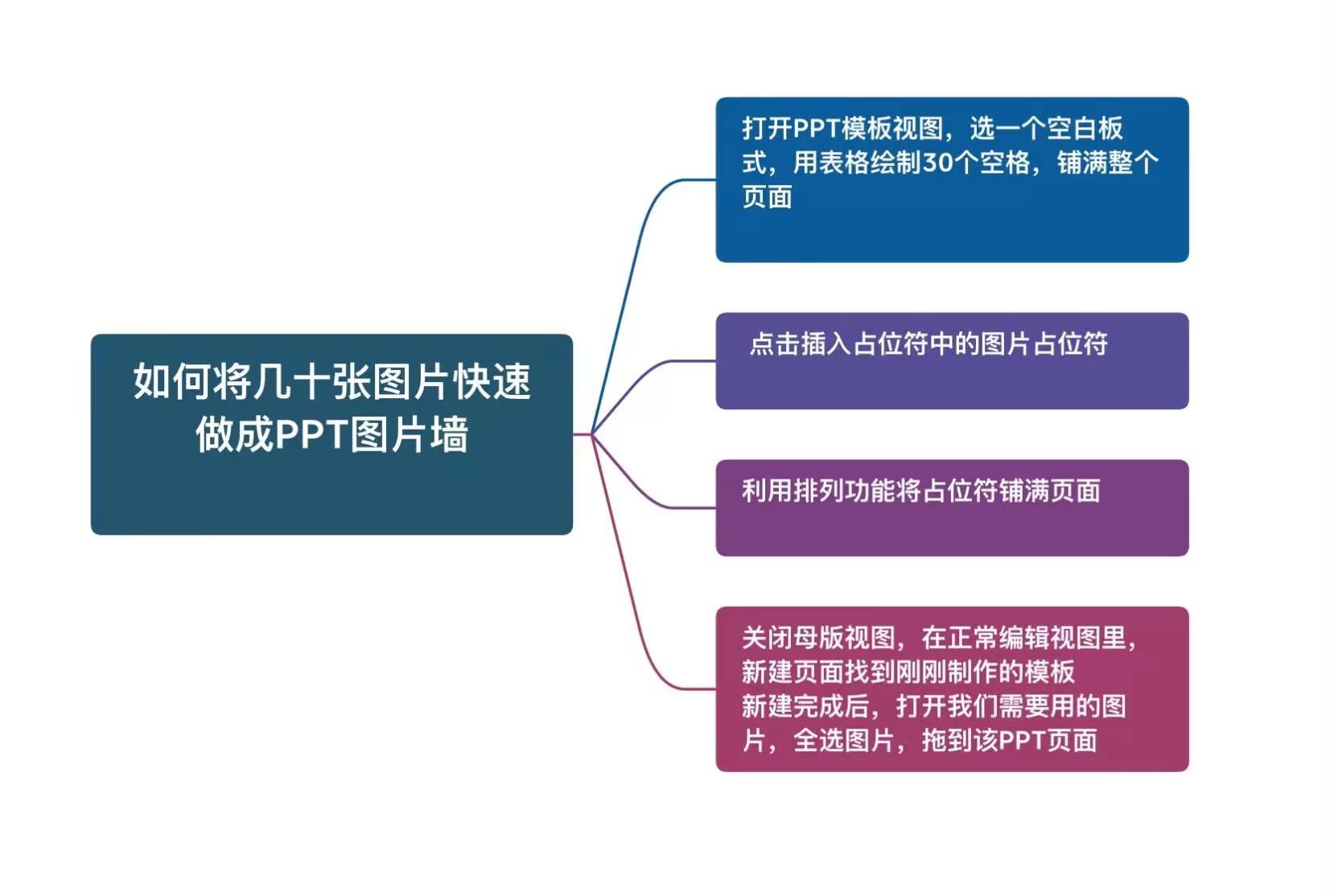
几十上百张图片做图片墙,如果一张张图拖进PPT,再调整大小,这就会相当耗时间,我们这里以30张照片为例,用模板图片占位符来做示范,其它数量的照片也可以参照。
Dozens of hundreds of pictures to do the picture wall, if one picture dragged into the PPT, and then resized, this will be quite time-consuming, we take 30 photos here as an example, use template picture placeholders to demonstrate, other numbers of photos can also be referenced.
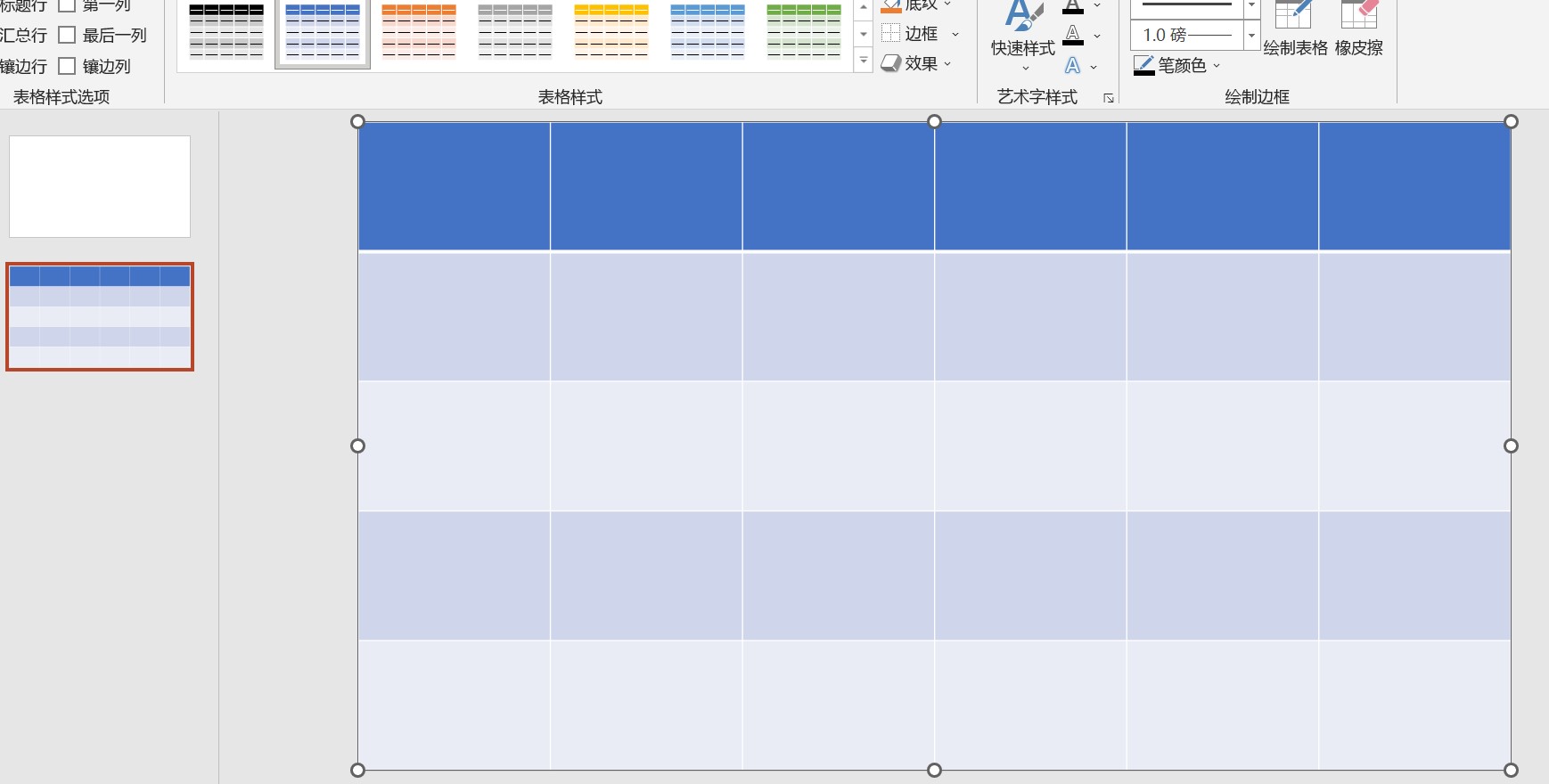
1.打开PPT模板视图,选一个空白板式,用表格绘制30个空格(主要是作为图片大小的参考),铺满整个页面。
1. Open the PPT template view, choose a blank plate type, draw 30 spaces with a table (mainly as a reference for the size of the picture), and spread the entire page.
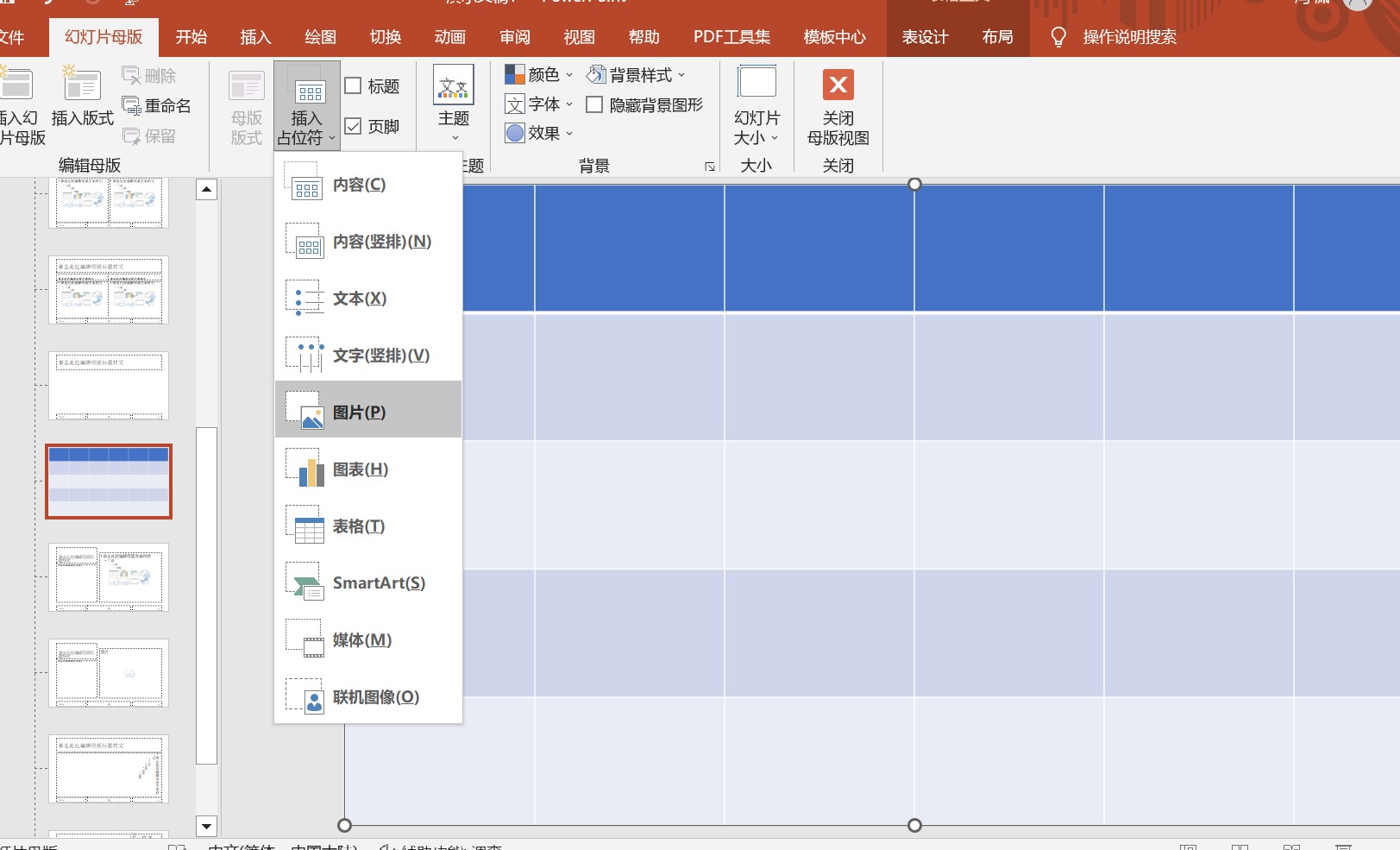
2.点击插入占位符中的图片占位符。
2.Click the image placeholder in the insert placeholder.
3.利用排列功能将占位符铺满页面。
3. Use the arrange function to fill the page with placeholders.
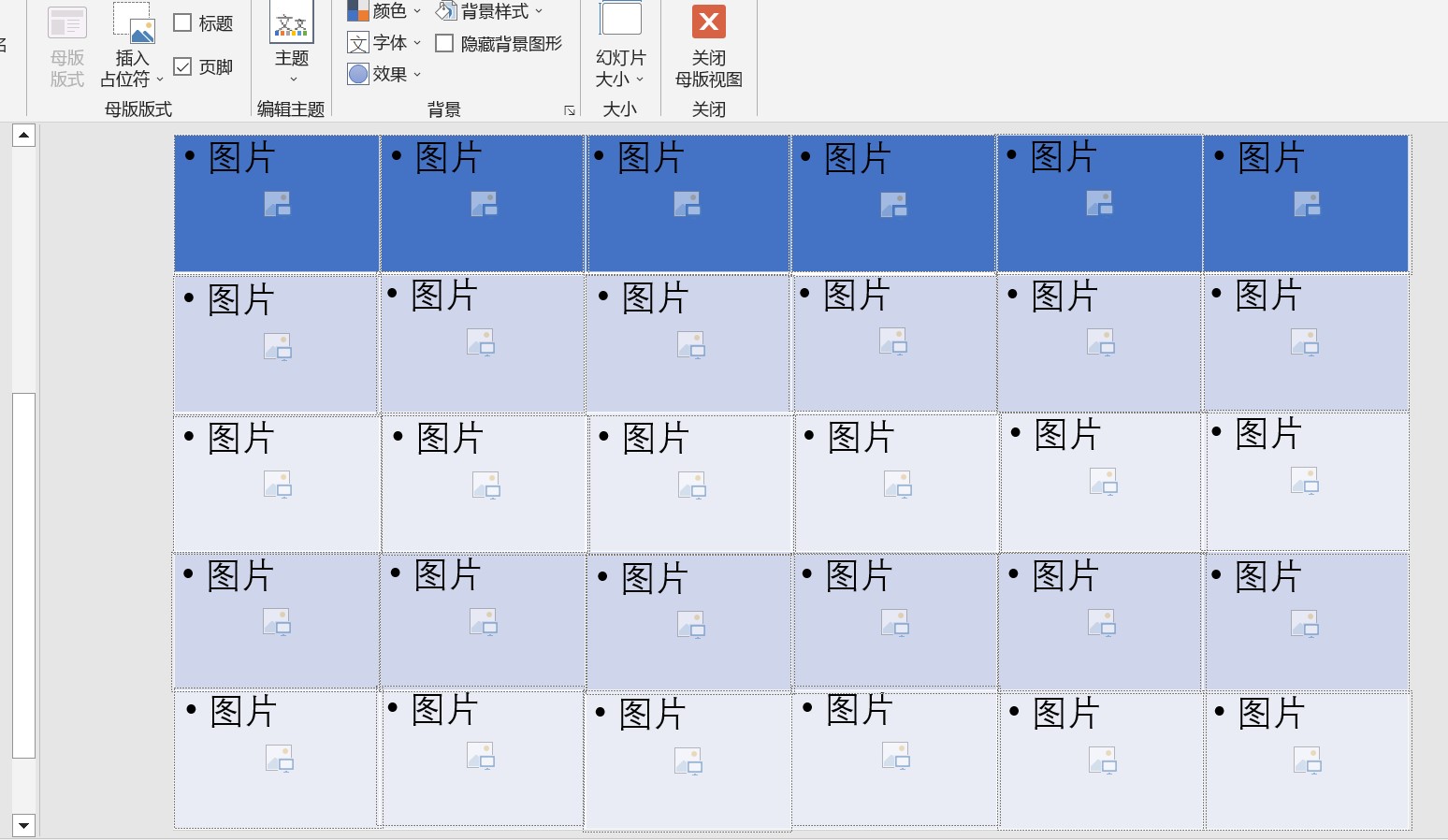
4.关闭母版视图,在正常编辑视图里,新建页面找到刚刚制作的模板。
4. Close the master view, in the normal edit view, find the template you just made on the new page.
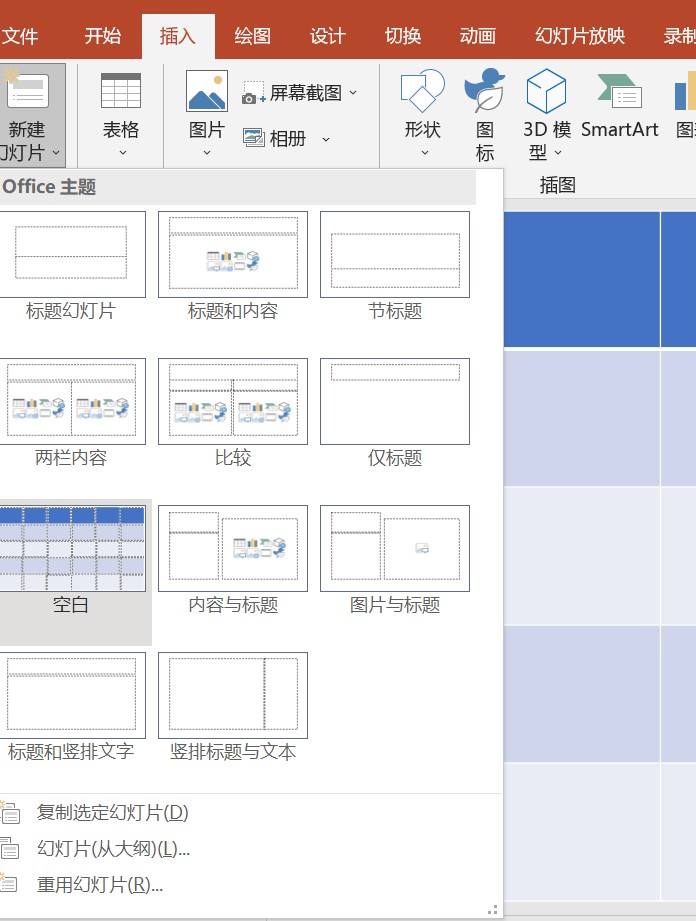
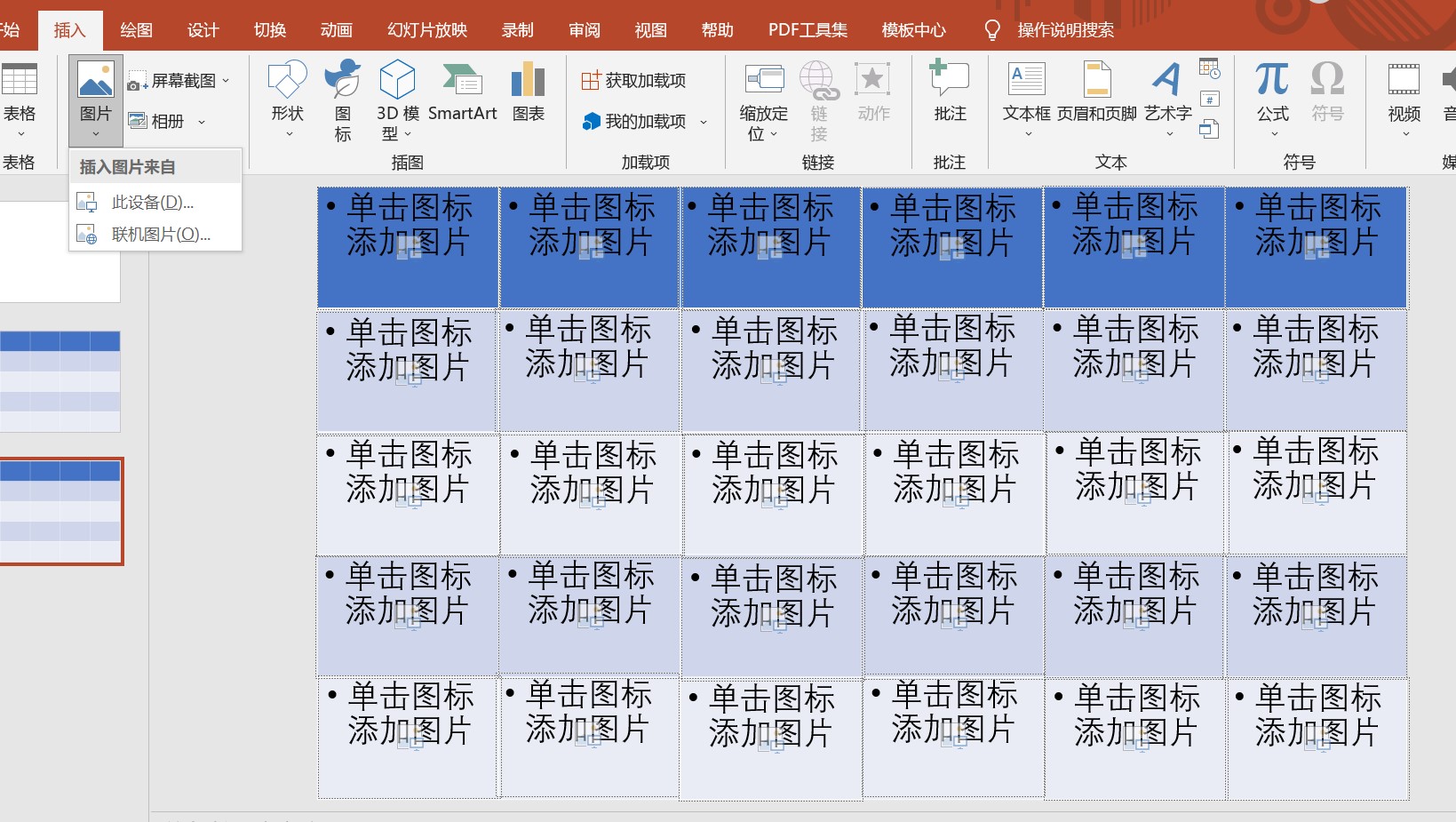
5.新建完成后,打开我们需要用的图片,全选图片,拖到该PPT页面,就完成了30 张图片的置入,然后便可以再度美化了,如加蒙版及文字等。
5. After the new creation is completed, open the picture we need to use, select all the pictures, drag to the PPT page, and complete the placement of 30 pictures, and then you can beautify it again, such as masking and text.
今天的分享就到这里了。 如果您对今天的文章有独特的想法, 欢迎给我们留言, 让我们相约明天, 祝您今天过得开心快乐! That's it for today's sharing. If you have a unique idea about today’s article, Welcome to leave us a message, Let us meet tomorrow,
I wish you a happy day today!
参考资料:百度百科
翻译:Google翻译
本文由LearningYard新学苑原创,如有侵权,请联系删除。