上一篇写到了读取xml文件的方式,这一篇我们使用XmlDocument的方式将数据写入到xml文件;
为了增加用户体验,我们很多时候需要将页面的一些配置信息保存下来。以方便下次使用的时候可以保持上次的使用状态。由于控件的·属性不尽相同,所以我们采用xml文件进行一个结构化的保存。
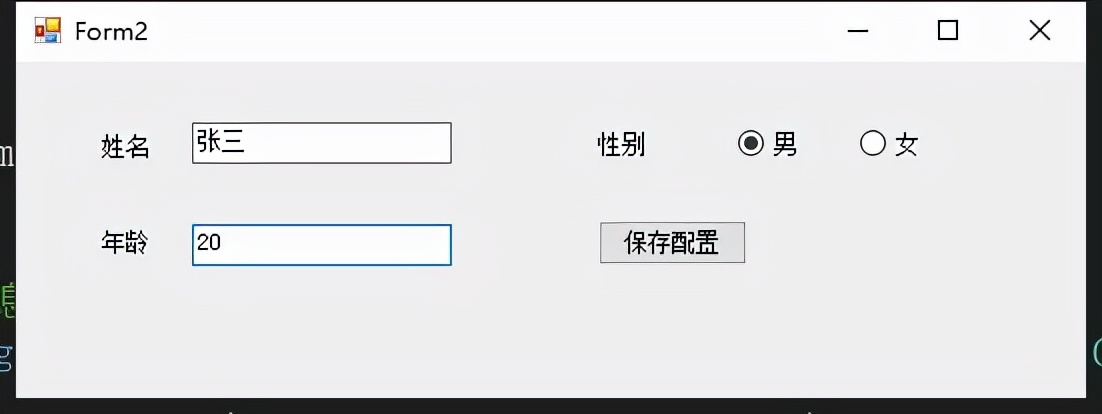
界面信息如下,在点击保存按钮的时候我们需要将其需要的信息输出到xml文件。
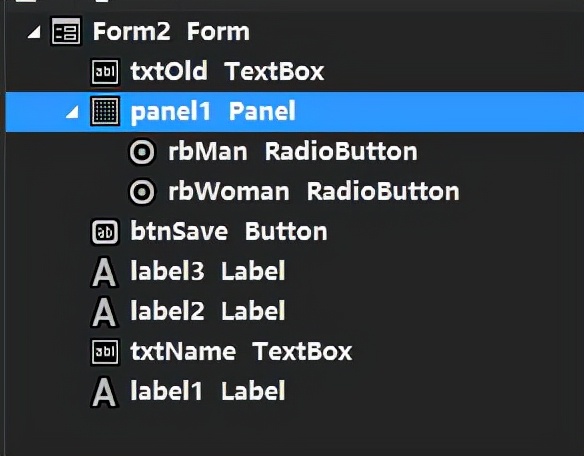
实现功能:
- 使用XmlDocument方式将界面信息保存到xml文件
开发环境:
开发工具: Visual Studio 2013
.NET Framework版本:4.5
实现代码:
 //保存界面控件信息
 Dictionary<string, ControlModel> dicView = new Dictionary<string, ControlModel>();
 private void btnSave_Click(object sender, EventArgs e)
 {
     //获取界面配置
     GetView(this);

     //要保存的xml路径
     string xmlPath = Application.StartupPath + "\\viewConfig.xml";

     //使用XmlDocument创建
     XmlDocument xmlDoc = new XmlDocument();
     //指定xml文件基本条件和编码格式
     //一般是第一行,如:<?xml version="1.0" encoding="gb2312"?>
     XmlDeclaration xmlDec = xmlDoc.CreateXmlDeclaration("1.0", "gb2312", null);
     xmlDoc.AppendChild(xmlDec);

     //创建根节点
     XmlElement xmlelem = xmlDoc.CreateElement("", "viewConfig", "");

     foreach (var item in dicView)
     {
         //根据控件名称创建节点
         XmlElement subNode = xmlDoc.CreateElement(item.Key);
         //根据需要保存的属性创建节点
         System.Reflection.PropertyInfo[] pis = item.Value.GetType().GetProperties();
         foreach (var pi in pis)
         {
             XmlElement subNodeProperty = xmlDoc.CreateElement(pi.Name);
             subNodeProperty.InnerText = Convert.ToString(pi.GetValue(item.Value));
             //设置属性
             subNodeProperty.SetAttribute("desc", "描述信息");
             subNode.AppendChild(subNodeProperty);
         }
         xmlelem.AppendChild(subNode);
     }
     //将以上节点添加到XmlDocument
     xmlDoc.AppendChild(xmlelem);
     //保存xml文件
     xmlDoc.Save(xmlPath);
 }

 //递归获取需要保存的控件
 private void GetView(Control parent)
 {
     foreach (Control c in parent.Controls)
     {
         if (c.Controls.Count > 0)
         {
             GetView(c);
         }
         else
         {
             if (c is TextBox)
             {
                 TextBox ctl = (TextBox)c;
                 dicView.Add(ctl.Name, new ControlModel
                 {
                     Text = ctl.Text,
                     Value = ctl.Text,
                     Location = ctl.Location,
                     Visible = ctl.Visible
                 });
             }
             if (c is RadioButton)
             {
                 RadioButton ctl = (RadioButton)c;
                 dicView.Add(ctl.Name, new ControlModel
                 {
                     Text = ctl.Text,
                     Value = ctl.Checked.ToString(),
                     Location = ctl.Location,
                     Visible = ctl.Visible
                 });
             }
         }
     }
 }

 //需要保存的控件信息模型
 private class ControlModel
 {
     public string Text { get; set; }
     public string Value { get; set; }
     public Point Location { get; set; }
     public bool Visible { get; set; }

 }
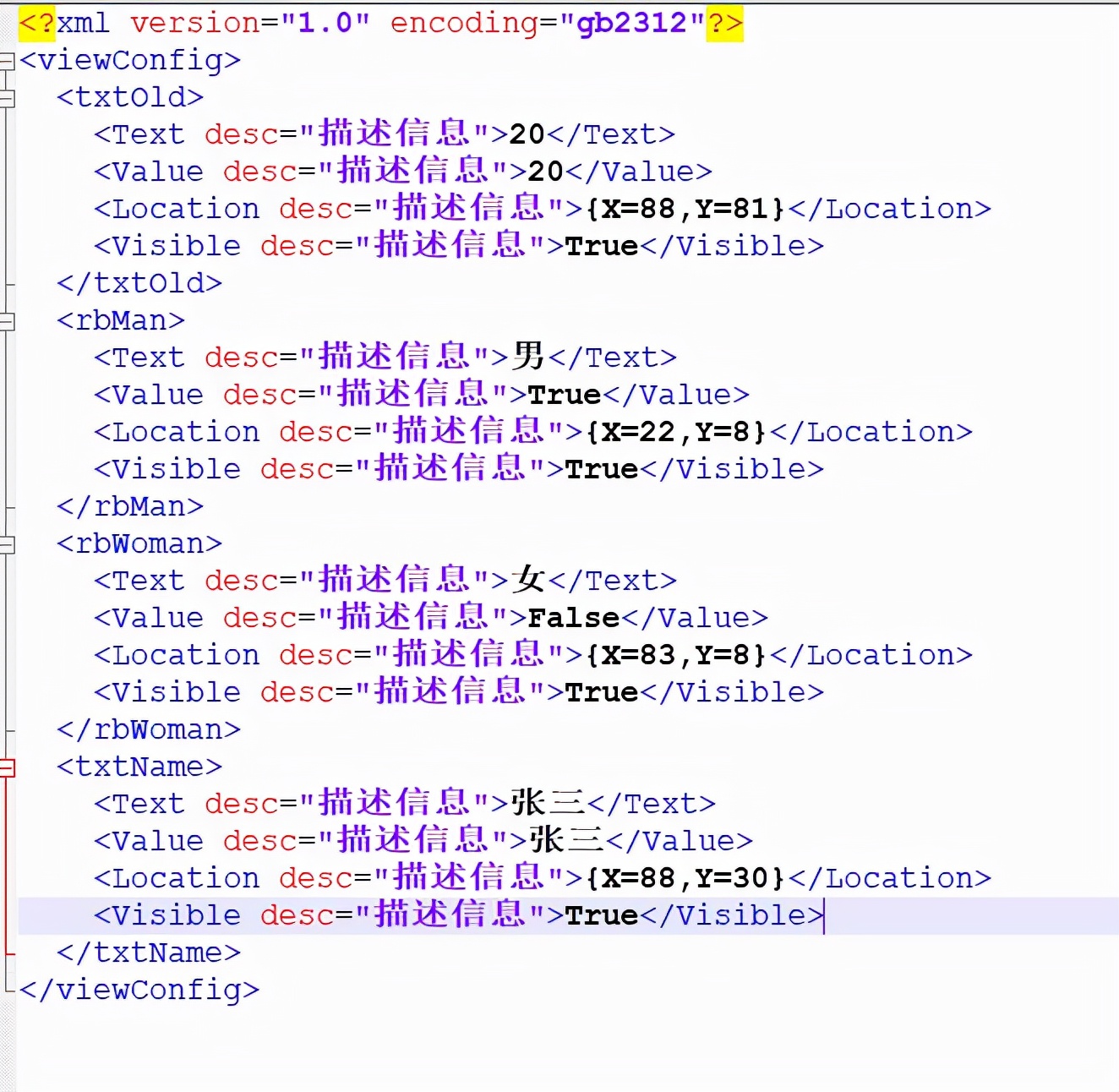
最后我们的输出结果如下图所示,根据上一篇所介绍的读取方式。我们可以在页面打开的时候去读取一下此文件,并将其信息设置到控件。
由简入繁,拿来即用
后续精彩,持续关注