用C#实现一个简单的电脑截屏功能;
实现功能:
- 截取当前屏幕并显示到页面
开发环境:
开发工具: Visual Studio 2013
.NET Framework版本:4.5
实现代码:
#region 使用WinApi获取正确的分辨率
[DllImport("User32.dll", EntryPoint = "GetDC")]
private extern static IntPtr GetDC(IntPtr hWnd);

[DllImport("gdi32.dll")]
public static extern int GetDeviceCaps(IntPtr hdc, int nIndex);

const int DESKTOPVERTRES = 117;
const int DESKTOPHORZRES = 118;
#endregion

private void btnCap_Click(object sender, EventArgs e)
{
    if (cbHide.Checked)
    {
        this.Hide();
        //从显示到隐藏需要有个反应时间
        Thread.Sleep(200);
    }

    //获取屏幕分辨率的几种方式,具体效果可自行测试
    // Screen.PrimaryScreen.Bounds
    // SystemInformation.PrimaryMonitorMaximizedWindowSize
    // SystemInformation.PrimaryMonitorSize
    // SystemInformation.WorkingArea
    // SystemInformation.VirtualScreen

    //此处不使用以上方式,因为在DPI有调整的情况下,获取到的分辨率有问题
    IntPtr hdc = GetDC(IntPtr.Zero);
    int w = GetDeviceCaps(hdc, DESKTOPHORZRES);
    int h = GetDeviceCaps(hdc, DESKTOPVERTRES);

    Bitmap bmp = new Bitmap(w,h, PixelFormat.Format32bppRgb);

    using (Graphics g = Graphics.FromImage(bmp))
    {
        //绘制屏幕
        g.CopyFromScreen(0, 0, 0, 0, bmp.Size, CopyPixelOperation.SourceCopy);
    }

    pictureBox1.Image = bmp;
    if (cbHide.Checked)
    {
        this.Show();
    }
}
实现效果:
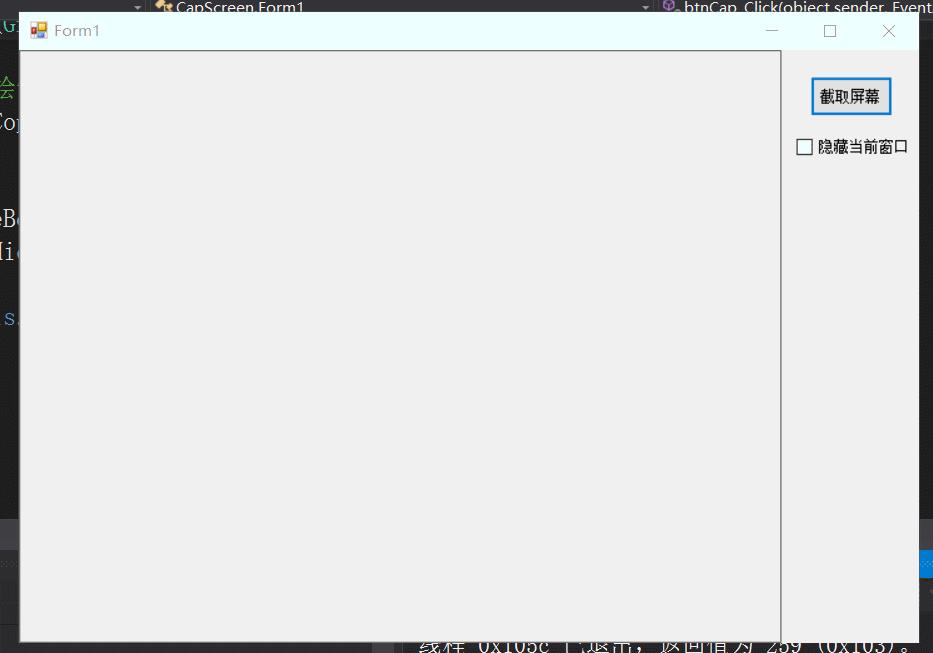
实现代码比较简单,主要是用到了CopyFromScreen这个方法来实现,其中其中要注意的是我们要考虑到正确获取分辨率的问题,此外,也可以根据坐标直接获取窗口的截图。
由简入繁,拿来即用
后续精彩,持续关注