系统
[root@mail]# cat /etc/redhat-release
CentOS Linux release 7.9.2009 (Core)
更新系统
yum update -y
1. *载下**iredMail
*载下**地址:https://www.iredmail.com/download.html
#CentOS 7
wget https://github.com/iredmail/iRedMail/archive/refs/tags/1.4.2.tar.gz
2.设置主机名
# 检查主机名
[root@localhost ~]# hostname -f
localhost

# 设置主机名
[root@localhost ~]# vim /etc/hosts
[root@localhost ~]# cat /etc/hosts
127.0.0.1   mail.xxx.com localhost localhost.localdomain localhost4 localhost4.localdomain4
[root@mail.xxx.com ~]# hostnamectl  set-hostname mail.xxx.com
[root@mail.xxx.com ~]# hostname -f
3. 安装 iredMail
[root@mail.xxx.com ~]# tar zxf 1.4.2.tar.gz
[root@mail.xxx.com ~]# cd iRedMail-1.4.2/
[root@mail.xxx.com iRedMail-1.4.2]# chmod +x iRedMail.sh
[root@mail.xxx.com iRedMail-1.4.2]# bash iRedMail.sh
4. 安装1.4.2报错: centos 7 不支持 1.5.x
[root@mail iRedMail-1.4.2]# bash iRedMail.sh
[ INFO ] Checking new version of iRedMail ...

<< ERROR >> Your iRedMail version (1.4.2) is out of date, please
<< ERROR >> download the latest version and try again:
<< ERROR >> http://www.iredmail.org/download.html

# 解决方法: 编辑pkgs目录下的get_all.sh 277行, 注释该行
[ X"${CHECK_NEW_IREDMAIL}" != X'NO' ] && \
277     #check_status_before_run check_new_iredmail
5. 根据提示安装
- 5.1 选择 yes

Yes
- 5.2 设置邮件目录
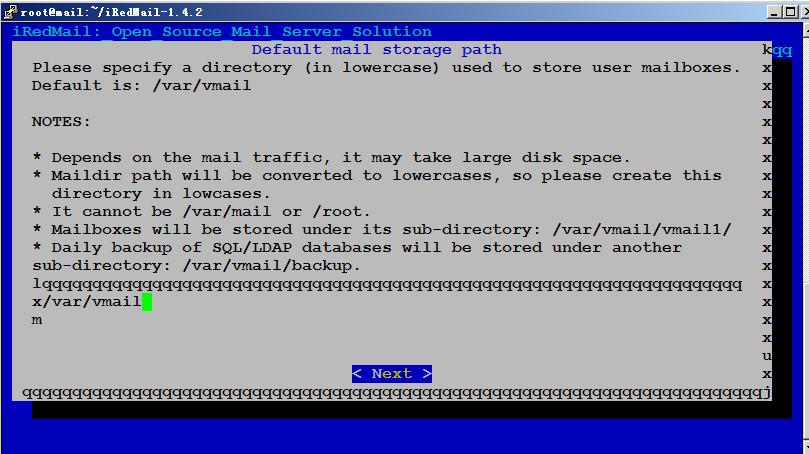
设置目录
- 5.3 选择安装web服务器
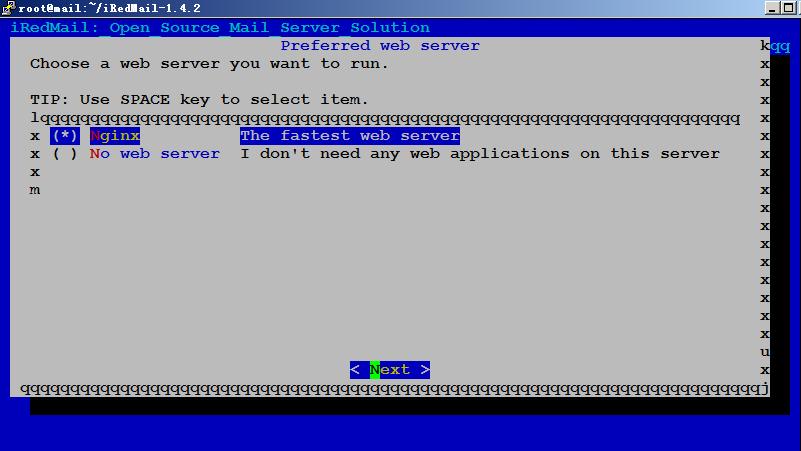
选择Web服务器
- 5.4 选择安装数据库
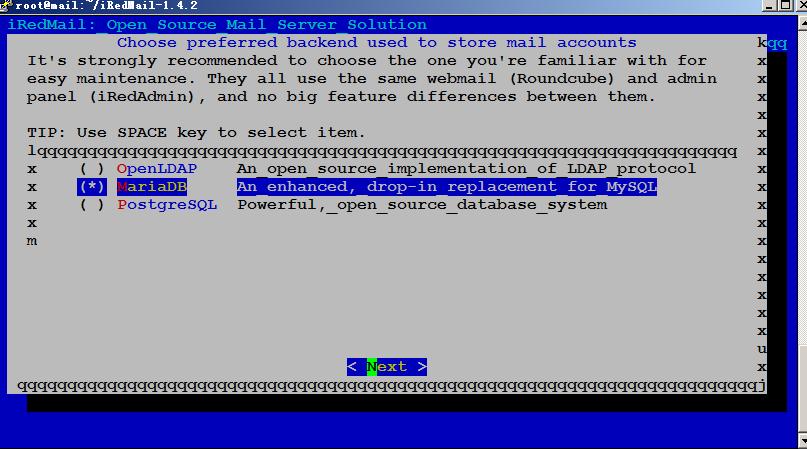
选择安装数据库
- 5.5 设置数据库密码

设置数据库密码
- 5.6 设置邮箱域名

设置邮箱域名
- 5.7 设置邮箱管理员密码

设置邮箱管理员密码
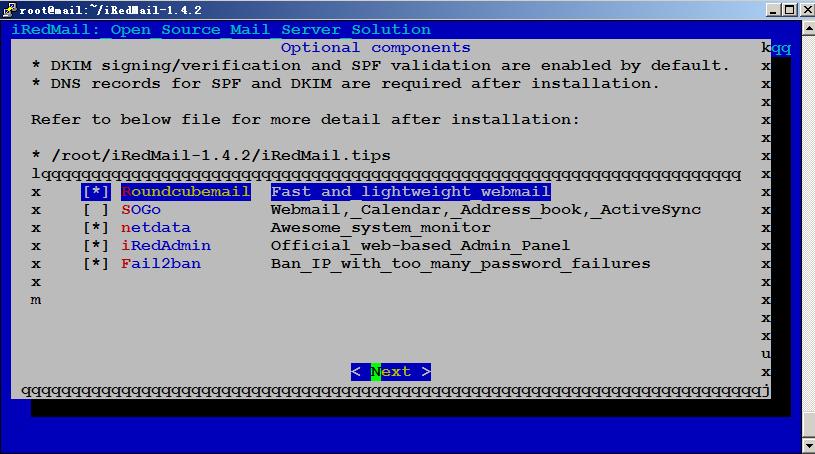
- 5.8 选择需要安装的功能: 默认即可
- 5.9 输入y安装

输入y
- 5.10 设置SSH端口号:选择n 默认即可
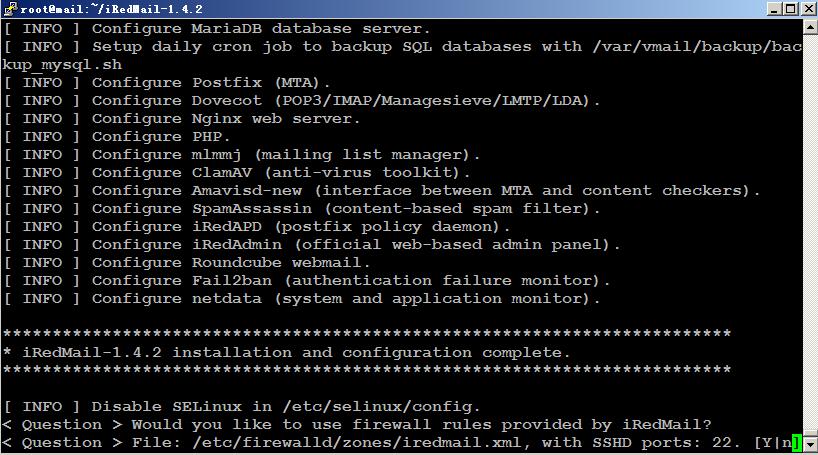
输入n
- 5.11 数据库配置文件

输入y
- 5.12 安装完成

wget https://github.com/acmesh-official/acme.sh/archive/refs/tags/3.0.4.zip
./acme.sh --register-account -m admin@mail.com
./acme.sh --issue -d mail.xxx.com --webroot /var/www/html
./acme.sh --installcert -d mail.xxx.com --key-file /etc/ssl/private/iRedMail.key --fullchain-file /etc/ssl/certs/iRedMail.crt
- 5.14 重启服务
service postfix reload
service dovecot reload
service nginx reload
- 5.15 禁用iRedMail灰名单灰名单(GreyList)是一项防止垃圾邮件的功能,iRedMail默认开启了该功能,该功能开启之后,收信件的时候有较长时间的延迟。因此,这里将该功能关闭。
chmod +w /opt/iredapd/settings.py
编辑文件 /opt/iredapd/settings.py
plugins = ["reject_null_sender", "wblist_rdns", "reject_sender_login_mismatch", "greylisting", "throttle", "amavisd_wblist", "sql_alias_access_policy"]
删掉 greylisting ,重启iredapd并恢复文件权限。
service iredapd restart
chmod -w /opt/iredapd/settings.py

spf 记录:
v=spf1 a mx ~all
dmarc记录:
v=DMARC1; p=quarantine;rua=mailto:dmarc_report@xxx.com;ruf=mailto:dmarc_report@xxx.com
#或
v=DMARC1; p=none; pct=100; rua=mailto:dmarc@xxx.com
dkim记录:
v=DKIM1;p=;MIIBIjANBgkqhkiG9w0BAQEFAAOCAQ8AMIIBCgKCAQEAz41gWDBURXfzNvnIofgKD8EC/eKoGTuU1N/98eAmysmpR9z4w+AbneXyUU32H2cGakinZ5qxFMl7iPjEBVw/aXDNGvgxXrxUhSaYC1fhiuxP5JjzW6km8DCl9cneBQ/QUtZxLdrC0EN+3inrqYI7ERWdQpPvTP2/NzjMMmJj7agxL2ssp87yzNFIJAtI5bB/7r5AivBznPdJQiag5cxwqBhB5eIK7yRuUvkXhO7bdVPtNFo1DQOXUcdzDe8PthMmw4YVV/aX+cNrZjCu4tpyC3eyZpeoxVreOehcgf8sDR0/3iJLBjX19WYfH7Z7S448L0VEe/1jI3TYQZcKDWJe;pwIDAQAB
https://www.mail-tester.com/
https://tools.wordtothewise.com/authentication
https://scanmy.email/
May 16 08:49:35 mail postfix/smtpd[25697]: NOQUEUE: reject: RCPT from out162-62-57-87.mail.qq.com[162.62.57.87]: 554 5.7.1 <out162-62-57-87.mail.qq.com>: Helo command rejected: ACCESS DENIED. Your email was rejected because the sending mail server appears to be on a dynamic IP address that should not be doing direct mail delivery (162-62-57-87); from=<xxxx@qq.com> to=<xxx@xxx.com> proto=ESMTP helo=<out162-62-57-87.mail.qq.com>
解决方法: 编辑 /etc/postfix/main.cf 注释check_helo_access helo_access.pcre 这行
smtpd_helo_restrictions =
    permit_mynetworks
    permit_sasl_authenticated
    #check_helo_access pcre:/etc/postfix/helo_access.pcre
    reject_non_fqdn_helo_hostname
    reject_unknown_helo_hostname