什么是Vision API?
Google Cloud Vision API使开发人员能够基于对象检测,OCR等创建基于视觉的机器学习应用程序,而无需任何实际的机器学习背景。
Google Cloud Vision API采用以图像识别为中心的极其复杂的机器学习模型,并在简单的REST API界面中对其进行格式化。它包含多种工具,可通过单个API请求提取图像的上下文数据。它使用在大型图像数据集上训练的预训练模型,类似于用于为Google Photos提供动力的模型,因此无需开发和训练您自己的自定义模型。
出于本文的目的,我将只关注Google Cloud Vision API的OCR功能,并为您提供有关使用API进行OCR文本检测的一些提示和技巧。
进行Vision API调用。
下面的代码片段使用python API库生成DOCUMENT_TEXT_DETECTION请求。
from google.cloud import vision
from google.cloud.vision import types
import io
from PIL import Image, ImageDraw
from enum import Enum
image_file=’Desktop/Wachovia_National.jpg’
image = Image.open(image_file)
client = vision.ImageAnnotatorClient()
with io.open(image_file, ’rb’) as image_file:
 content = image_file.read()
image = types.Image(content=content)
response = client.document_text_detection(image=image)
document = response.full_text_annotation
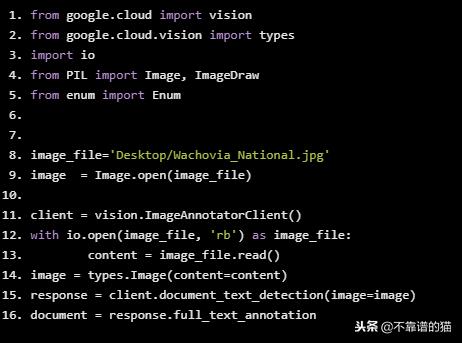
响应包含AnnotateImageResponse,它包含一个Image Annotation结果列表。一个是text_annotations,它只包含词级别信息。这里我们将使用包含字符级数据描述的full_text_annotation。full_text_annotation包含OCR提取文本的结构化表示,如下所示:TextAnnotation - > Page - > Block - > Paragraph - > Word - > Symbols,它存储在文档变量中。它包含一些有用的属性,如置信度分数,检测到的文本语言等。
从响应中绘制边界框
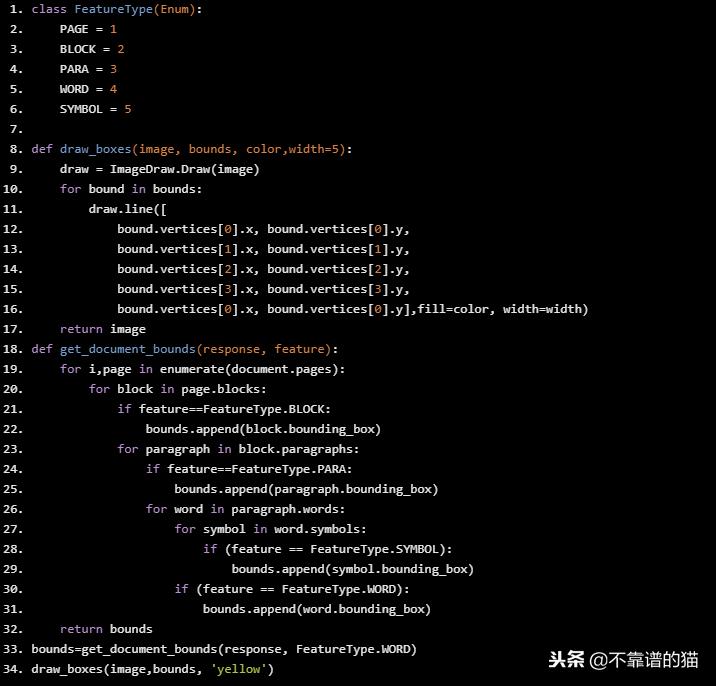
下面的代码使用响应来绘制我们指定的特征周围的边界框,在这种情况下它是一个单词。
class FeatureType(Enum):
 PAGE = 1
 BLOCK = 2
 PARA = 3
 WORD = 4
 SYMBOL = 5
def draw_boxes(image, bounds, color,width=5):
 draw = ImageDraw.Draw(image)
 for bound in bounds:
 draw.line([
 bound.vertices[0].x, bound.vertices[0].y,
 bound.vertices[1].x, bound.vertices[1].y,
 bound.vertices[2].x, bound.vertices[2].y,
 bound.vertices[3].x, bound.vertices[3].y,
 bound.vertices[0].x, bound.vertices[0].y],fill=color, width=width)
 return image
def get_document_bounds(response, feature):
 for i,page in enumerate(document.pages):
 for block in page.blocks:
 if feature==FeatureType.BLOCK:
 bounds.append(block.bounding_box)
 for paragraph in block.paragraphs:
 if feature==FeatureType.PARA:
 bounds.append(paragraph.bounding_box)
 for word in paragraph.words:
 for symbol in word.symbols:
 if (feature == FeatureType.SYMBOL):
 bounds.append(symbol.bounding_box)
 if (feature == FeatureType.WORD):
 bounds.append(word.bounding_box)
 return bounds
bounds=get_document_bounds(response, FeatureType.WORD)
draw_boxes(image,bounds, ’yellow’)
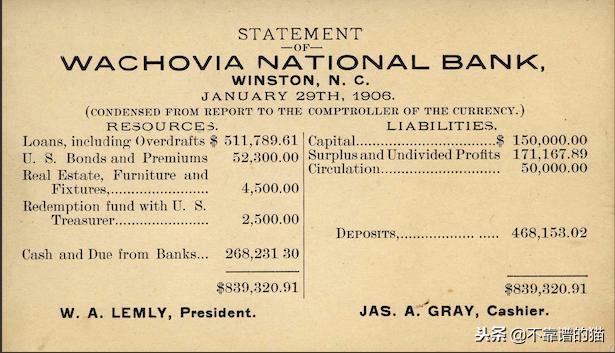
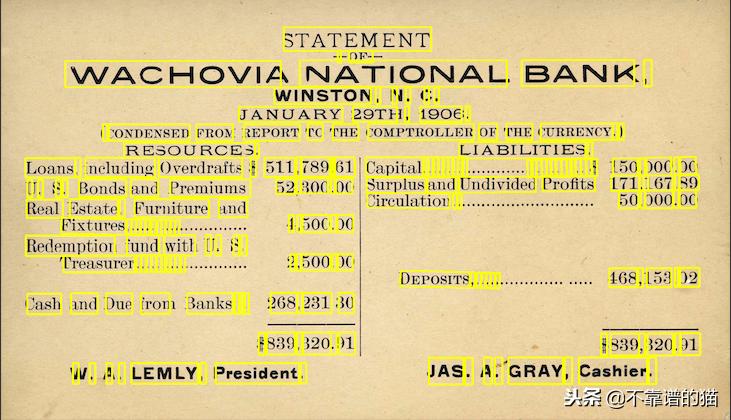
上面的图像是原始图像,下面的图像包含每个检测到的单词的绘制边界框。
如果我们用block,我们得到
#FOR BLOCKS
bounds = get_document_bounds(response, FeatureType.BLOCK)
draw_boxes(image, bounds, ’red’)

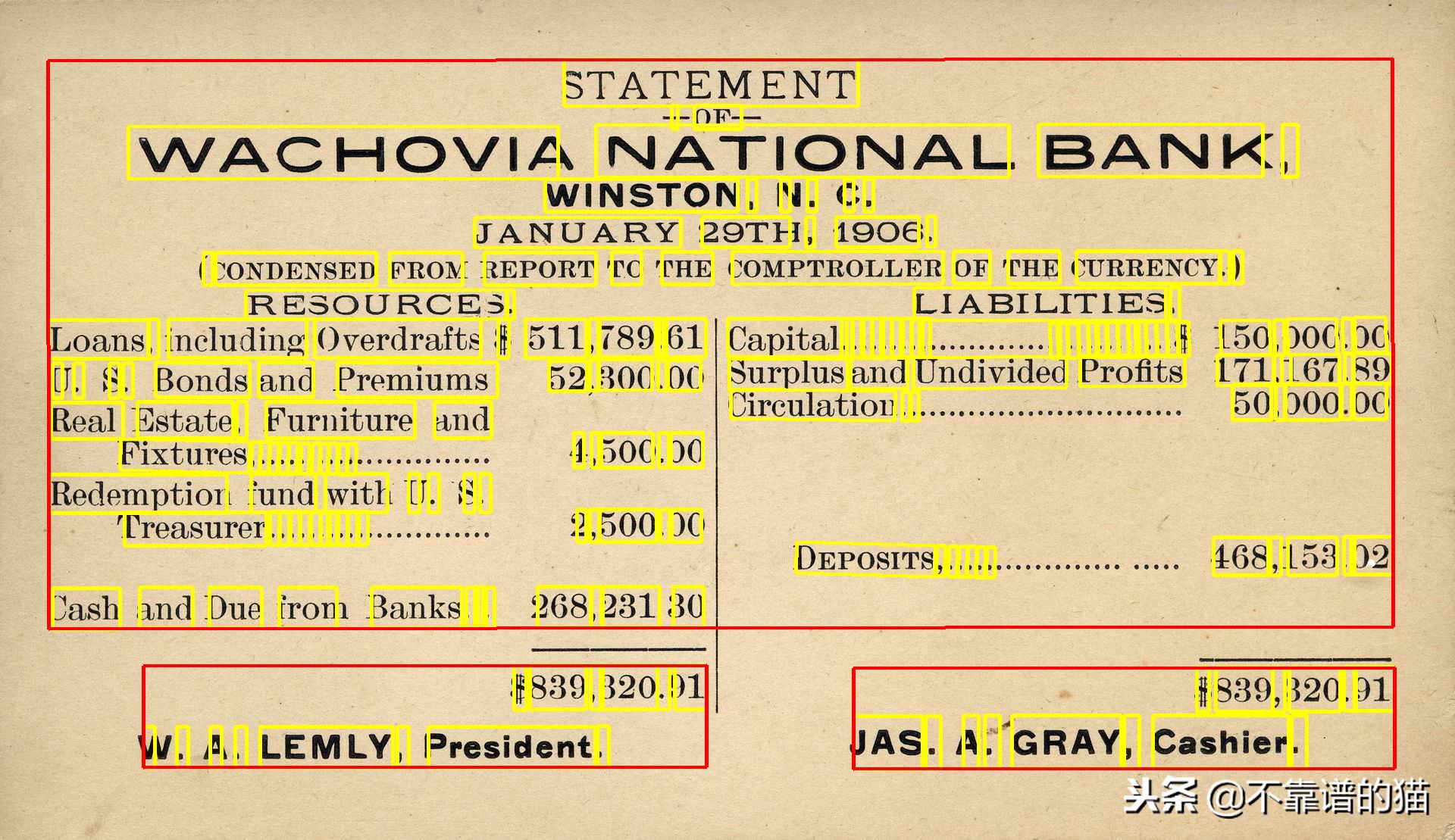
逐块分离有助于识别图像的不同部分,并有助于提取忽略不需要的文本的重要信息。它在这里看起来并不那么有用,但假设当您从一些身份证件文件中提取信息时,是会有用的的。
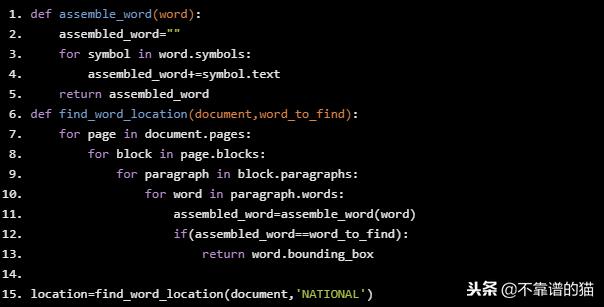
找到单词的位置
def assemble_word(word):
 assembled_word=""
 for symbol in word.symbols:
 assembled_word+=symbol.text
 return assembled_word
def find_word_location(document,word_to_find):
 for page in document.pages:
 for block in page.blocks:
 for paragraph in block.paragraphs:
 for word in paragraph.words:
 assembled_word=assemble_word(word)
 if(assembled_word==word_to_find):
 return word.bounding_box

location=find_word_location(document,’NATIONAL’)
输出:
vertices {
x: 786
y: 165
}
vertices {
x: 1331
y: 164
}
vertices {
x: 1331
y: 233
}
vertices {
x: 786
y: 234
}
在给定的边界坐标内查找单词
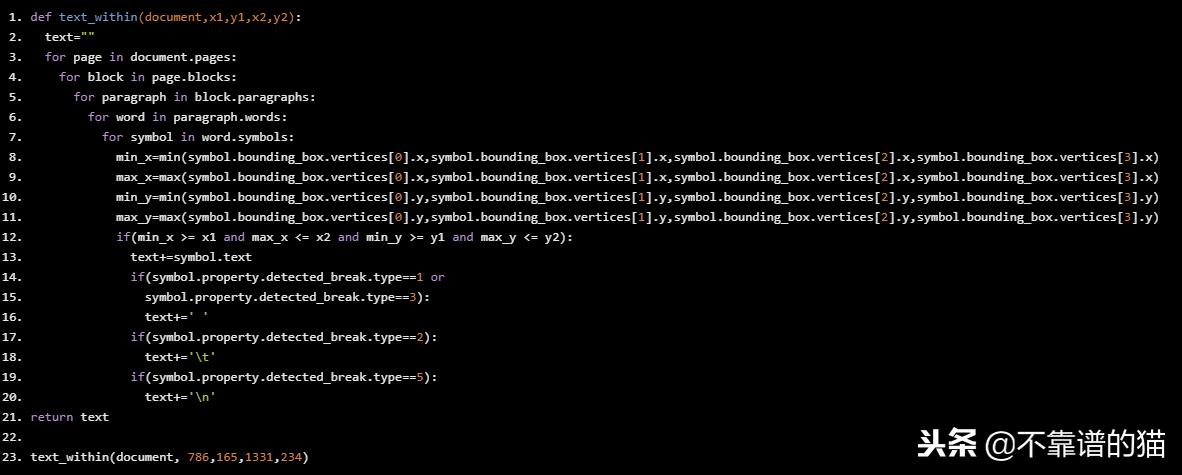
假设您希望从固定位置提取文本,可以使用此Python代码来实现这一点
def text_within(document,x1,y1,x2,y2):
 text=""
 for page in document.pages:
 for block in page.blocks:
 for paragraph in block.paragraphs:
 for word in paragraph.words:
 for symbol in word.symbols:
 min_x=min(symbol.bounding_box.vertices[0].x,symbol.bounding_box.vertices[1].x,symbol.bounding_box.vertices[2].x,symbol.bounding_box.vertices[3].x)
 max_x=max(symbol.bounding_box.vertices[0].x,symbol.bounding_box.vertices[1].x,symbol.bounding_box.vertices[2].x,symbol.bounding_box.vertices[3].x)
 min_y=min(symbol.bounding_box.vertices[0].y,symbol.bounding_box.vertices[1].y,symbol.bounding_box.vertices[2].y,symbol.bounding_box.vertices[3].y)
 max_y=max(symbol.bounding_box.vertices[0].y,symbol.bounding_box.vertices[1].y,symbol.bounding_box.vertices[2].y,symbol.bounding_box.vertices[3].y)
 if(min_x >= x1 and max_x <= x2 and min_y >= y1 and max_y <= y2):
 text+=symbol.text
 if(symbol.property.detected_break.type==1 or
 symbol.property.detected_break.type==3):
 text+=’ ’
 if(symbol.property.detected_break.type==2):
 text+=’\t’
 if(symbol.property.detected_break.type==5):
 text+=’\n’
return text
text_within(document, 786,165,1331,234)
输出:’NATIONA’
Vision API的OCR功能的一些实际用例
- 从用户表单或标识文档中提取数据。
- 从包含文本的扫描图像中提取文本。
- 扫描用户存折以及许多此类用例。