
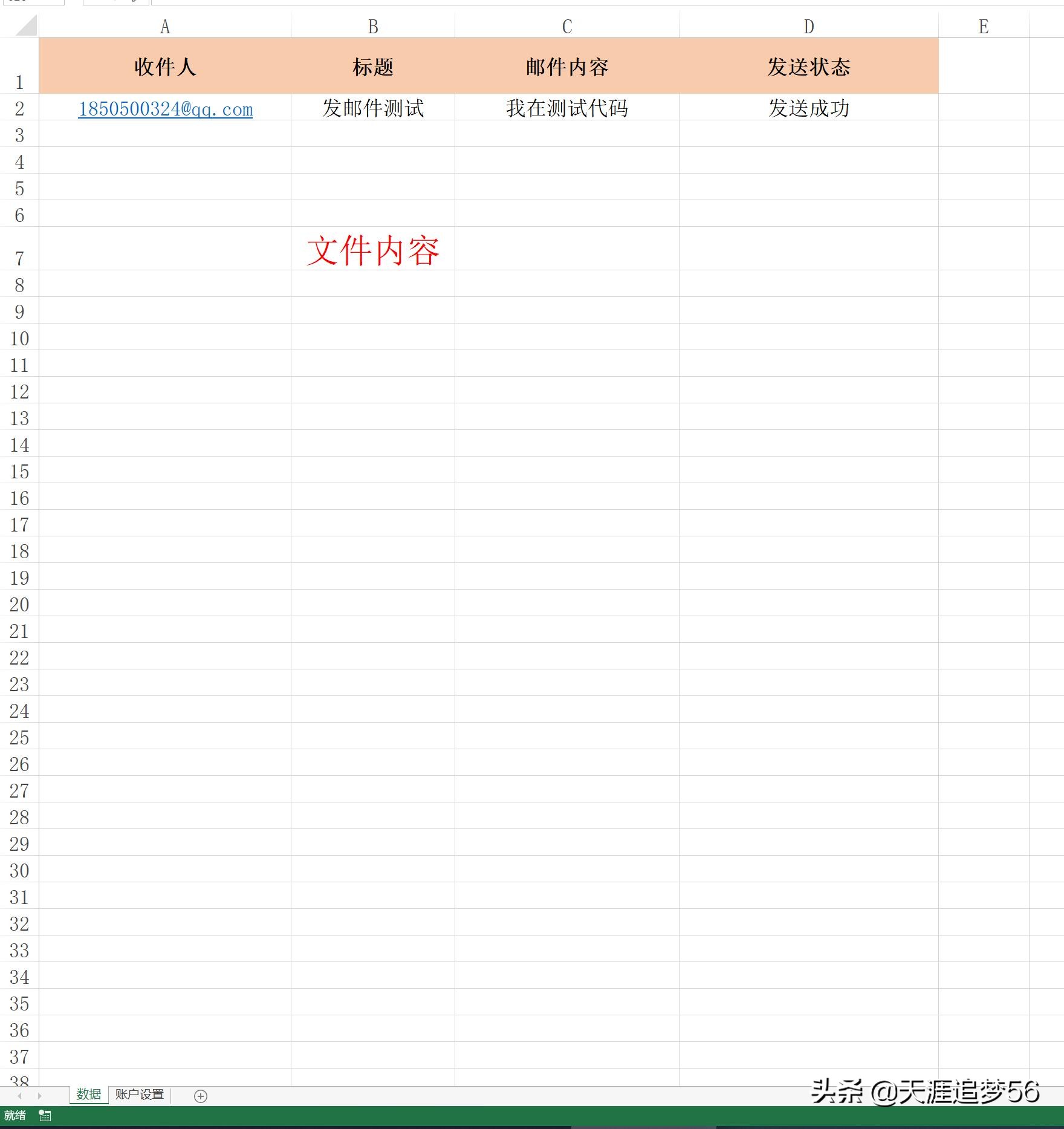
实现功能:批量群发邮箱
感觉这个比前面分享的那个方法发送邮箱要快点。
需要Excel模板订制请私聊
下面是代码分享
前期准备设置
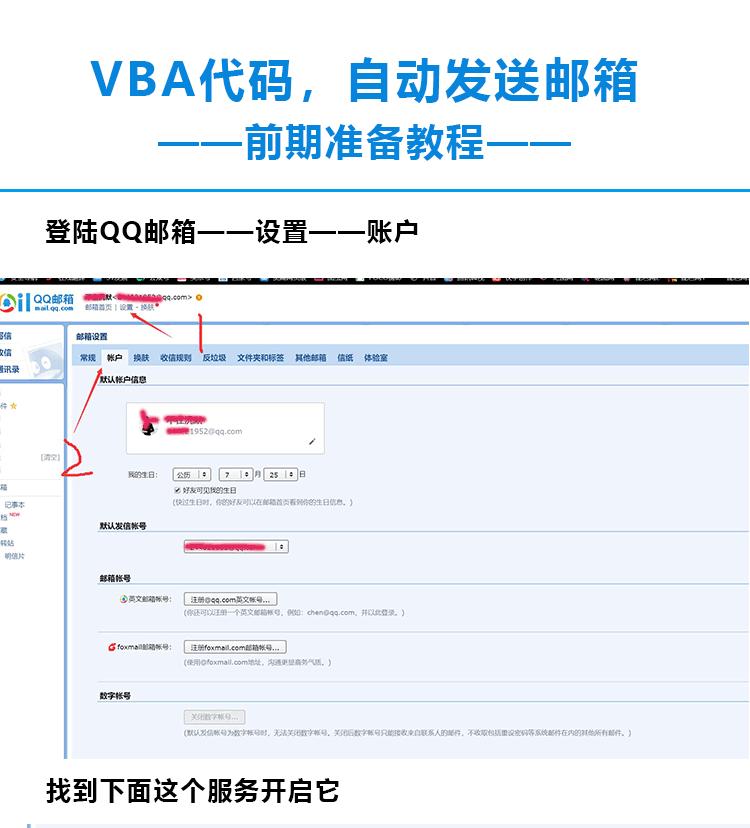

前面都设置好了,就把下面代码写入进去
Sub cdosendmail()
Dim cdomail As Object
Dim strpath As String
Dim adata As Variant
Dim i As Long
Dim strurl As String
Dim strfrommail As String
Dim strpassword As String
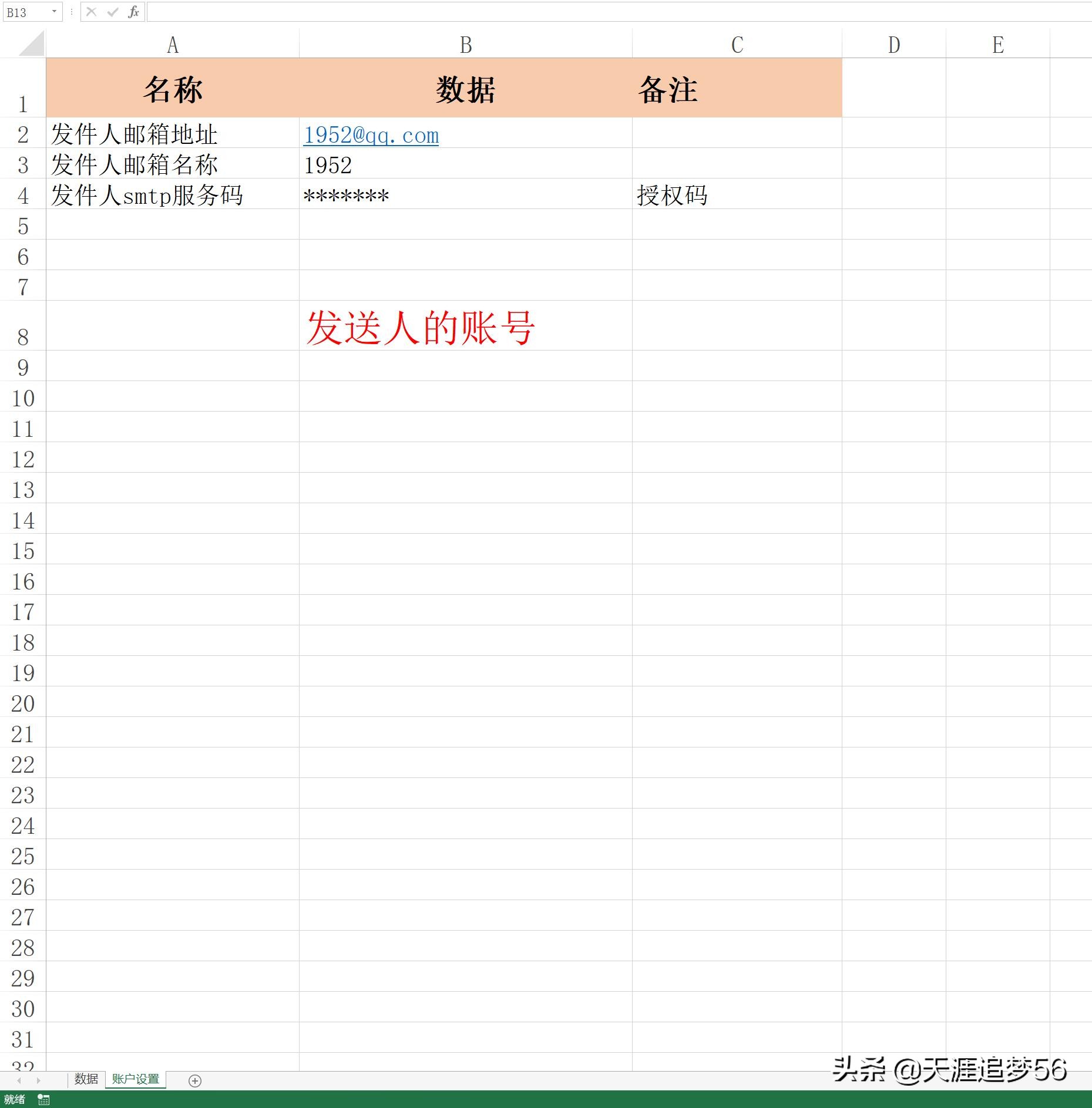
strfrommail = Range("b2").Value
strfromname = Range("b3").Value
If strfrommail = "" Or strfromname = "" Then
MsgBox "未输入邮箱地址或名称"
Exit Sub
End If
strpassword = Range("b4").Value
If strpassword = "" Then
MsgBox "未输入smtp服务密码"
Exit Sub
End If
With Application
.ScreenUpdating = False
.DisplayAlerts = False
End With
Sheets("数据").Select
adata = Range("a1:c" & Cells(Rows.Count, 1).End(xlUp).Row)
'------数据装入数组aData
strpath = ThisWorkbook.Path & "\暑假快乐.jpg"
'------附件存放的路径+名称
'On Error Resume Next
For i = 2 To UBound(adata)
Set cdomail = CreateObject("cdo.message")
'------创建CDO对象
cdomail.from = strfrommail
'------发信人的邮箱
cdomail.to = adata(i, 1)
'------收信人的邮箱
cdomail.Subject = adata(i, 2)
'------邮件的主题
cdomail.htmlbody = adata(i, 3)
'------邮件的内容(Html格式)
cdomail.textbody = adata(i, 3)
'------邮件的内容(文本格式)
cdomail.addattachment strpath
'------邮件的附件
strurl = "http://schemas.microsoft.com/cdo/configuration/"
'------微软服务器网址
With cdomail.configuration.Fields
.Item(strurl & "smtpserver") = "smtp.qq.com"
'------SMTP服务器地址
.Item(sturl & "smtpserverport") = 25
'------SMTP服务器端口
.Item(strurl & "sendusing") = 2
'------发送端口
.Item(strurl & "smtpauthenticate") = 1
'------远程服务器验证
.Item(strurl & "sendusername") = strfromname
'-------发送方邮箱名称
.Item(strurl & "sendpassword") = strpassword
'-------发送方smtp密码
.Item(strurl & "smtpconnectiontimeout") = 60
'-------设置连接超时(秒)
.Update
End With
cdomail.send
'-------发送
If Err.Number = 0 Then
adata(i, 3) = "发送成功"
Else
adata(i, 3) = "发送失败"
End If
Next
Range("d1").Resize(UBound(adata), 1) = Application.Index(adata, , 3)
Range("d1") = "发送状态"
Set cdomail = Nothing
With Application
.ScreenUpdating = True
.DisplayAlerts = True
End With
MsgBox "您好,发送任务完成"
End Sub
'如果要使用163邮箱发送邮件。修改发件人的邮箱地址、名称和对应的smtp服务密码
'将 .Item(strURL & "smtpserver")="smtp.qq.com" 改为 .Item(strURL & "smtpserver")="smtp.163.com"
'如果将一封邮件发送多人,不同收件人之间使用半角分号间隔即可。
'例:"42@qq.com;43@qq.com"