宏:Visual Basic for Applications (VBA)
代码写在最后
步骤一:启用开发工具选项卡
文件→选项→自定义功能区→勾选开发工具
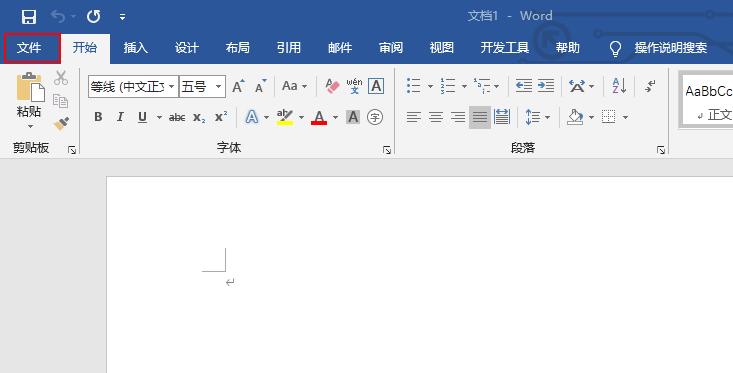
单击文件选项
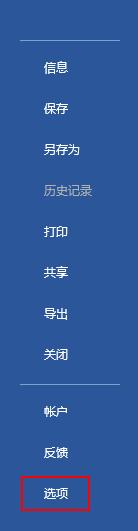
选择选项菜单
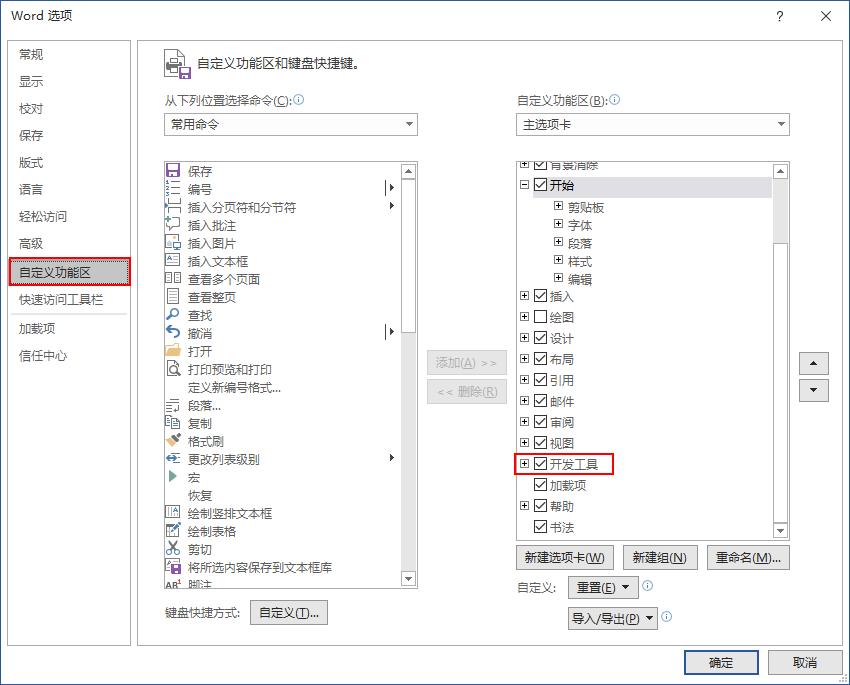
勾选开发工具
步骤二:添加代码
开发工具→Visual Basic→插入模块→粘贴代码→保存

开发工具打开Visual Basic编辑器
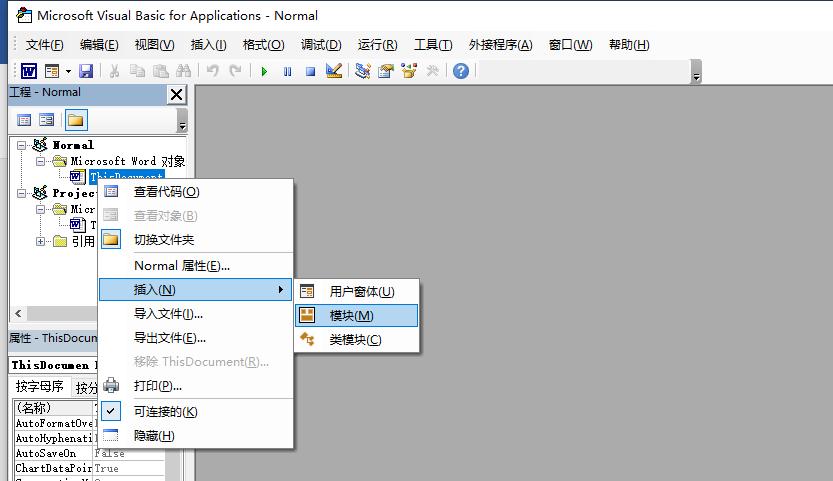
插入模块
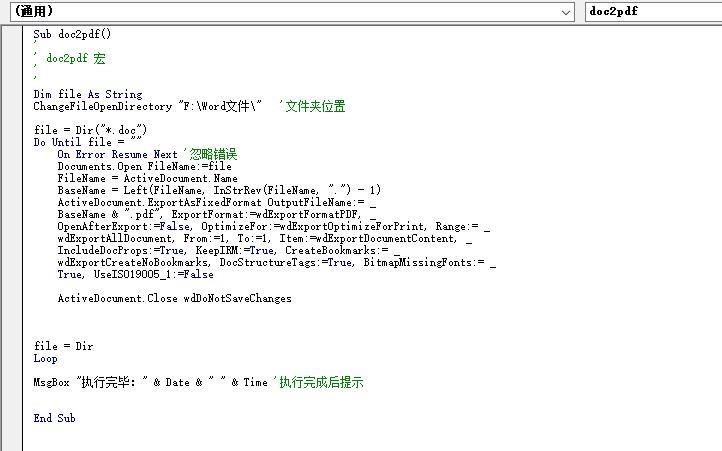
粘贴宏代码
步骤三:修改Word文档目录并执行

文件目录
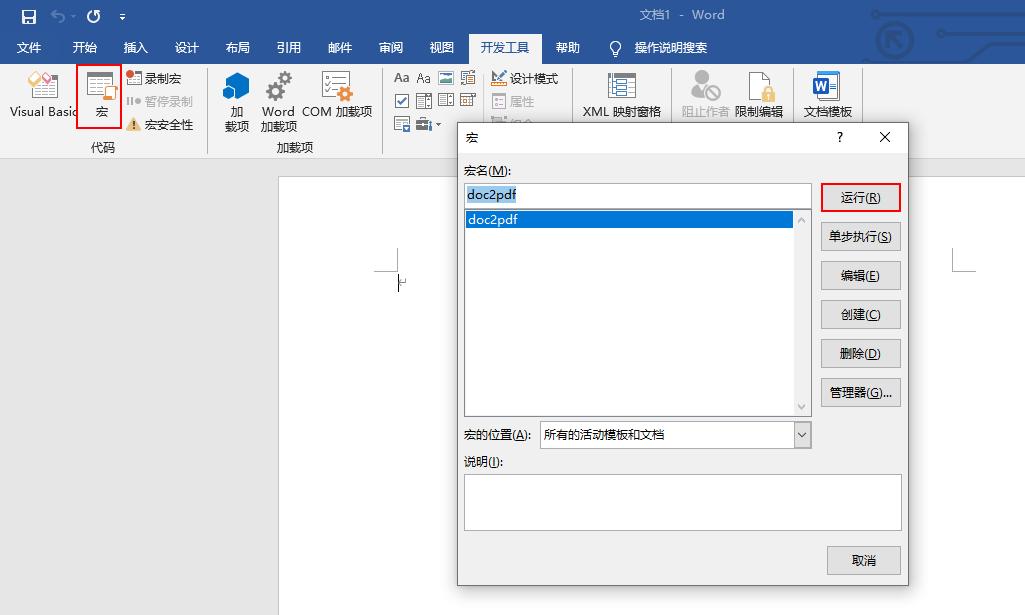
保存宏代码后运行
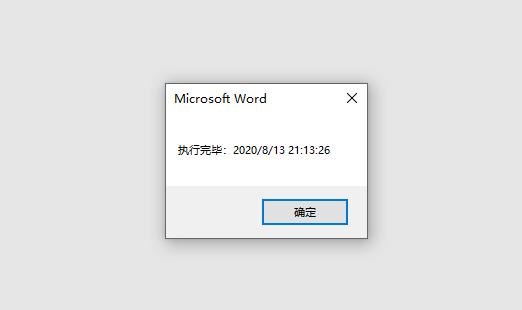
执行结束

转成PDF后的文件目录
Sub doc2pdf()
'
' doc2pdf 宏
'
'
Dim file As String
ChangeFileOpenDirectory "F:\Word文件\"   '文件夹位置

file = Dir("*.doc")
Do Until file = ""
    On Error Resume Next '忽略错误
    Documents.Open FileName:=file
    FileName = ActiveDocument.Name
    BaseName = Left(FileName, InStrRev(FileName, ".") - 1)
    ActiveDocument.ExportAsFixedFormat OutputFileName:= _
    BaseName & ".pdf", ExportFormat:=wdExportFormatPDF, _
    OpenAfterExport:=False, OptimizeFor:=wdExportOptimizeForPrint, Range:= _
    wdExportAllDocument, From:=1, To:=1, Item:=wdExportDocumentContent, _
    IncludeDocProps:=True, KeepIRM:=True, CreateBookmarks:= _
    wdExportCreateNoBookmarks, DocStructureTags:=True, BitmapMissingFonts:= _
    True, UseISO19005_1:=False

    ActiveDocument.Close wdDoNotSaveChanges

file = Dir
Loop
MsgBox "执行完毕:" & Date & " " & Time '执行完成后提示
End Sub