使用XLSWriter对象生成带有格式单元格的xls文件
关键函数
Sub SetCellFormat(Col As Long, Row As Long, [Align As Integer = -1], [vAlign As Integer = -1], [IsWrapText As Integer = -1], [FontName As String], [FontSize As Integer = -1], [FontColorIndex As Long = -1], [FontBold As Integer = -1], [FontItalic As Integer = -1], [FontUnderline As Integer = -1], [FontStrikeOut As Integer = -1], [FontShadow As Integer = -1], [BGColorIndex As Long = -1])
参数说明
Col 列Row 行Align 水平对齐方式vAlign 垂直对齐方式IsWrapText 1-自动换行FontName 字体,最好是英文字体名称,字体不存在可能会发生异常FontSize 字号FontColorIndex 字体颜色序号FontBold 1-粗体字FontItalic 1-斜体字FontUnderline 1-下划线FontStrikeOut 1-删除线FontShadow 1-字体阴影 BGColorIndex 背景颜色序号
添加按钮
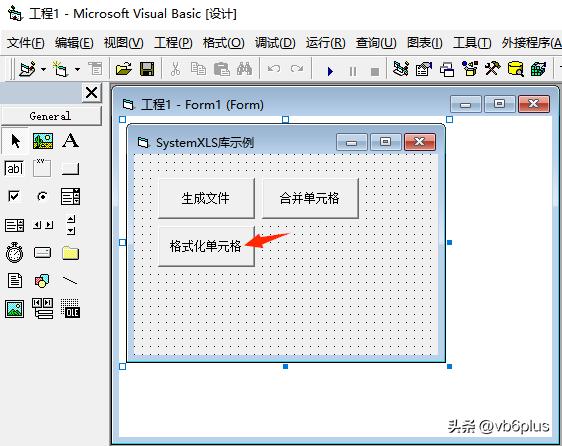
双击输入代码
Private Sub Command3_Click()
Dim DoXLSWriter As XLSWriter
Set DoXLSWriter = New XLSWriter
With DoXLSWriter
.AddAnsSelSheet "Sheet1"
.SetCellValue 1, 1, "你好"
.SetCellFormat 1, 1, XLS_H_Align.HALIGN_CENTER, XLS_V_Align.VALIGN_CENTER, , "黑体", 16, XLS_ColorIndex.CLR_WHITE, 1, 1, 1, 1, 1, XLS_ColorIndex.CLR_GREEN
.Save "Test3.xls"
.Close
End With
Set DoXLSWriter = Nothing
End Sub
运行结果
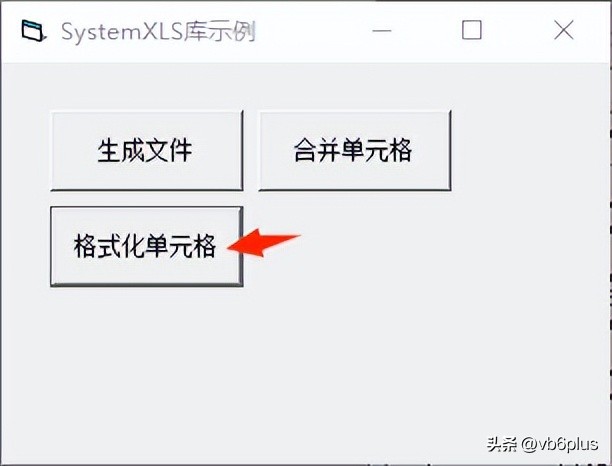
点击格式化单元格
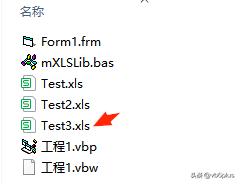
目录生成了Test3.xls
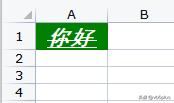
xls文件内容