CentOS 7忘记root密码解决办法
CentOS 7 root密码的重置方式和CentOS 6完全不一样,CentOS 7与之前的版本6变化还是比较大的,以进入单用户模式修改root密码为例。
1.重启开机按esc

2.按e
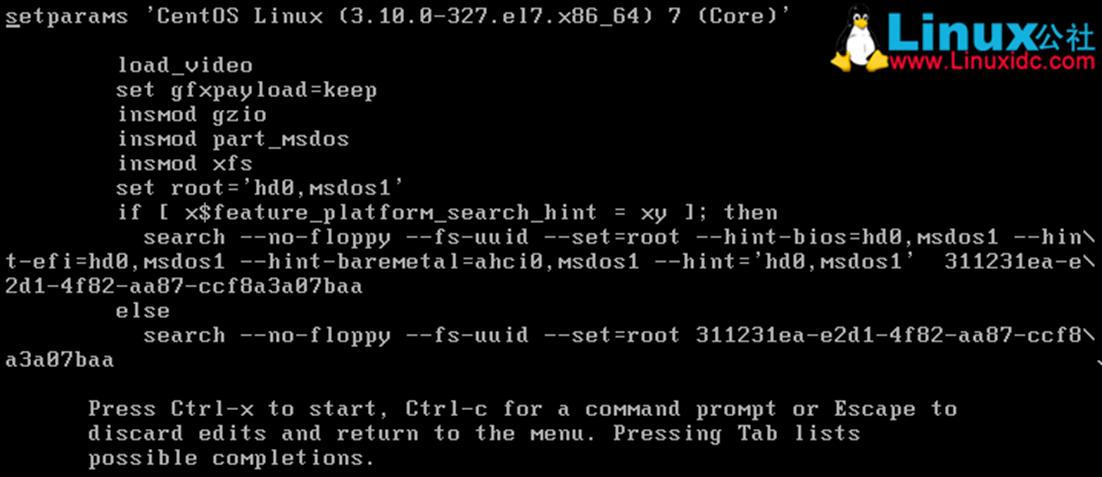
3.编辑修改两处:ro改为rw,在LANG=en_US.UFT-8后面添加init=/bin/sh

4.按Ctrl+X重启,并修改密码
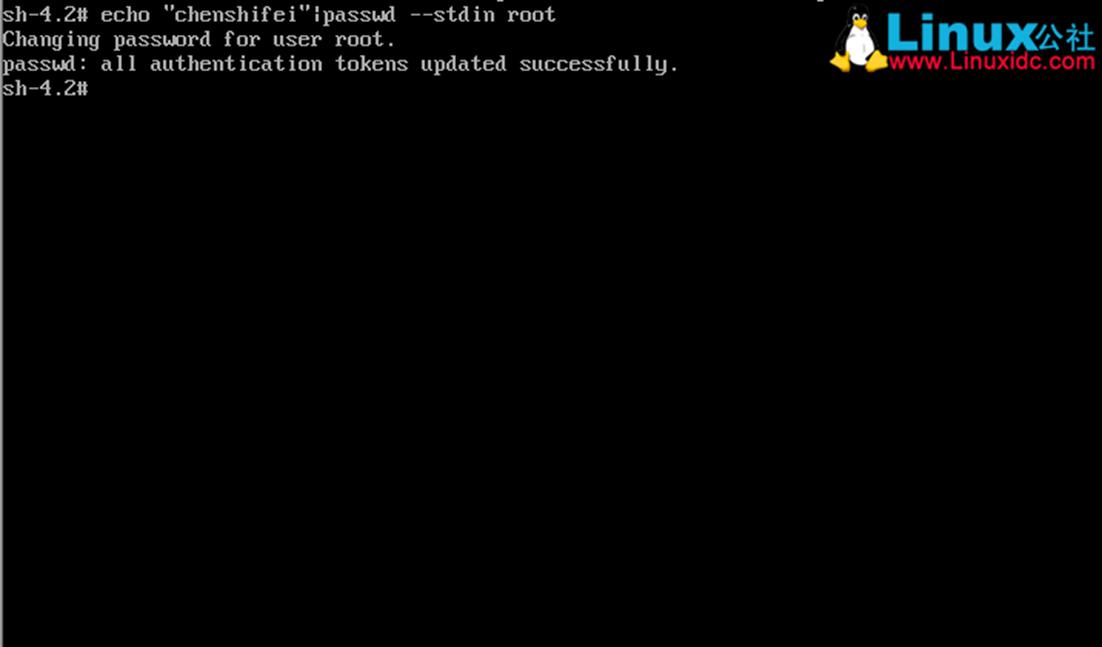
5.由于selinux开启着的需要执行以下命令更新系统信息,否则重启之后密码未生效
touch /.autorelabel
6.重启系统
exec /sbin/init
Centos 7开机自动启动脚本rc.local
Centos 7 中 /etc/rc.d/rc.local 这个文件权限降低了。
你可以看下 ll /etc/rc.d/rc.local 看他的权限。
你可以试着加下权限。
chmod +x /etc/rc.d/rc.local
centos7里把rc.local做成了服务,你可以查看一下服务是否启动。
systemctl status rc-local.serives
启动命令:
systemctl enable rc-local.service (rc-local.service即为你需要开机自启的服务)
Centos7 禁用USB外设(针对U盘、移动硬盘)
[root@localhost /]# dconf-editor
org->gnome->desktop->media->handling
autmount (取消勾选)
automount-open(取消勾选)
[root@localhost /]# chmod o-x dconf-editor

思路:
通过安装第3方工具来实现(可以是 gconf-editor、dconfig-editor 这2者当中任意一种)此处我使用dconf-editor
1.安装dconf-editor:
#yum install dconf-editor
#yum install dconf-devel
2.执行dconf-editor:
[root@localhost /]#dconf-editor
3.修改automount和automount-open的值
如上图所示取消勾选~
org->gnome->desktop->media->handling
4.修改权限
[root@localhost /]# chmod o-x dconf-editor
不允许root以外的用户执行dconf-editor命令