2月8日,《我的世界》开发者Jeb在官方网站上宣布了新快照的发布。
这次的快照代号为17w06a,是关于1.12版本特性的首个快照,同时也是2017年发布的首个快照。
以下是官方公告内容:
——————————————————————————
欢迎见证《我的世界》1.12版本的第一个快照!我们预期在未来几个月内发布更多快照,因为我们会继续往游戏中加入更多新特性,并对游戏的核心内容进行显著优化。这次的快照将为大家带来一系列全新方块,以及一个可以在生存模式下使用的非常有用的功能。
Welcome to the first Minecraft 1.12 snapshot! We anticipate to do many more snapshots in the upcoming months, as we will continue adding more features and make major improvements to the core game itself. This particular snapshot brings you a bunch of new blocks and a very useful addition to Creative Mode.
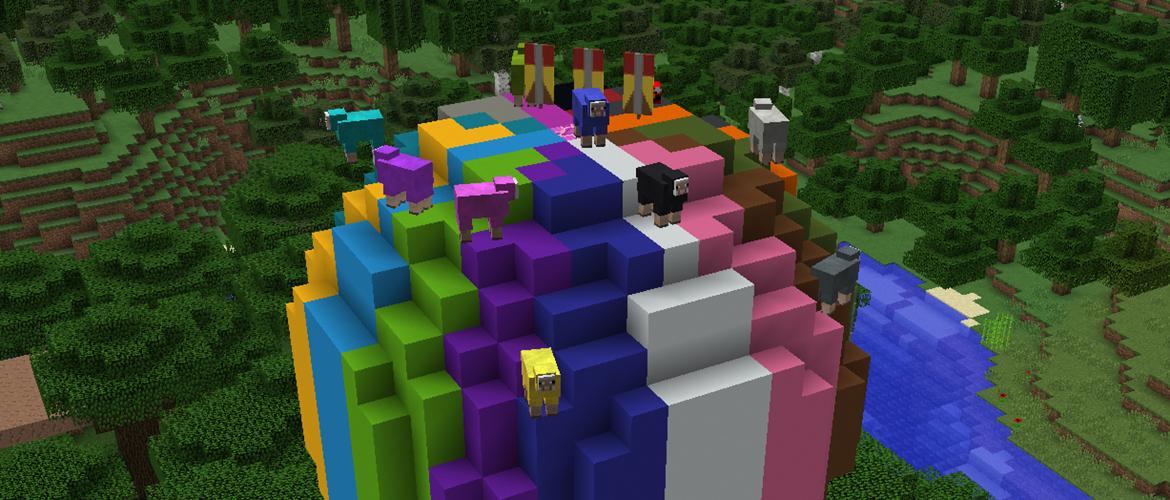
在将你的世界存档导入任何一个快照版本之前,请一定要记得将它备份。更好的选择是:每次体验快照的新特性时,都新建一个世界!
Please remember to make backups of your worlds before loading them in any of the snapshots. An even better option is to always create a new world when checking out the new features!
快照17w06a中涉及的变化
-
在创造模式下,按Ctrl+任意数字键,保存当前工具栏配置或读取工具栏配置。Save toolbars in Creative Mode with Ctrl+Slotkey and load them with Shift+Slotkey.
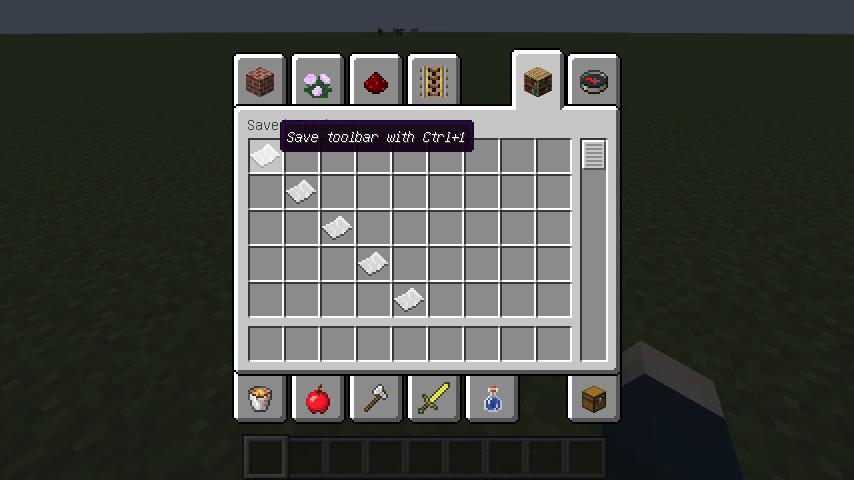
工具栏配置管理界面
-
添加了colored Concrete blocks方块。Added colored Concrete blocks.
全部16种颜色的colored Concrete Blocks
-
添加了 colored Concrete Powder方块。Added colored Concrete Powder blocks.
全部16种颜色的colored Concrete Powder
-
添加了colored Glazed Terracotta方块。Added colored Glazed Terracotta.
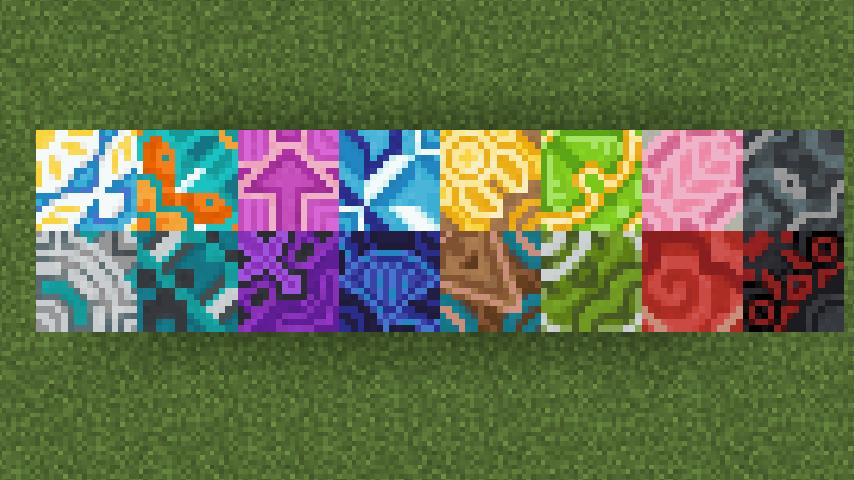
全部16种颜色的colored Glazed Terracotta
-
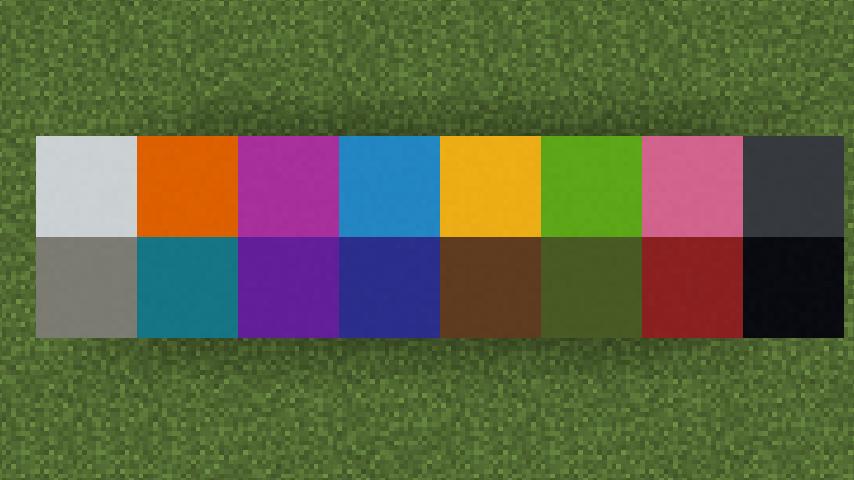
更新了基础色盘(会影响旗帜、羊等物品与实体的色彩)。Updated the base color palette of Minecraft (affects things such as Banners and Sheep).
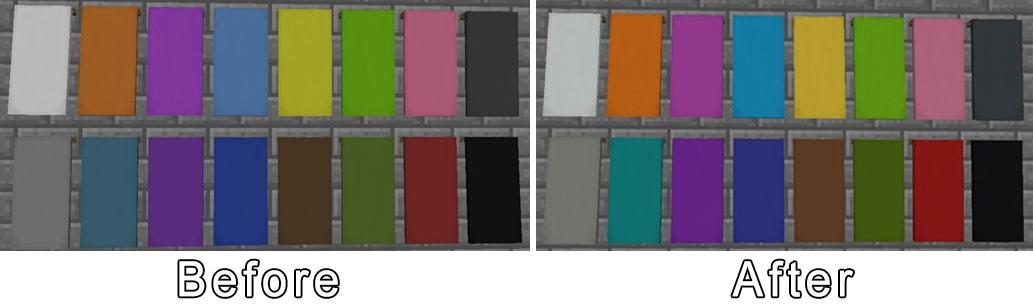
左:更新前色盘。右:更新后色盘。图片来自Jeb(https://twitter.com/jeb_)
-
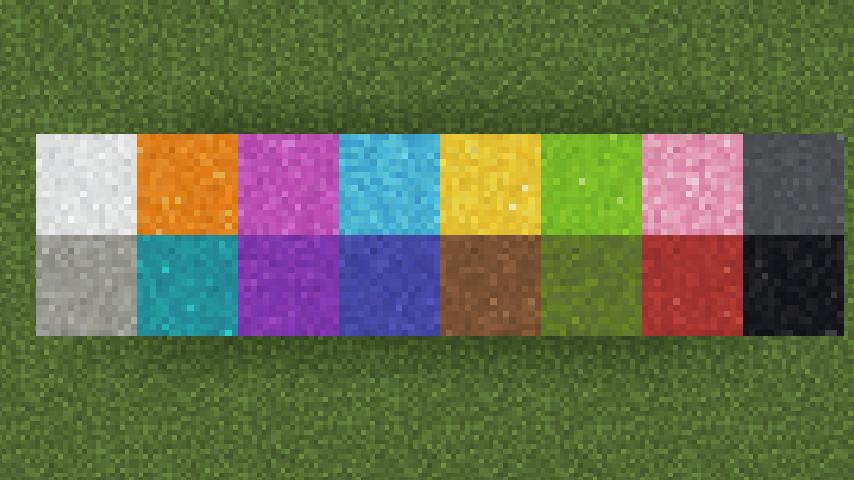
更新了羊毛方块的材质。Updated textures for Wool blocks.
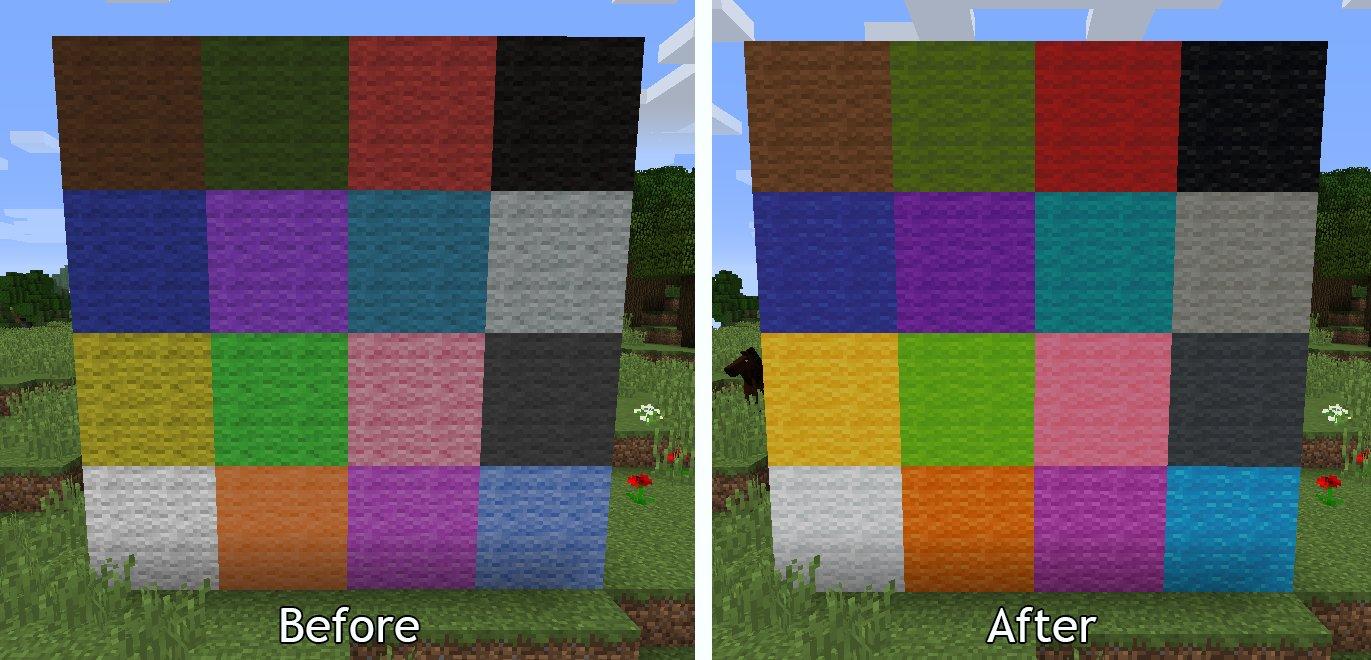
左:更新前羊毛。右:更新后羊毛。图片来自Jeb(https://twitter.com/jeb_)
请一定要将你在《我的世界》中遇到的任何错误,都报告到bugs.mojang.com。如果没有人报告问题,我们就不能处理它们!
Please report any and all bugs you find in Minecraft to bugs.mojang.com. If nobody reports a bug, we can’t fix it!
如果想要体验快照更新,可以打开《我的世界》启动器,点击“新建用户资料(New Profile)”按钮。将这个新的用户资料命名为“快照(snapshots)”,再勾选“允许使用实验性开发版本(Enable experimental development snapshots)”并保存。要想返回正常游戏版本,你可以在游戏启动器左下角的下拉菜单内选择正常游戏版本。在体验快照前,请务必先对你的世界存档进行备份,或在另一个文件夹内运行游戏(详见“新建用户资料”对话框)。
To get snapshots, open your launcher and press the "New Profile" button. Call it "snapshots" and check the box saying "Enable experimental development snapshots" and save. To switch to the normal version, you can select it in the dropdown at the bottom left corner of the launcher. Back up your world first or run the game on in a different folder (See the "new profile" dialog).
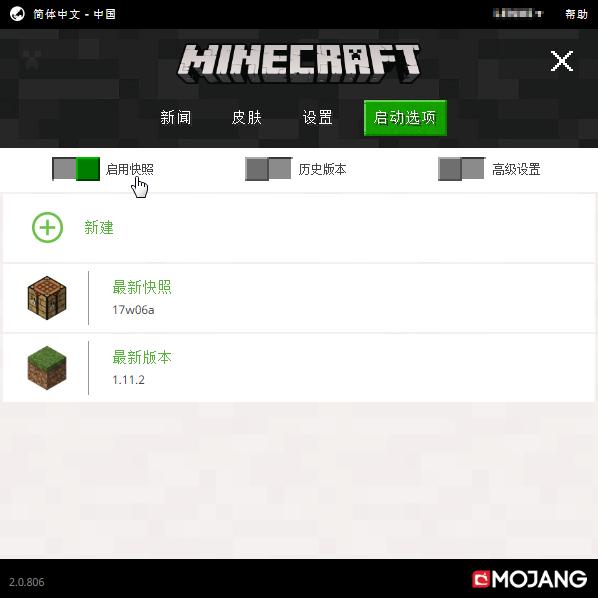
使用新版启动器启动快照界面
快照版本的游戏有可能导致你的世界崩溃,请务必备份存档并且/或者在其他文件夹内运行快照版本。
Snapshots can corrupt your world, please backup and/or run them in a different folder from your main worlds.
跨平台服务器jar文件*载下**(Cross-platform server jar):
https://s3.amazonaws.com/Minecraft.Download/versions/17w06a/minecraft_server.17w06a.jar
在此报告游戏中的错误(Report bugs here):
https://bugs.mojang.com/browse/MC
——————————————————————————
在17w06a快照中,一大批缤纷的建筑方块首次登场,可谓是建筑*党**们的福音!
各位冒险家对这次的快照有没有什么想说的呢?
不要忘记在留言区发表评论噢~