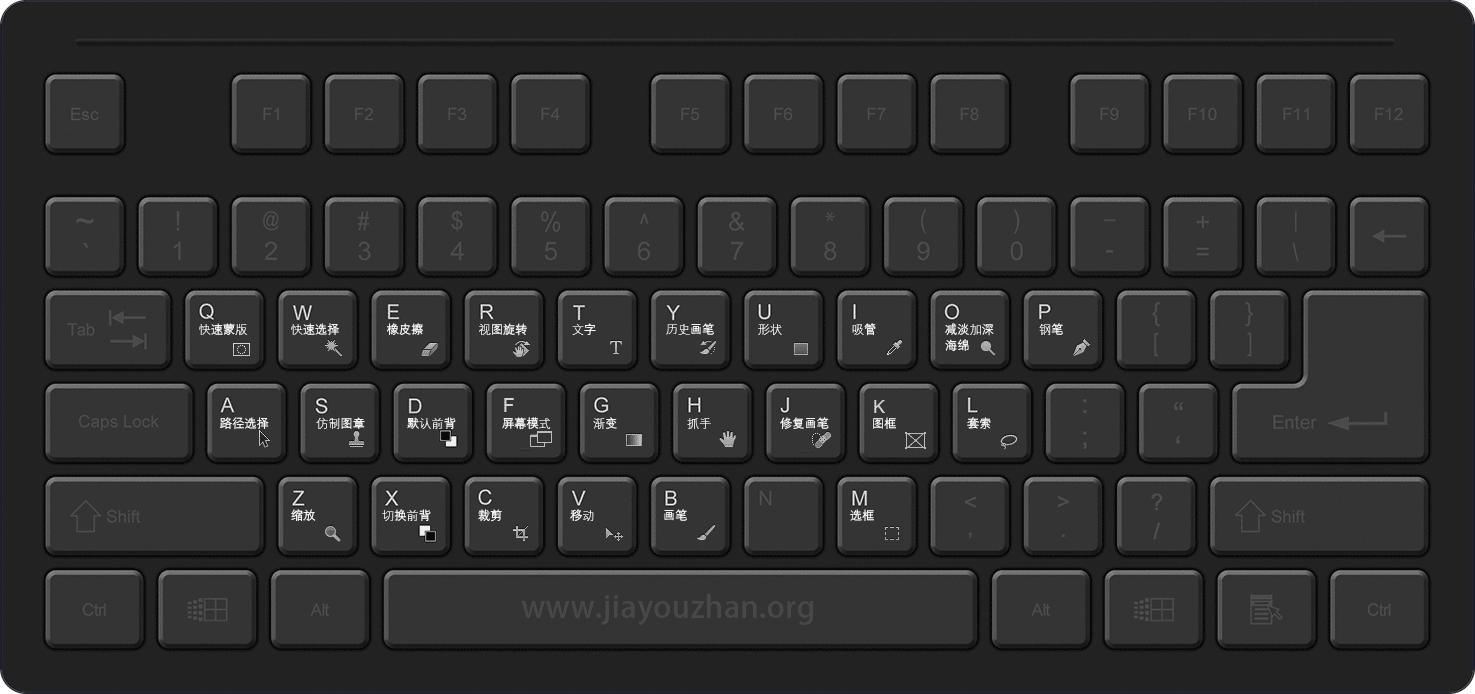
工具面板快捷键
- 移动 V [ move tool ] 移动选区/图层
- 选框 M [ marquee tool ] 创建选区,矩形,圆形
- 套索 L [ lasso tool ] 创建选区,多边形
- 对象选择 W [ magic wand tool ] 创建选区,对象选择,快速选择,魔棒
- 剪切 C [ crop tool ] 裁切/扩展图像的边缘
- 图框 K 新版新加功能,为图像创建占位符图框
- 吸管 I [ eyedropper tool ] 从图像中吸取颜色
- 修复画笔 J [ spot healing brush tool ] 用图像的其他部分的像素来修复瑕疵
- 画笔 B brush tool ] 毛笔,铅笔,圆珠笔,各种笔
- 图章 S [ clone stamp tool ] 用图像其他部分的像素来绘画
- 历史记录画笔 Y [ history brush tool ] 图像合成,创建特殊效果
- 橡皮擦 E [ eraser tool ] 擦除像素
- 渐变 G [ gradient tool ] 颜色渐变
- 模糊/锐化/涂抹 无 可以把字母N分配给这个工具组
- 减淡/加深/海绵 O [ dodge tool ] 海绵:更改颜色饱和度
- 钢笔 P [ pen tool ] 路径、形状
- 文字 T [ horizontal type tool ] 横排文字,竖排文字,文字蒙版,文字选区
- 路径选择 A [ path selection tool ] 小黑:选择整个路径;小白:选择点,段;
- 形状 U [ rectangle tool ] 绘制矢量形状;
- 抓手 H [ hand tool ] 抓手:移动图像,移动视图;
- 旋转视图 R [ rotate view tool ]
- 缩放 Z [ zoom tool ] 视图:放大,缩小;
- 默认前景色背景色 D [ default foreground/background colors ] 恢复默认
- 切换前景色背景色 X [ switch foreground/background colors ] 切换
- 快速蒙版 Q [ quick mask modes ] 创建/修改选区
大神加油站 www.jiayouzhan.org 整理制作,转载请注明出处