Mastercam V9.1(64位)软件安装教程

MastercamV9.1(64位)软件安装教程

各类软件都能免费*载下**,良心公众号

要*载下**教程安装的软件,请关注微信公众号(华利设计疯人院),更多更全的软件等着你!

安装中有问题咨询管家微信:LXQ1607199190 备注:加华利设计疯人院群

正文:

MastercamV9.1(64位)软件安装教程

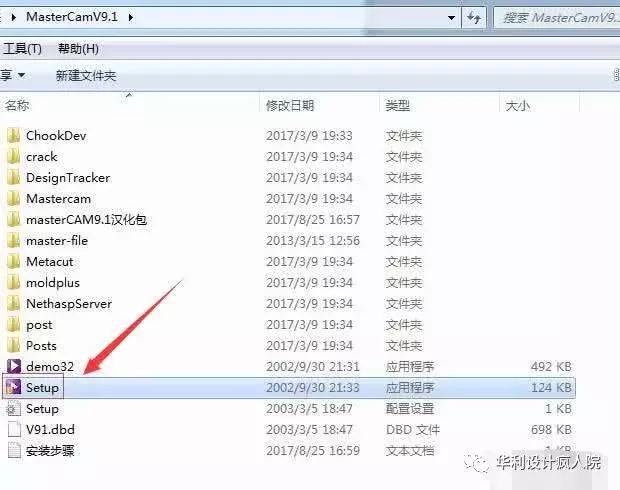
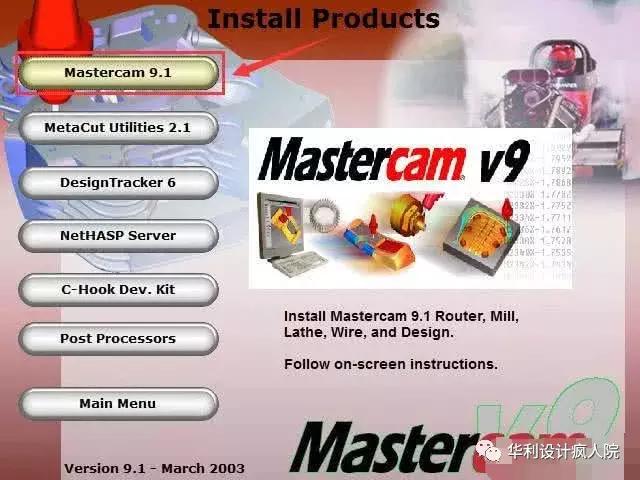
安装步骤:

MastercamV9.1(64位)软件安装教程

MastercamV9.1(64位)软件安装教程

MastercamV9.1(64位)软件安装教程

MastercamV9.1(64位)软件安装教程

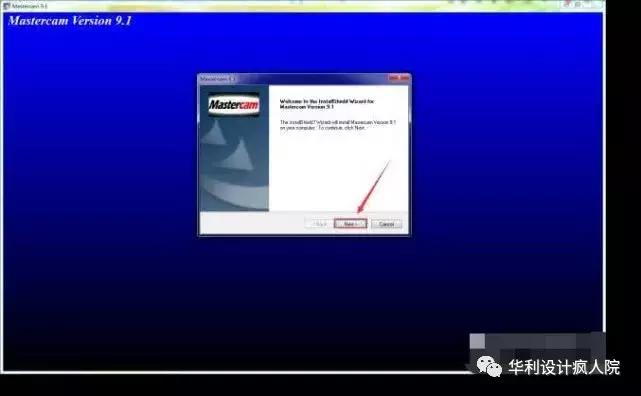
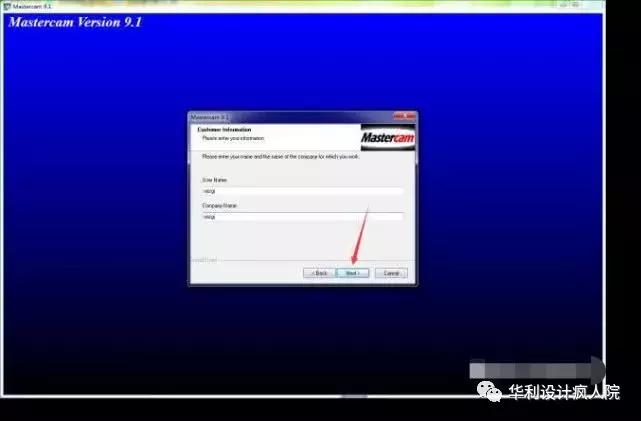
5.点击Next。

MastercamV9.1(64位)软件安装教程

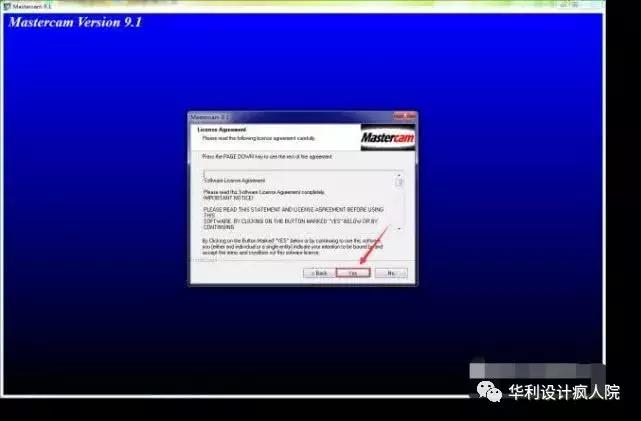
6.点击Yes。

MastercamV9.1(64位)软件安装教程

7.点击Next。

MastercamV9.1(64位)软件安装教程

8.点击 "Metric (mm)" 后点击Next。

MastercamV9.1(64位)软件安装教程

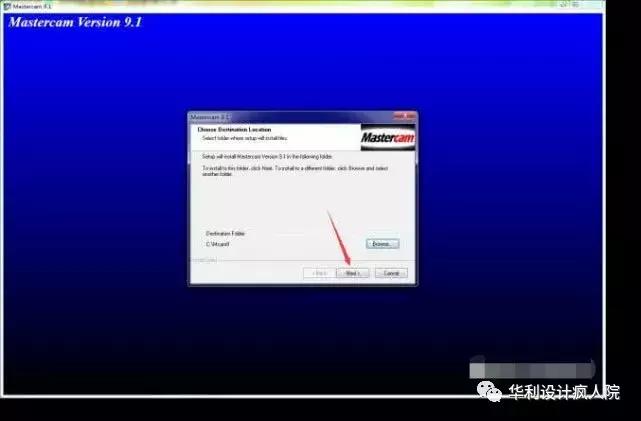
9.安装目录最好保持默认,点击Next。

MastercamV9.1(64位)软件安装教程

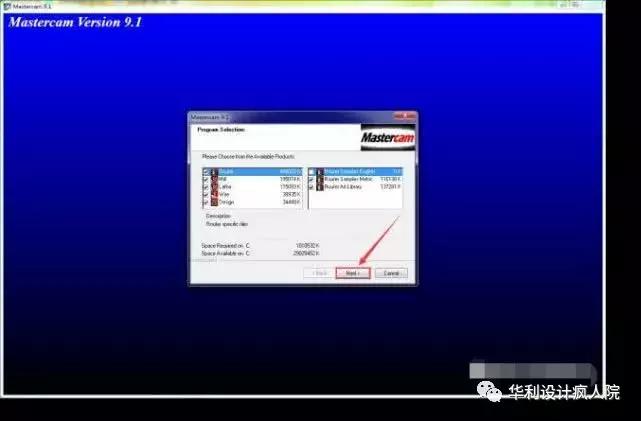
10.点击Next。

MastercamV9.1(64位)软件安装教程

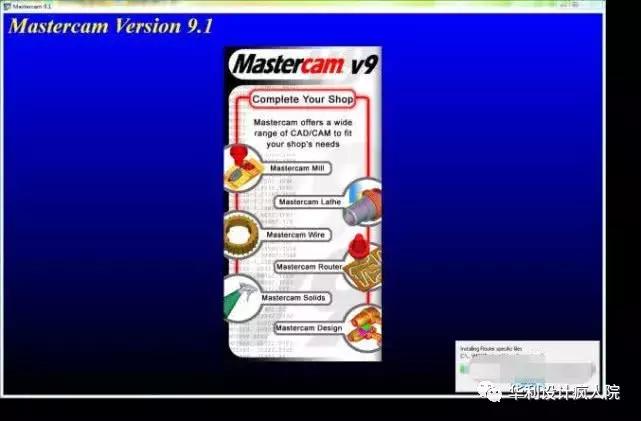
11.等待安装完成。(大概需要3分钟)

MastercamV9.1(64位)软件安装教程

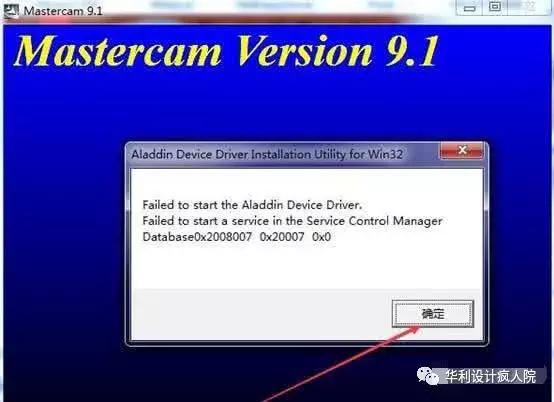
12.点击确定。

MastercamV9.1(64位)软件安装教程

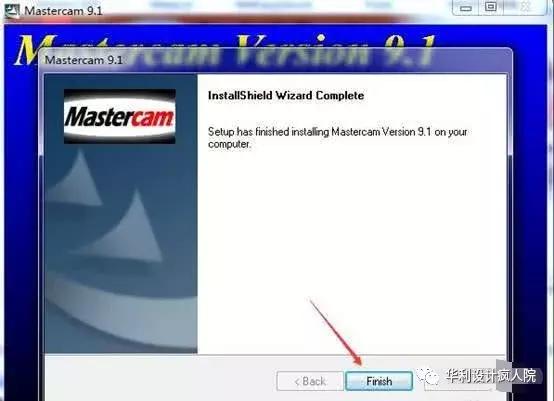
13.点击 "Finish"。

MastercamV9.1(64位)软件安装教程

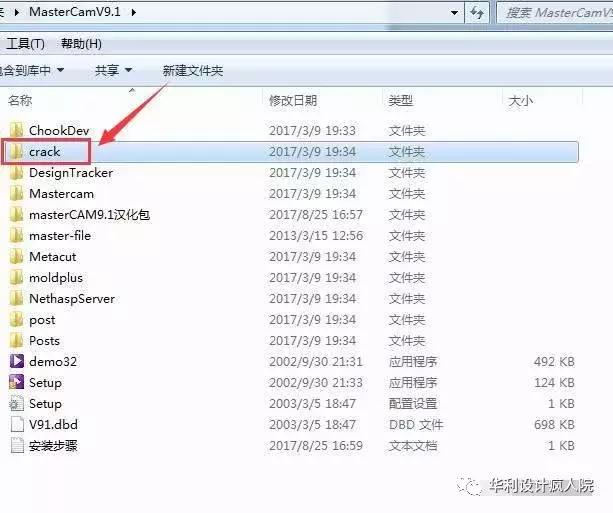
14.返回安装包双击打开“crack”文件夹。

MastercamV9.1(64位)软件安装教程

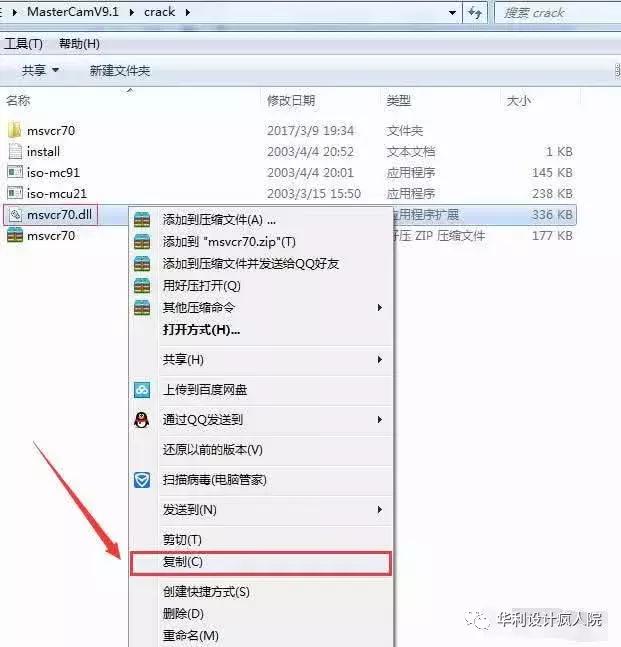
15.点击“msvcr70.dll”右键选择复制。

MastercamV9.1(64位)软件安装教程

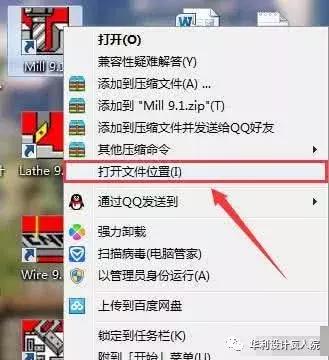
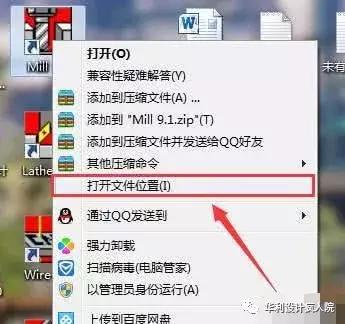
16.在桌面找到Mill 9.1图标右键选择“打开文件位置”。

MastercamV9.1(64位)软件安装教程

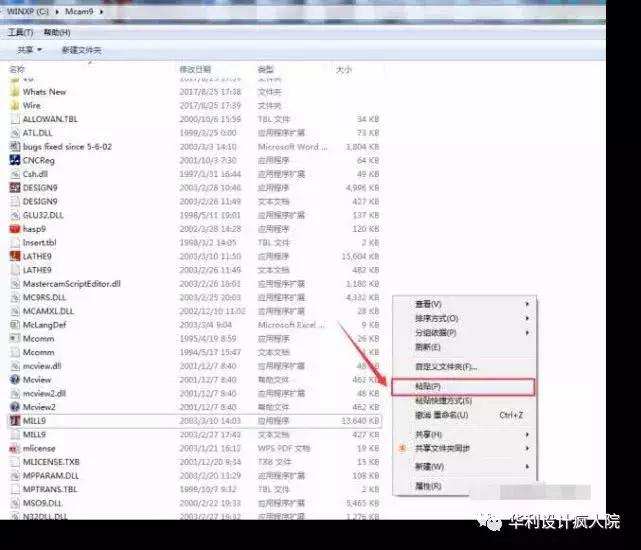
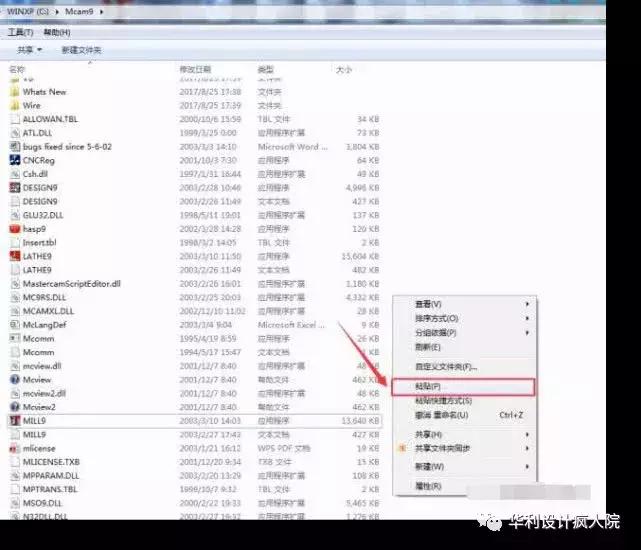
17.在空白处右键选择“粘贴”。

MastercamV9.1(64位)软件安装教程

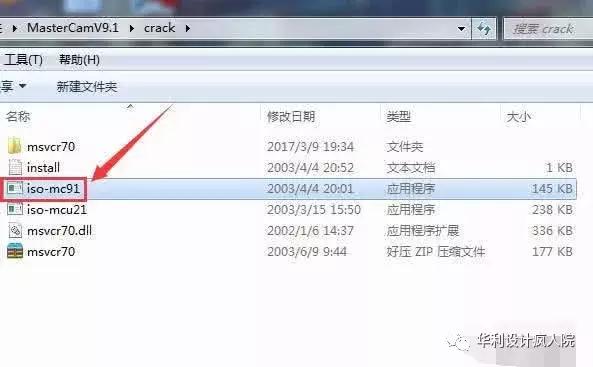
18.返回crack文件夹,找到iso-mc91双击打开。

MastercamV9.1(64位)软件安装教程

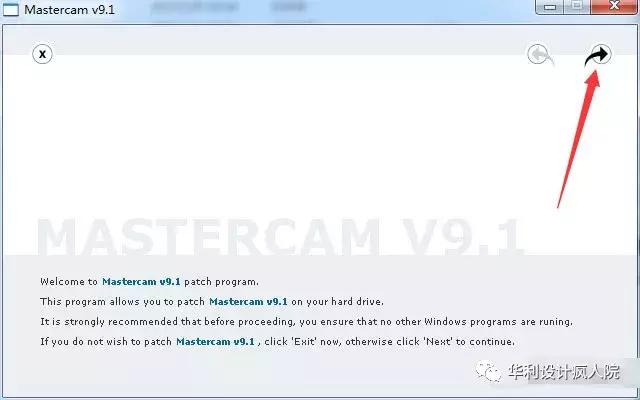
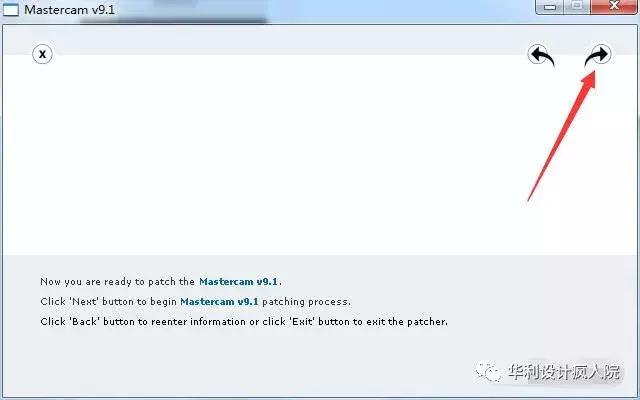
19.点击右边箭头。

MastercamV9.1(64位)软件安装教程

20.再次点击右边箭头。

MastercamV9.1(64位)软件安装教程

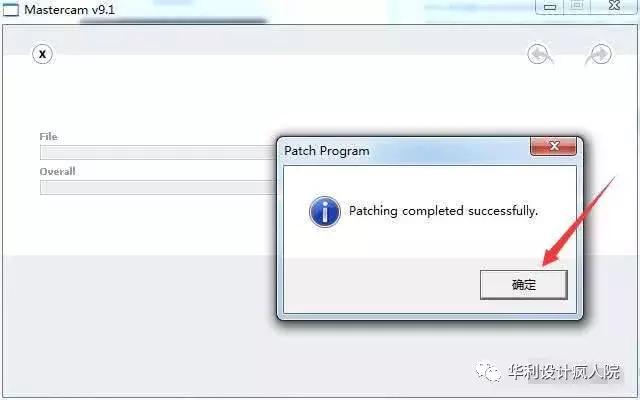
21.点击确定。

MastercamV9.1(64位)软件安装教程

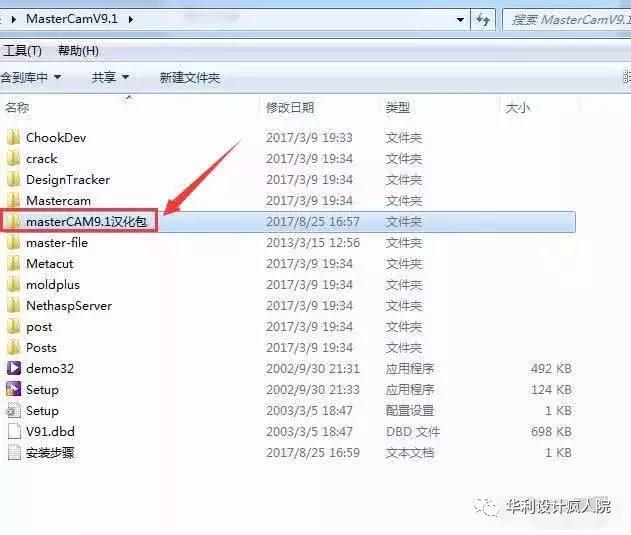
22.返回安装包双击打开“masterCAM9.1汉化包”。

MastercamV9.1(64位)软件安装教程

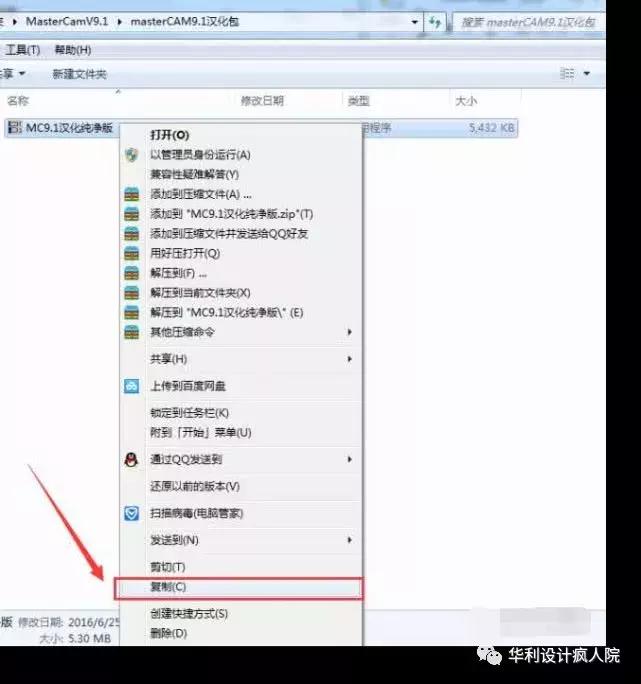
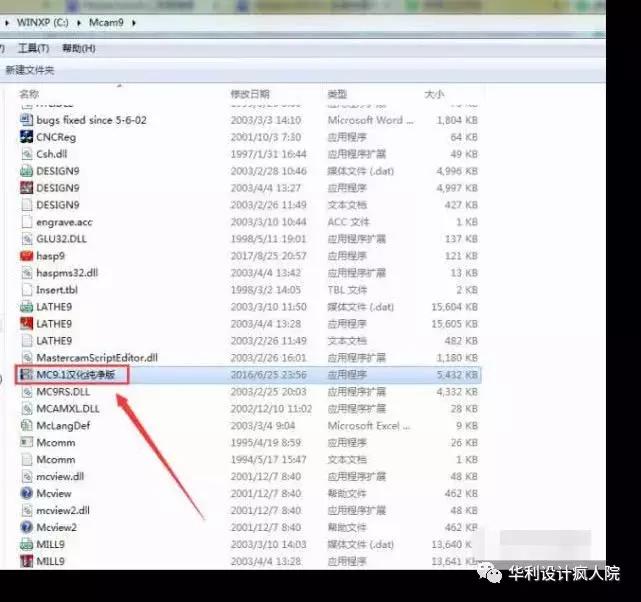
23.点击选择 MC9.1汉化纯净版,右键选择“复制”。

MastercamV9.1(64位)软件安装教程

24.在桌面找到Mill 9.1图标右键选择“打开文件位置”。

MastercamV9.1(64位)软件安装教程

25.在空白处右键选择“粘贴”。

MastercamV9.1(64位)软件安装教程

26.双击打开“MC9.1汉化纯净版”。

MastercamV9.1(64位)软件安装教程

27.点击浏览选择软件安装文件夹,因为我安装文件夹是默认的所以这里直接点安装
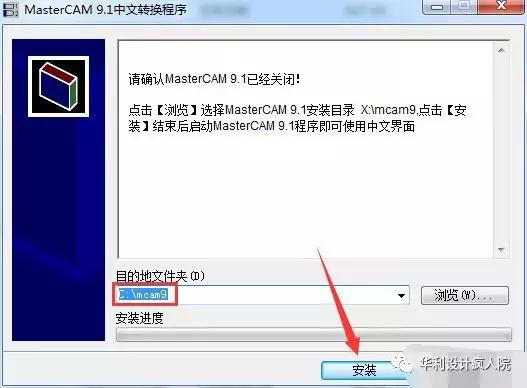
MastercamV9.1(64位)软件安装教程

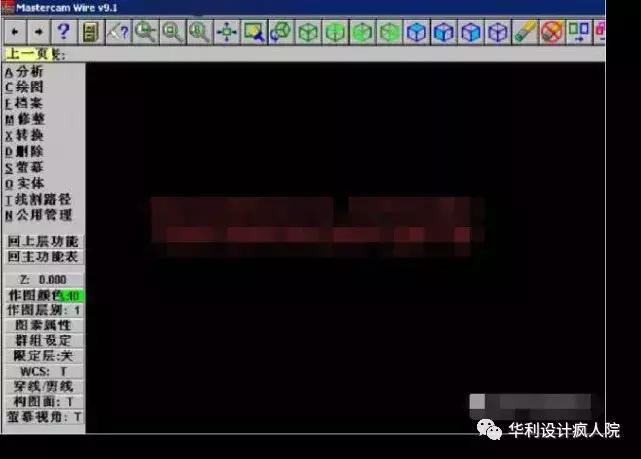
28.安装完成。

MastercamV9.1(64位)软件安装教程

MastercamV9.1(64位)软件安装教程