华为设备的基础配置路由器和交换机的接口IP地址配置以及用户名创建,如何通过console对路由器和交换机进行管理和配置。
使用以下拓扑图:
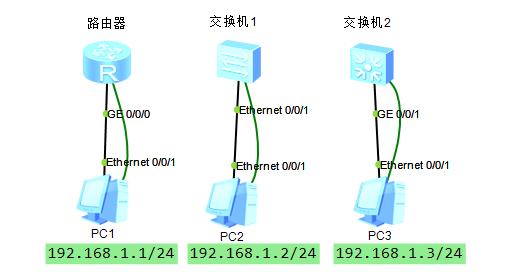
一:配置前准备的信息
配置目的:
1:配置PC端的IP地址。
2:路由器和交换机接口配置IP地址。
3:通过串口来管理路由器和交换机。
4:创建用户名和密码,通过用户名和密码登入路由器和交换机。
IP地址分配:
路由器:192.168.1.254/24
交换机1:192.168.1.253/24
交换机2:192.168.1.252/24
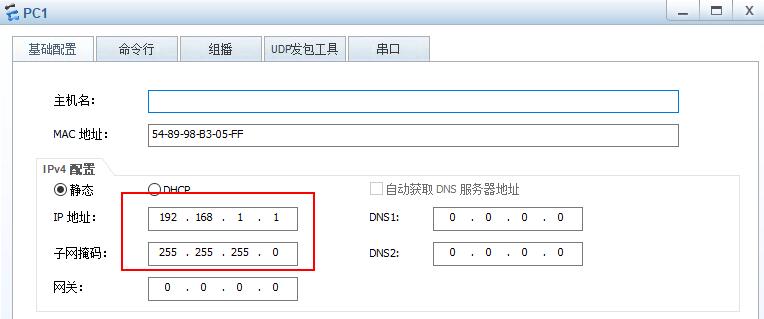
PC1:192.168.1.1/24
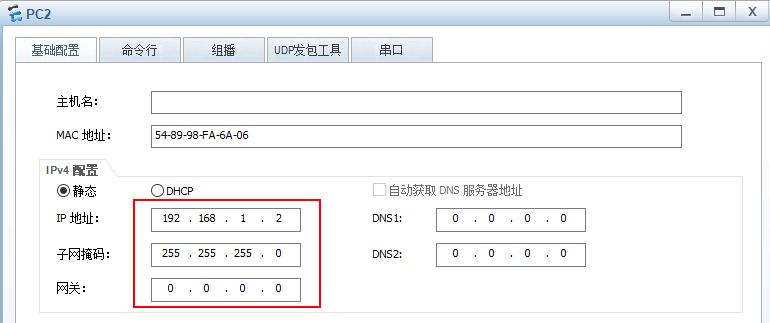
PC2:192.168.1.2/24
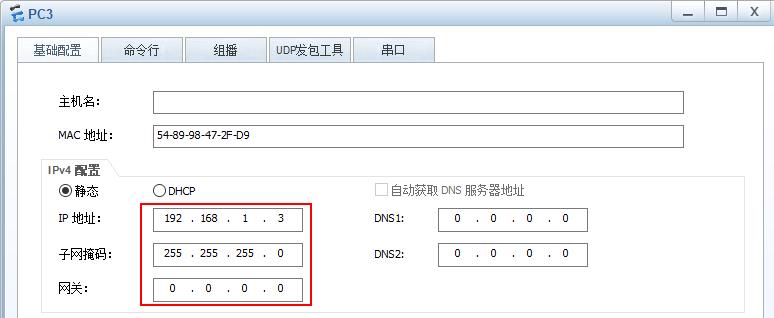
PC3:192.168.1.3/24
二:配置步骤
(1)PC1的IP地址配置
(2)PC2的IP地址配置
(3)PC3的IP地址配置
(4)PC1、PC2、PC3的串口配置
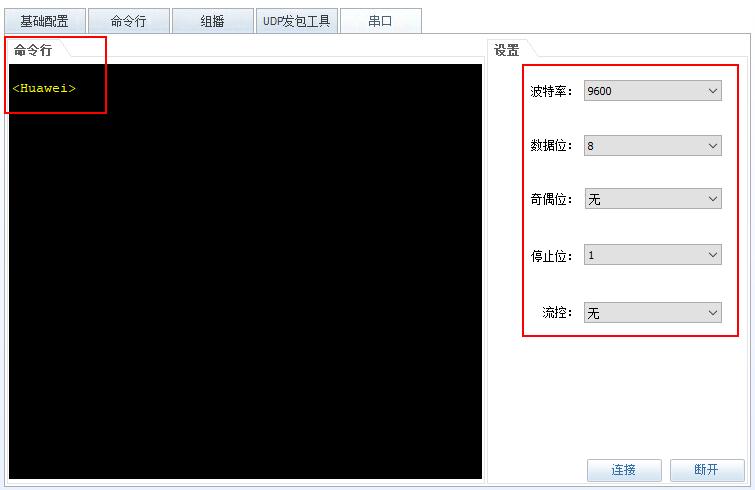
(5)路由器的IP地址配置
<Huawei>system-view //进入全局配置模式

Enter system view, return user view with Ctrl+Z.

[Huawei]sysname luyouqi //命名为luyouqi

[luyouqi]interface GigabitEthernet 0/0/0 //进入接口g0/0/0

[luyouqi-GigabitEthernet0/0/0]ip address ? //可以通过?来查看帮助命令参数

IP_ADDR<X.X.X.X> IP address

bootp-alloc IP address allocated by BOOTP

dhcp-alloc IP address allocated by DHCP

unnumbered Share an address with another interface

[luyouqi-GigabitEthernet0/0/0]ip address 192.168.1.254 255.255.255.0 //配置接口的IP地址

Sep 10 2020 15:42:43-08:00 luyouqi %%01IFNET/4/LINK_STATE(l)[0]:The line protoco

l IP on the interface GigabitEthernet0/0/0 has entered the UP state. //接口开始启用

[luyouqi-GigabitEthernet0/0/0]undo shut //开启接口

Info: Interface GigabitEthernet0/0/0 is not shutdown. //接口开启信息
(6)交换机1的IP地址配置(通过PC2的console进行配置)
<Huawei>sys

Enter system view, return user view with Ctrl+Z.

[Huawei]sysname SW1 //命名为SW1

[SW1]interface Ethernet0/0/1 //进入接口e0/0/1

[SW1-Ethernet0/0/1]ip ? //发现交换机37系列不支持接口配置IP地址

source Source

[SW1-Ethernet0/0/1]quit //退出接口模式

[SW1]interface Vlanif 1 //进入vlan接口配置模式,配置vlan1的IP地址信息,默认所有接口在vlan1下。

[SW1-Vlanif1]ip address 192.168.1.253 255.255.255.0 //接口配置IP地址

Sep 10 2020 15:50:19-08:00 SW1 %%01IFNET/4/LINK_STATE(l)[0]:The line protocol IP

on the interface Vlanif1 has entered the UP state. //接口开启
(7)交换机2的IP地址配置
<Huawei>sys

Enter system view, return user view with Ctrl+Z.

[Huawei]sysname SW2 //命名为SW1

[SW2]interface GigabitEthernet0/0/1 //进入接口e0/0/1

[SW2-GigabitEthernet0/0/1]ip ? //发现交换机37系列不支持接口配置IP地址

source Source

[SW2-GigabitEthernet0/0/1]quit //退出接口模式

[SW2]interface Vlanif 1 //进入vlan接口配置模式,配置vlan1的IP地址信息,默认所有接口在vlan1下。

[SW2-Vlanif1]ip address 192.168.1.252 255.255.255.0 //接口配置IP地址

Sep 10 2020 15:50:19-08:00 SW1 %%01IFNET/4/LINK_STATE(l)[0]:The line protocol IP

on the interface Vlanif1 has entered the UP state. //接口开启
(8)路由器创建用户名和密码
<luyouqi>sys

[luyouqi]aaa

[luyouqi-aaa]local-user test password cipher 123456 //创建用户名和密码

[luyouqi-aaa]local-user test service-type ssh terminal //服务类型为ssh和terminal

[luyouqi]user-interface console 0 //进入console接口

[luyouqi-ui-console0]authentication-mode aaa //模式为aaa认证

[luyouqi-ui-console0]quit //退出

[luyouqi]user-interface vty 0 4 //进入vty接口

[luyouqi-ui-vty0-4]authentication-mode ? //帮助命令

aaa AAA authentication //封装为aaa认证

password Authentication through the password of a user terminal interface //使用密码

[luyouqi-ui-vty0-4]authentication-mode aaa //模式为aaa

[luyouqi-ui-vty0-4]protocol inbound ssh //协议为ssh
(9)交换机创建用户名和密码来管理
<SW1>sys

Enter system view, return user view with Ctrl+Z.

[SW1]aaa //进入aaa

[SW1-aaa]local-user test password cipher 123456 //创建用户名和密码

Info: Add a new user. //创建成功

[SW1-aaa]local-user test service-type ssh terminal //该用户服务类型为ssh和terminal

[SW1-aaa]quit //退出

[SW1]user-interface console 0 //进入console口

[SW1-ui-console0]authentication-mode aaa //模式为aaa

[SW1-ui-console0]quit //退出console

[SW1]user-interface vty 0 4 //进入vty接口

[SW1-ui-vty0-4]authentication-mode aaa //vty模式为aaa

[SW1-ui-vty0-4]protocol inbound ssh //vty使用ssh协议
三:结果测试
(1)ping测试PC1、PC2、PC3
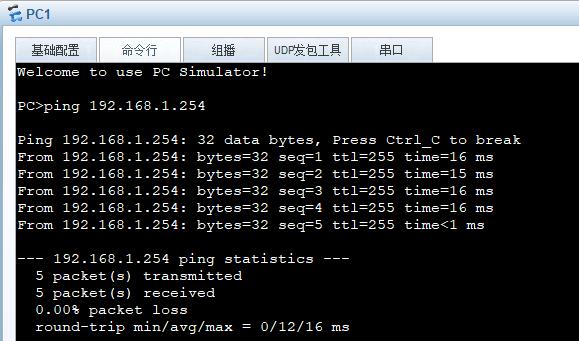
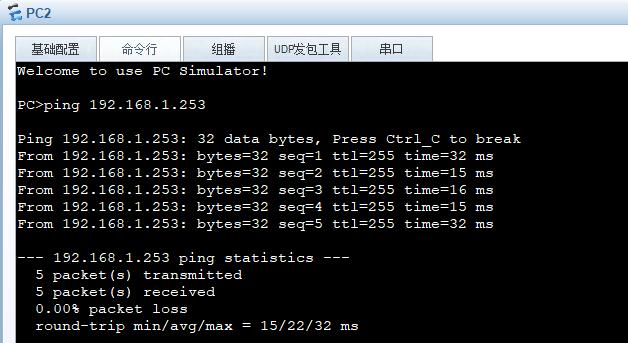
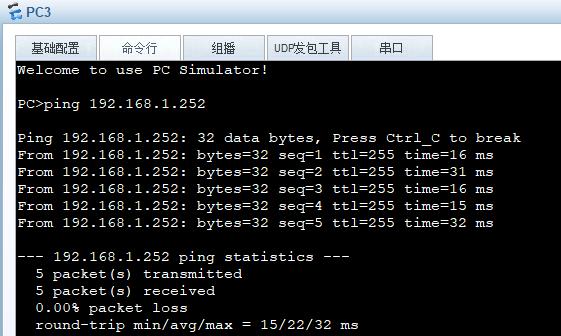
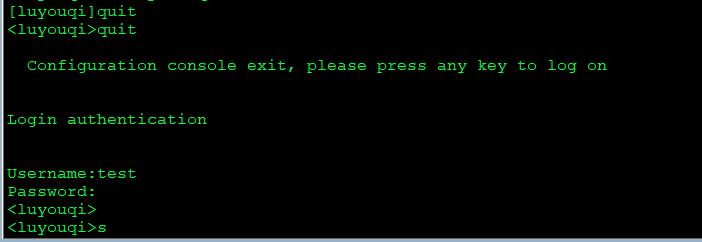
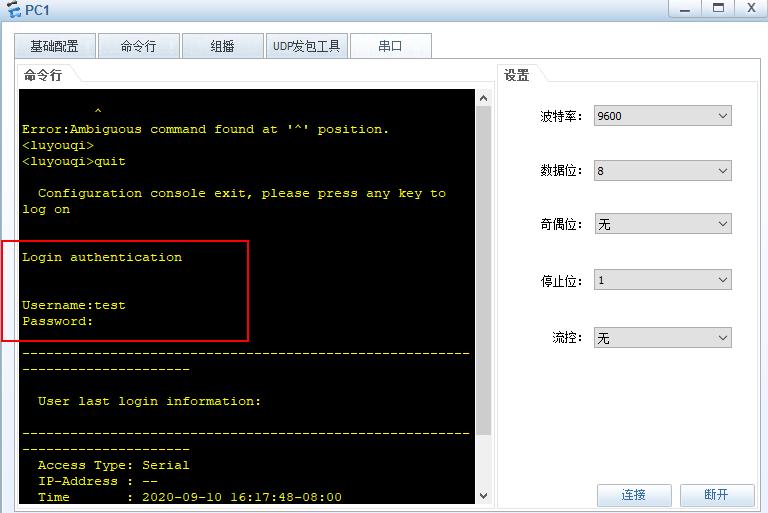
(2)通过用户名和密码登入路由器测试。
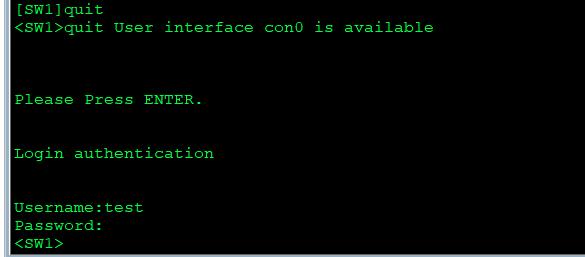
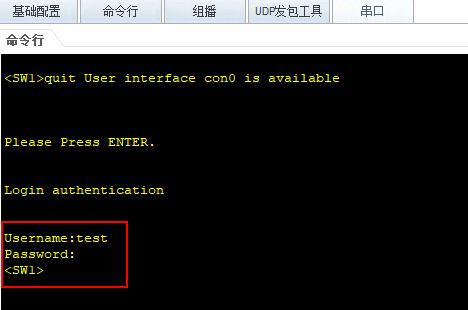
(3)通过用户名和密码登入交换机测试
总结:希望通过以上的配置,能够帮助你更好的理解路由器和交换机的接口IP地址配置和用户及密码的创建,以及该如何使用console登入路由器和交换机进行配置。对路由器和交换机的每一条命令都有解释,让初学者能够看懂。如果这篇文章对你有用,记得收藏关注我哟!!!