76套java从入门到精通实战课程分享
Elasticsearch 是一个分布式、可扩展、实时的搜索与数据分析引擎。它能从项目一开始就赋予你的数据以搜索、分析和探索的能力,这是通常没有预料到的。它存在还因为原始数据如果只是躺在磁盘里面根本就毫无用处。Elasticsearch 不仅仅只是全文搜索,我们还将介绍结构化搜索、数据分析、复杂的人类语言处理、地理位置和对象间关联关系等。我们还将探讨为了充分利用 Elasticsearch 的水平伸缩性,应当如何建立数据模型,以及在生产环境中如何配置和监控你的集群
1.安装Elasticsearch
Elasticsearch官网安装
如果*载下**慢点话,请使用网盘*载下**安装
链接: https://pan.baidu.com/s/1h4gyeZ3vnS5n8dAQYK9rFg 密码: 9scr其他的es开发,请大家一定要认真的看,官网的中文教程文档:elasticsearch
*载下**启动成功后,访问浏览器:http://localhost:9200/
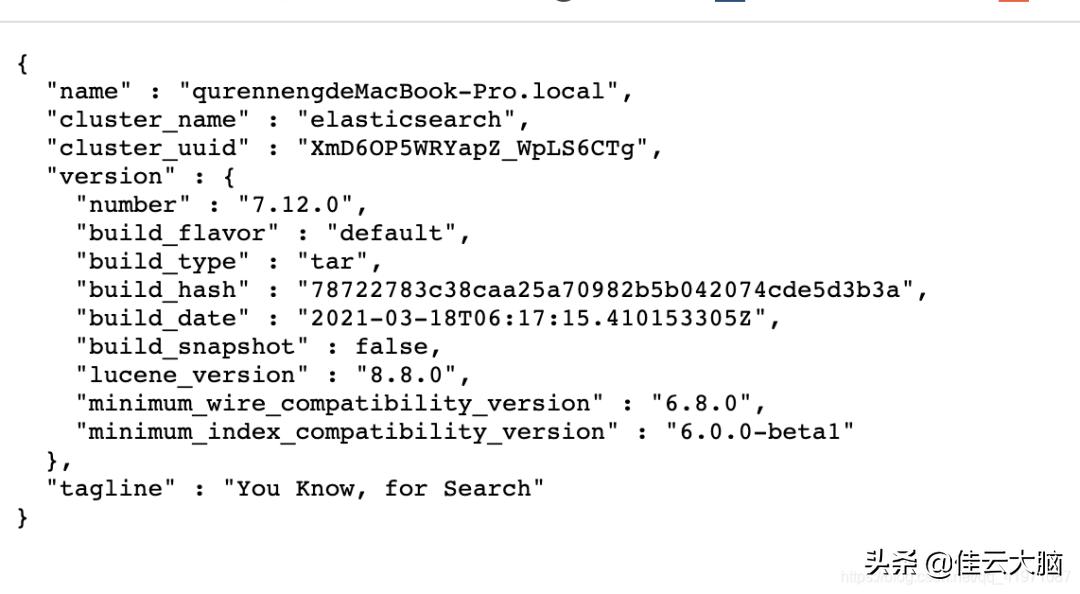
看到这个界面后,就是启动成功了。
Elasticsearch 基础语法使用:
创建索引,类型,文档:
PUT/megacorp/employee/1
{
"first_name":"John",
"last_name":"Smith",
"age":25,
"about":"Ilovetogorockclimbing",
"interests":["sports","music"]
}
注意,路径 /megacorp/employee/1 包含了三部分的信息:
- megacorp 索引名称
- employee 类型名称
- 1 特定雇员的ID
增加多个文档数据时:
PUT /megacorp/employee/2{ "first_name" : "John" , "last_name" : "Smith" , "age" : 25, "about" : "I love to go rock climbing" , "interests" : [ "sports" , "music" ]}
查询所有索引:_cat/indices?v
gethttp://localhost:9200/_cat/indices?v
查询单个索引信息:
get http://localhost:9200/megacorp
删除索引:
deletehttp://localhost:9200/megacorp
轻量查询
GEThttp://localhost:9200/megacorp/_search
指定查询:
GET http://localhost:9200/megacorp/_search?q=title:小明
使用表达式查询:
GET /megacorp/_search{ "query" : { "match" : { "last_name" : "Smith" } }}
全文搜索:
有喜欢 about :rock 或者 clilmbing 的数据,都会检索出来
GET/megacorp/_search
{
"query":{
"match":{
"about":"rockclimbing"
}
}
}
短语搜索:
执行这样一个查询,仅匹配同时包含 “rock” 和 “climbing”
GET/megacorp/_search
{
"query":{
"match_phrase":{
"about":"rockclimbing"
}
}
}
高亮搜索:
GET /megacorp/_search{ "query" : { "match_phrase" : { "about" : "rock climbing" } }, "highlight" : { "fields" : { "about" : {} } }}about //查询字段名称
这里大家可以用Postman 工具自己去测试一下。
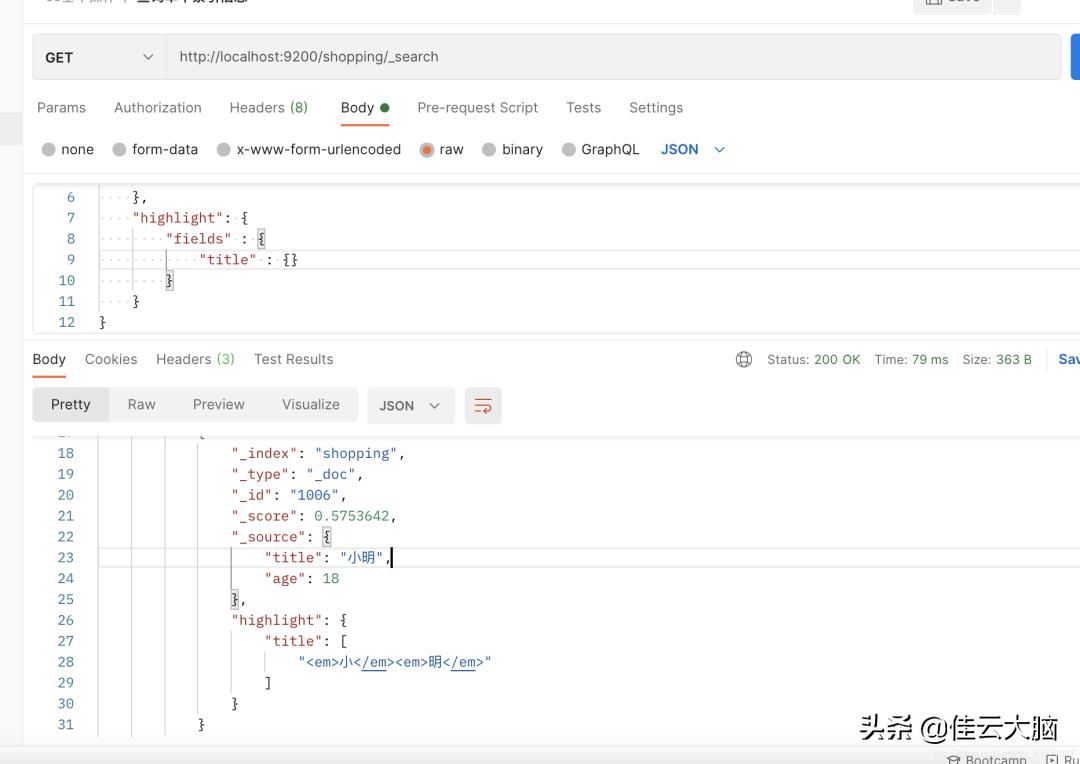
像我这样就好了。megacorp 就是索引,也就是图上的shopping大家自己创建的索引是什么就改一下。
springBoot集成Elasticsearch
详细集成实例请看官方文档:spring-data-elasticsearch
1.pom依赖:
<dependency> <groupId>org.springframework.boot</groupId> <artifactId>spring-boot-starter-data-elasticsearch</artifactId> </dependency>
2.yml配置:
spring: elasticsearch: rest: uris: http://localhost:9200 username: elasticsearch
3.使用代码操作es
新建一个接口继承 ElasticsearchRepository 就可以使用其中的方法了,并且还可以自定义方法去执行
public interface BookRepository extends ElasticsearchRepository<Book,Integer> { List<Book> findByName(String name);}
测试代码:
@Autowired BookRepository bookRepository; /** * 新建文档 */ @Test void contextLoads () { Book book = new Book(); book.setId(1); book.setName( "小明" ); bookRepository.index(book); } /** * 查询数据 */ @Test void getBook (){ List<Book> byName = bookRepository.findByName( "小明" ); System.out.println(byName); }
其他好玩的,请自行读文档,调试开发,实例代码在github上面需要的请自行拉取:spring-boot-integrate然后后续会集成更多的模块进去,需要请点个star。有问题下方讨论一起学习
版权声明:本文为博主原创文章,遵循 CC 4.0 BY-SA 版权协议,转载请附上原文出处链接和本声明。
本文链接:
https://blog.csdn.net/qq_41971087/article/details/116334454