前面几节讨论了在 linux 中进行 C语言开发时,执行 I/O 的基本函数。不过在举例做实验的过程中,都是围绕普通文件进行的。

linux 中的文件类型
还记得在第9节,我们提到 unix 系统(linux是类unix系统)认为“一切皆文件”吗?unix 系统中大多数文件是普通文件和目录,这两种类型的文件也是最常使用的,比如 /usr 目录和它里面的 hello.txt 文本文件就属于普通文件类型。
事实上,linux 系统将所有文件分为以下几大类:
- 普通文件。
- 目录文件。
- 块特殊文件。这种类型的文件以磁盘为典型代表,linux 内核一般提供带缓冲的读写,以磁盘为例,每次读写一般都是固定长度的数据(一个扇区的数据),而且内核往往不是立刻将数据写到磁盘,而是在之后cpu较为空闲时写入。
- 字符特殊文件。以终端为例,处理这种文件时,内核不需要提供缓冲读写,例如程序输出字符到串口,通常希望越快响应越好。
- FIFO。这种类型的文件一般用于多进程间通信。
- 套接字。这种类型的文件用于进程间的网络通信。
- 符号链接。这种类型的文件类似于 windows 中的快捷方式。
这么看来,linux 系统中的设备(如硬盘,串口等)要么是块特殊文件,要么就是字符特殊文件了。
获取 linux 中的文件类型
linux 提供了 stat 系列函数获取文件的统计信息。在 linux 中输入 man stat,即可得到 stat 函数的使用手册:
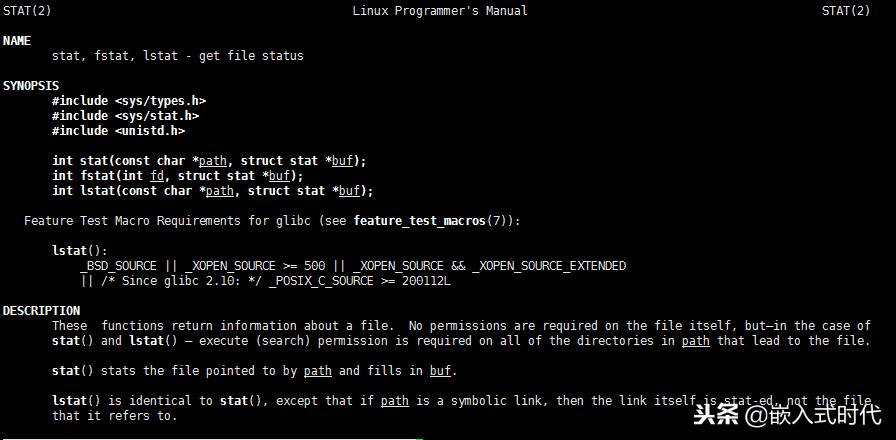
stat 函数的第二个参数是一个结构体,它的定义可以在 <sys/stat.h> 中找到:
 struct stat {
 unsigned long st_dev;
 unsigned long st_ino;
 unsigned short st_mode;
 unsigned short st_nlink;
 unsigned short st_uid;
 unsigned short st_gid;
 unsigned long st_rdev;
 unsigned long st_size;
 unsigned long st_blksize;
 unsigned long st_blocks;
 unsigned long st_atime;
 unsigned long st_atime_nsec;
 unsigned long st_mtime;
 unsigned long st_mtime_nsec;
 unsigned long st_ctime;
 unsigned long st_ctime_nsec;
 unsigned long __unused4;
 unsigned long __unused5;
};
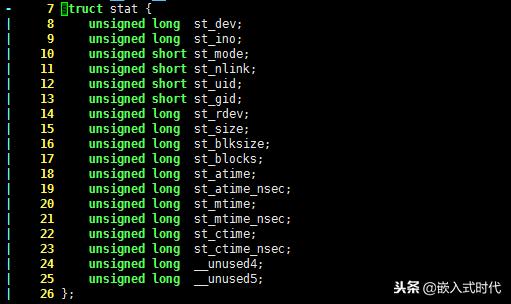
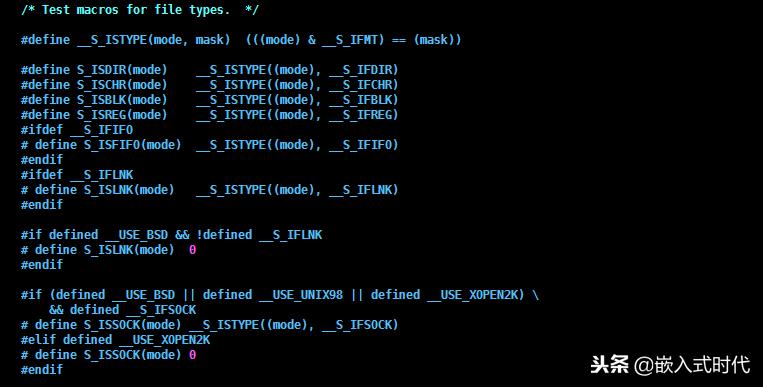
可以看出,统计函数 stat 能够获得文件的各种信息,例如用户组ID,用户ID,以及文件的 size 等信息。其中 st_mode 成员记录着文件的类型以及mode(权限)。使用下面这几个宏即可获得文件的类型:
...
#define S_ISDIR(mode) __S_ISTYPE((mode), __S_IFDIR)
#define S_ISCHR(mode) __S_ISTYPE((mode), __S_IFCHR)
#define S_ISBLK(mode) __S_ISTYPE((mode), __S_IFBLK)
#define S_ISREG(mode) __S_ISTYPE((mode), __S_IFREG)
#ifdef __S_IFIFO
# define S_ISFIFO(mode) __S_ISTYPE((mode), __S_IFIFO)
#endif
#ifdef __S_IFLNK
# define S_ISLNK(mode) __S_ISTYPE((mode), __S_IFLNK)
#endif
...
C语言实例,获取 linux 文件类型
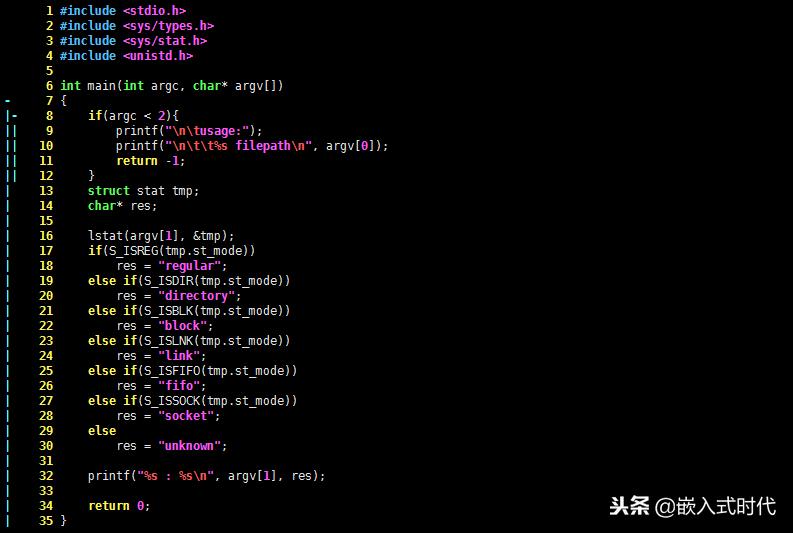
知道了 stat 函数和以上几个宏,编写 C语言程序获取文件的类型是方便的:
#include <stdio.h>
#include <sys/types.h>
#include <sys/stat.h>
#include <unistd.h>
int main(int argc, char* argv[])
{
 if(argc < 2){
 printf("\n\tusage:");
 printf("\n\t\t%s filepath\n", argv[0]);
 return -1;
 }
 struct stat tmp;
 char* res;
 lstat(argv[1], &tmp);
 if(S_ISREG(tmp.st_mode))
 res = "regular";
 else if(S_ISDIR(tmp.st_mode))
 res = "directory";
 else if(S_ISBLK(tmp.st_mode))
 res = "block";
 else if(S_ISLNK(tmp.st_mode))
 res = "link";
 else if(S_ISFIFO(tmp.st_mode))
 res = "fifo";
 else if(S_ISSOCK(tmp.st_mode))
 res = "socket";
 else
 res = "unknown";
 printf("%s : %s\n", argv[1], res);
 return 0;
}
以上代码使用了 lstat 函数,而不是 stat 函数,它俩的功能是相同的。唯一不同之处在于处理符号链接时,lstat 是将该符号链接直接作为文件处理的,而 stat 函数则是处理该符号链接指向的文件。
编译以上代码,执行之:
# gcc t6.c
# ./a.out
 usage:
 ./a.out filepath
# ./a.out ../
../ : directory
# ./a.out t.c
t.c : regular
root@lcc:/lccRoot/C/tmp# ./a.out ../
../ : directory
# ./a.out /dev/log
/dev/log : socket
#
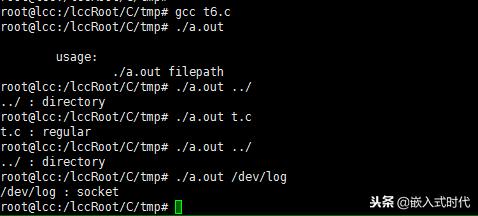
程序接收一个参数,并返回该参数的类型。其他几种类型文件的测试留给读者,在这一过程中可以顺便了解一下 linux 中的文件组成。
欢迎在评论区一起讨论,质疑。文章都是手打原创,每天最浅显的介绍C语言、linux等嵌入式开发,喜欢我的文章就关注一波吧,可以看到最新更新和之前的文章哦。