备案信息被驳回
备案过程中,这边有一个信息不符合被驳回一次:网站名称:深度日记官方账号,驳回的理由,就是个人备案,不能带官方账号等字眼。因此,更新后重新提交了。
电话核验信息
提交域名备案后,一定要留意手机,阿里云工作小妹妹会电话你进行信息确认。
这边还挺感动的,是周日收到电话通知的。
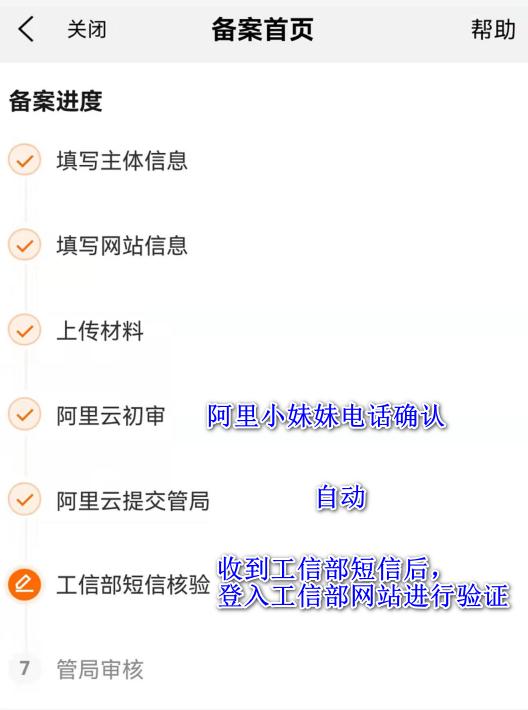
备案流程
到工信部进行短信验证
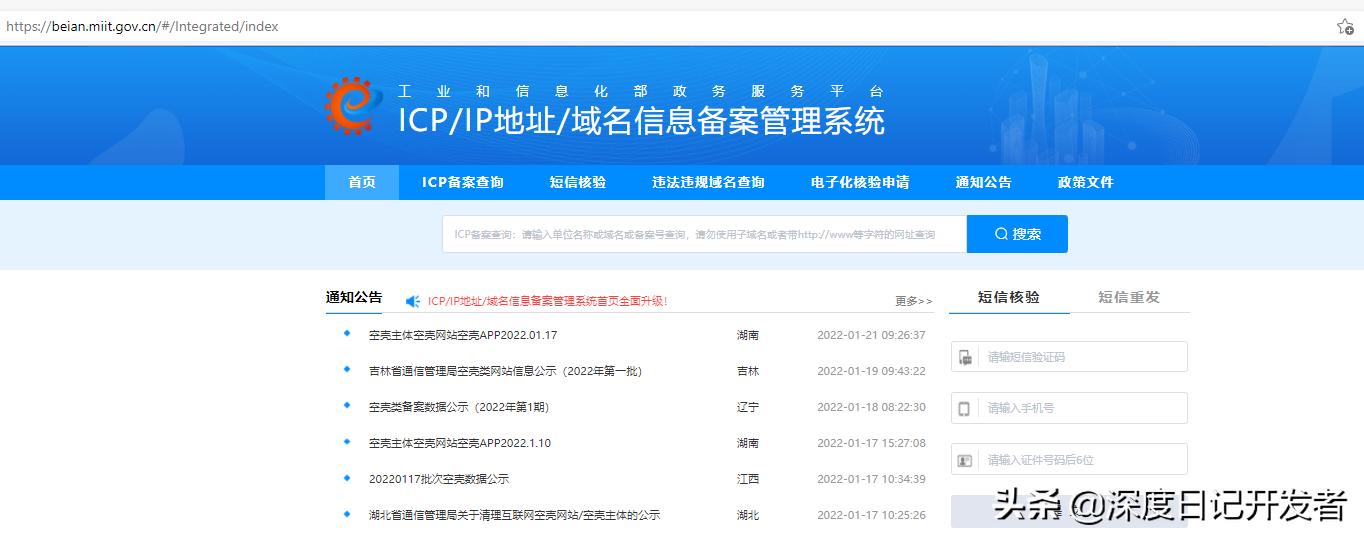
阿里云初审后,需要登入工信部进行验证

最后一步就是管局审核了
管理局审核通过
漫长的等待后,其实也就是一周的时间了,终于收到了管局的邮件:
您的ICP备案申请已通过审核,备案/许可证编号为:浙ICP备2022003145号,审核通过日期:2022-01-28。特此通知!【工信部ICP备案】
这是个幸福指数很高的邮件,哈哈!
将备案号添加到网页

将备案号添加到网站底部
<footer class="main-footer">
    <strong>Copyright © 2021-2022 <a href="https://www.deep-diary.com">www.deep-diary.com</a>.</strong>
    All rights reserved.
    <a href="http://beian.miit.gov.cn/">浙ICP备2022003145号</a>
</footer>
更改服务器配置
更改nginx配置文件
cd /etc/nginx/sites-available
cat deep-diary.com
root@deep-diary:/etc/nginx/sites-available# cat deep-diary.com
server {
  charset utf-8;
  listen 80;
  server_name www.deep-diary.com;  # 从IP 改成域名(修改一)

  location /static {
    alias /home/deep_diary/collected_static;
  }

  location /media {
    alias /home/deep_diary/media;
  }

  location / {
    proxy_set_header Host $host;
    proxy_pass http://unix:/tmp/www.deep-diary.com.socket;  # 从IP 改成域名(修改二)
  }
}
root@deep-diary:/etc/nginx/sites-available#
重启nginx服务
service nginx reload   如果nginx 有所更改,需要执行此命令进行重新加载
gunicorn --bind unix:/tmp/www.deep-diary.com.socket deep_diary.wsgi:application # 重新绑定gunicorn
# (修改三)
注意:
如果gunicorn 无法启动成功,可能是没有进入虚拟环境中执行的原因,
因此,我们需要进入网站目录,执行source env/bin/activate 启用虚拟环境,这个时候,命令行前面会多出(env),再按如下代码启动即可
root@deep-diary:/etc# gunicorn --bind unix:/tmp/www.deep-diary.com.socket deep_diary.wsgi:application
Traceback (most recent call last):
  File "/usr/bin/gunicorn", line 5, in <module>
    from gunicorn.app.wsgiapp import run
ModuleNotFoundError: No module named 'gunicorn'
root@deep-diary:/etc# cd /home/deep_diary/
root@deep-diary:/home/deep_diary# source env/bin/activate
(env) root@deep-diary:/home/deep_diary# gunicorn --bind unix:/tmp/www.deep-diary.com.socket deep_diary.wsgi:application
成果展示:
打完收工,一起来看下效果吧
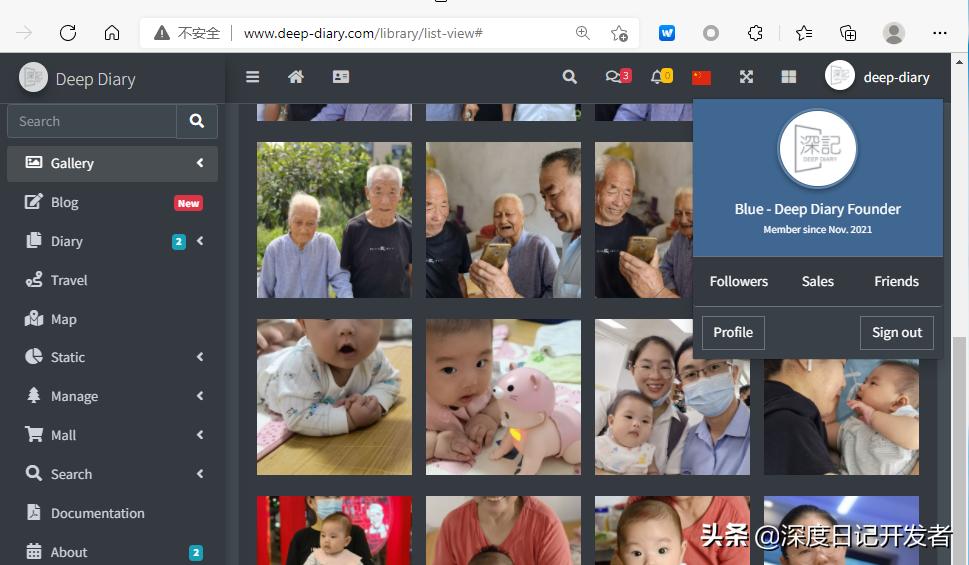
终于可以使用这个域名进行访问了