关注“PLC发烧友”,一起涨知识!
1 安装要求
1. 只能在win10系统上安装,win7和XP系统是不能安装的,win10系统建议安装win10专业版的。
2. 电脑配置,250G硬盘空间,4G运行内存,CPU至少2.1HZ频率。
2 安装过程
1. 软件*载下**:可以到技成*载下**中心或者技成学员论坛*载下**。

2. *载下**完毕后是一个压缩包,要解压文件。
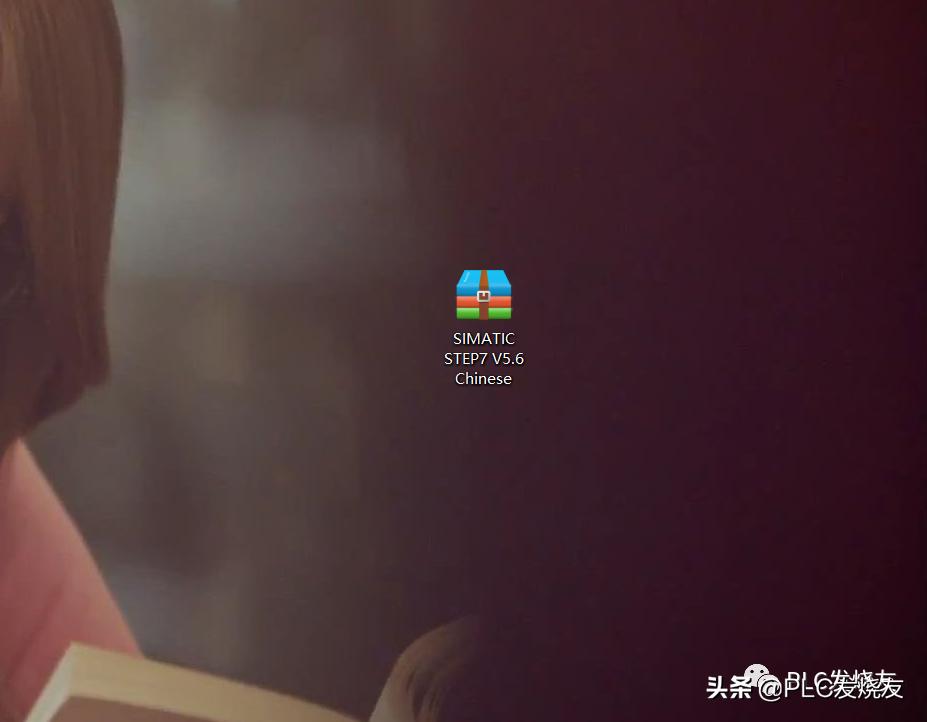

3. 解压完毕后是这样子的,如下图所示:

4. 打开解压后的文件夹,如下图所示:

5. 鼠标右击以管理员身份运行,进行安装。

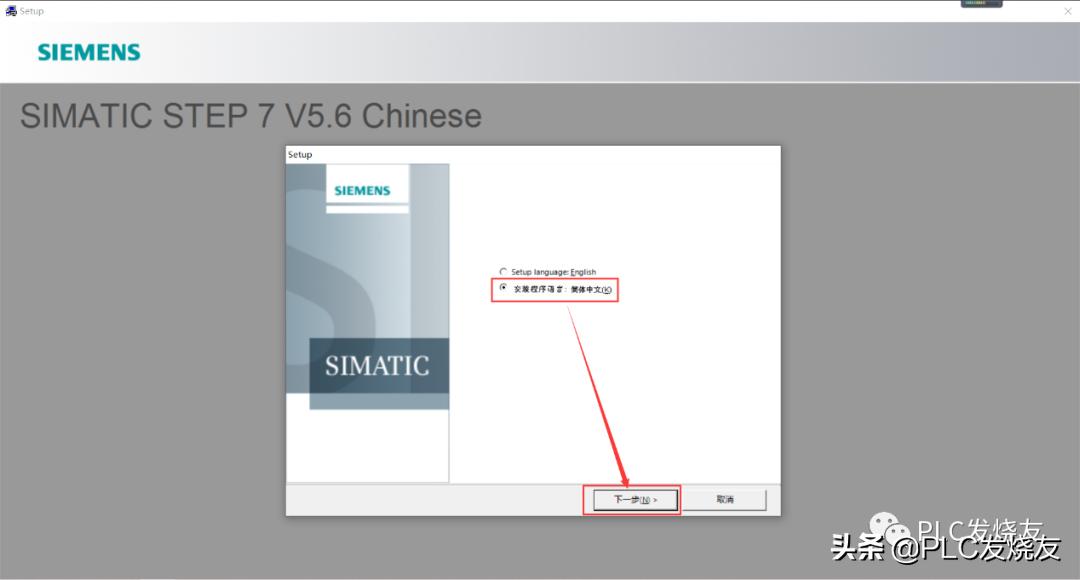
6. 安装步骤一(选择简体中文,然后点击下一步)
7. 安装步骤二(选择我接受,然后下一步)

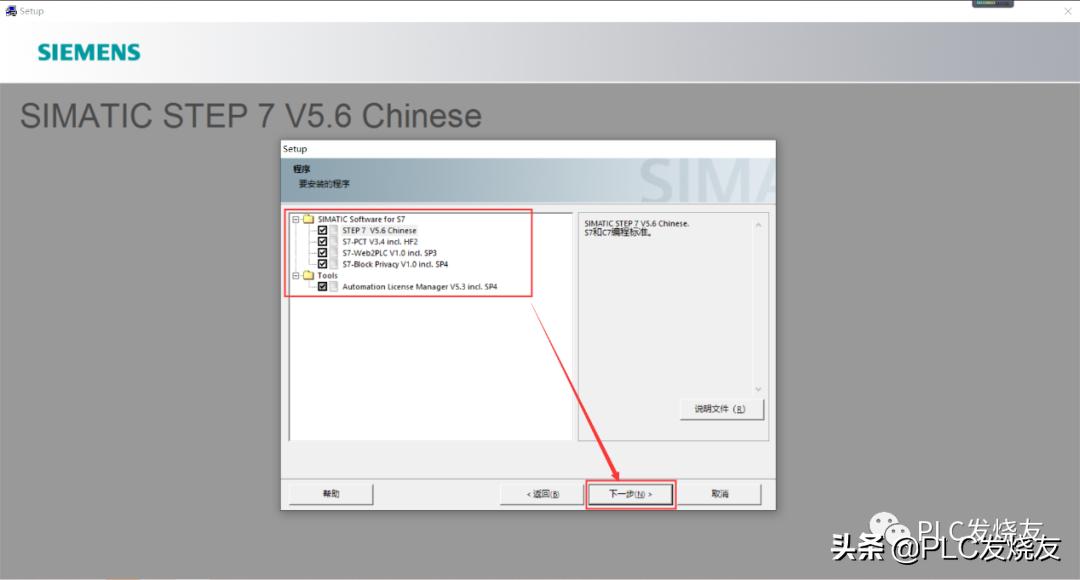
8. 安装步骤三(安装选项全选打勾,然后点击下一步)
9. 安装步骤四(点击我接受,选择下一步)

10. 安装步骤五(直接点击安装)

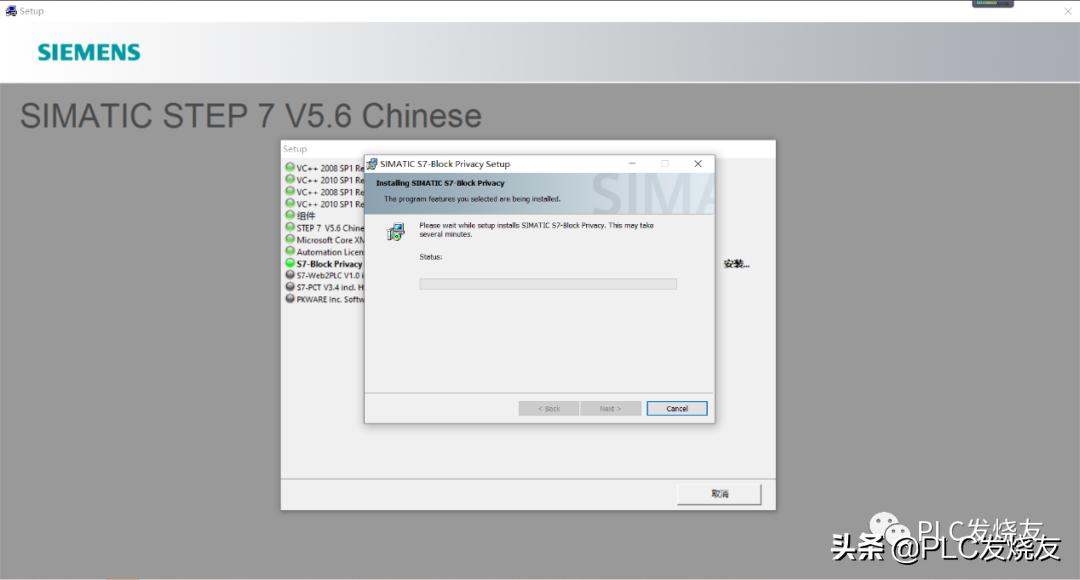
11. 安装步骤六(全选的安装项目,正在安装)

12. 安装步骤 七(直接点击下一步)

13. 安装步骤八(直接点击下一步)

14. 安装步骤 九(用户名和组织随便填写一个用户名,然后点击下一步)

15. 安装步骤 十(安装类型选择(典型)安装路径默认系统盘,也就是C盘)

16. 安装步骤十一(选择简体中文,点击下一步)

17. 安装步骤十二(这里选择否以后在传送密钥,点击下一步)

18. 安装步骤十三(直接点击安装)

19. 安装步骤十四(安装进行中,耐心等待。)




20. 安装步骤十五(这里接口选择(无)点击确定)
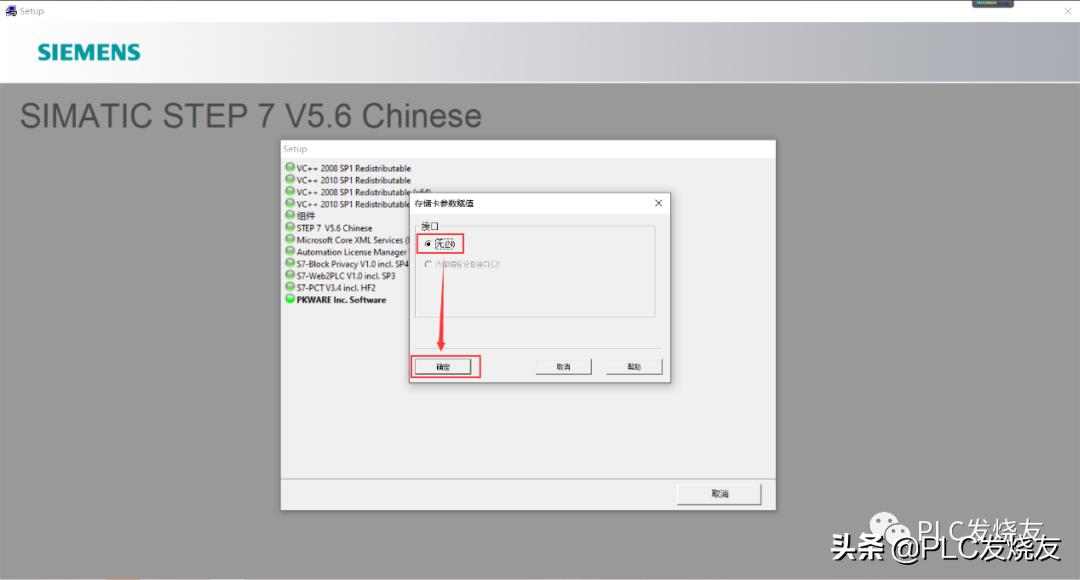
21. 安装步骤 十六(许可证,选择跳过。)

22. 安装步骤 十七(安装完毕,选择立即重新启动)

3 安装常见错误及解决方法
错误一:
出现下图所示的错误,代表我们要删除注册表。

解决方法:
在键盘上找到win窗口键和字母R键,然后win+R同时按下去

按下去之后,打开运行命令,输入regedit点击确定,进入注册表。

打开注册表后,找到HEEY_LOCAL_MACHINE\SYSTEM\CURRENTCONTROLSET\CONTROL\SESSION MANAGE\下的PendingFileRemameOpeaations
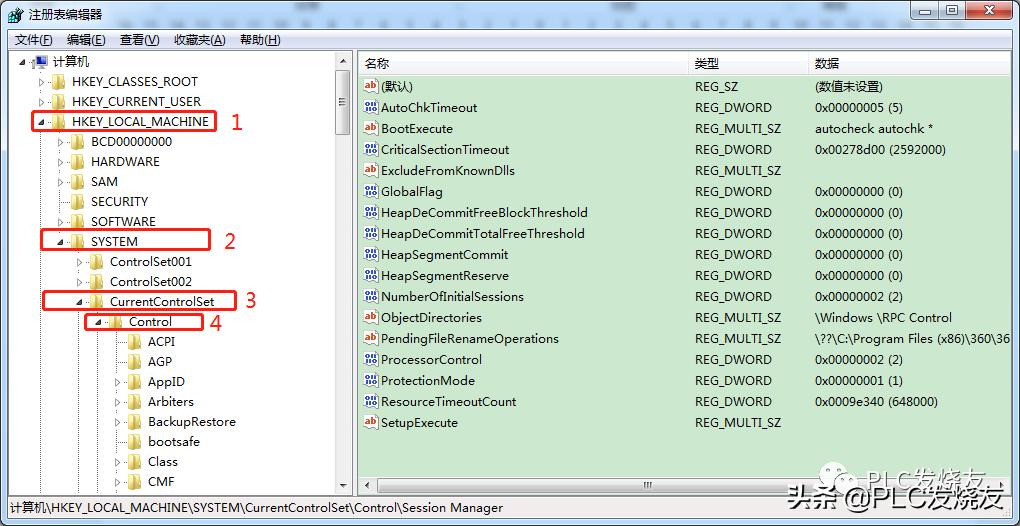

鼠标选择PendingFileRemameOpeaations右键删除它即可。

然后重新启动电脑,再进行安装可解决此问题。
错误二:
出现下图所示这种错误,代表你安装路径有中文。

解决方法:安装路径改为数字加英文,再点击安装即可解决此问题。
来源:技成培训网,作者:徐陈爽.