
使用pip install pyecharts 安装,安装后的版本为 v1.6
pyecharts几行代码就能绘制出有特色的的图形,绘图API链式调用,使用方便。
1 仪表盘
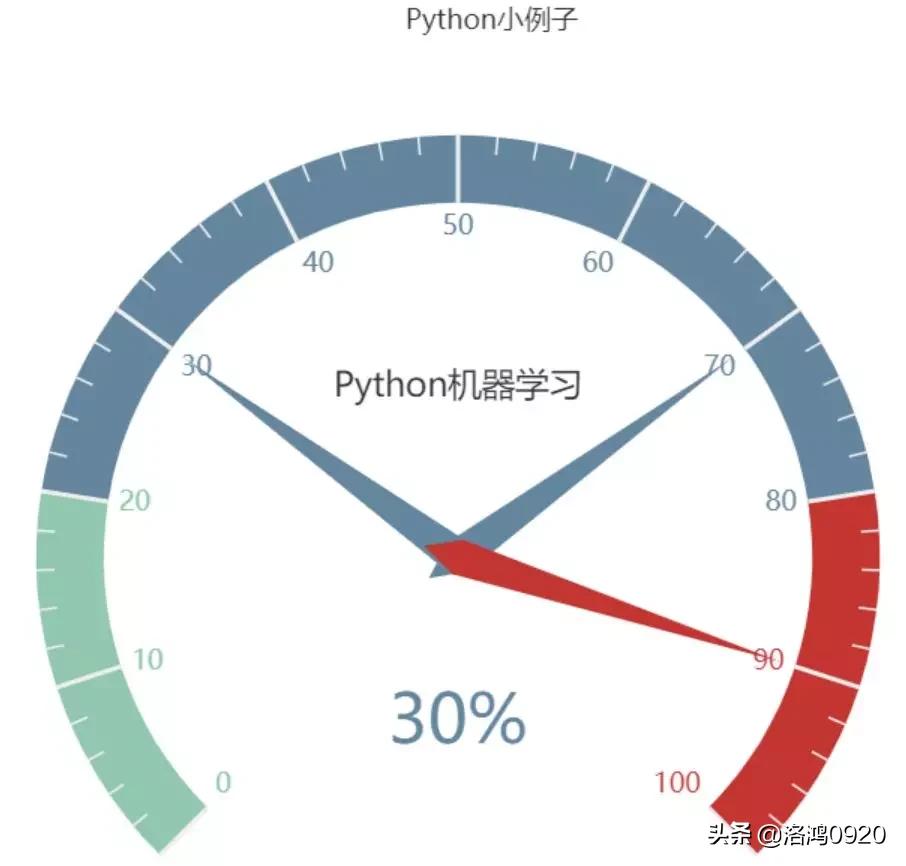
from pyecharts import charts# 仪表盘gauge = charts.Gauge()gauge.add( Python小例子 , [( Python机器学习 , 30), ( Python基础 , 70.), ( Python正则 , 90)])gauge.render(path="./data/仪表盘.html")print( ok )
仪表盘*共中**展示三项,每项的比例为30%,70%,90%,如下图默认名称显示第一项:Python机器学习,完成比例为30%
2 漏斗图
from pyecharts import options as optsfrom pyecharts.charts import Funnel, Pagefrom random import randintdef funnel_base() -> Funnel: c = ( Funnel() .add("豪车", [list(z) for z in zip([ 宝马 , 法拉利 , 奔驰 , 奥迪 , 大众 , 丰田 , 特斯拉 ], [randint(1, 20) for _ in range(7)])]) .set_global_opts(title_opts=opts.TitleOpts(title="豪车漏斗图")) ) return c funnel_base().render( ./img/car_funnel.html )print( ok )
以7种车型及某个属性值绘制的漏斗图,属性值大越靠近漏斗的大端。

3 日历图
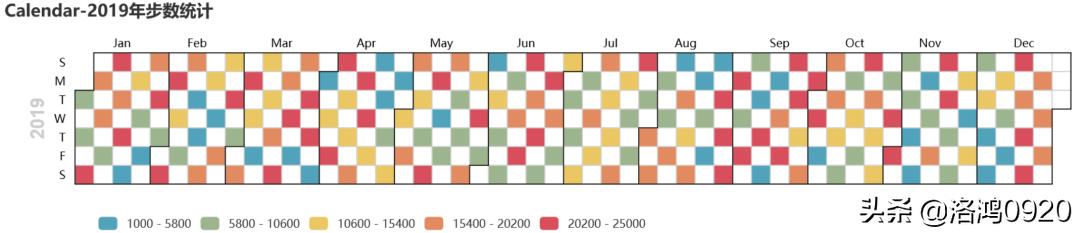
import datetimeimport randomfrom pyecharts import options as optsfrom pyecharts.charts import Calendardef calendar_interval_1() -> Calendar: begin = datetime.date(2019, 1, 1) end = datetime.date(2019, 12, 27) data = [ [str(begin + datetime.timedelta(days=i)), random.randint(1000, 25000)] for i in range(0, (end - begin).days + 1, 2) # 隔天统计 ] calendar = ( Calendar(init_opts=opts.InitOpts(width="1200px")).add( "", data, calendar_opts=opts.CalendarOpts(range_="2019")) .set_global_opts( title_opts=opts.TitleOpts(title="Calendar-2019年步数统计"), visualmap_opts=opts.VisualMapOpts( max_=25000, min_=1000, orient="horizontal", is_piecewise=True, pos_top="230px", pos_left="100px", ), ) ) return calendarcalendar_interval_1().render( ./img/calendar.html )print( ok )
绘制2019年1月1日到12月27日的步行数,官方给出的图形宽度900px不够,只能显示到9月份,本例使用opts.InitOpts(width="1200px")做出微调,并且visualmap显示所有步数,每隔一天显示一次:
4 关系图(graph)
import jsonimport osfrom pyecharts import options as optsfrom pyecharts.charts import Graph, Pagedef graph_base() -> Graph: nodes = [ {"name": "cus1", "symbolSize": 10}, {"name": "cus2", "symbolSize": 30}, {"name": "cus3", "symbolSize": 20} ] links = [] for i in nodes: if i.get( name ) == cus1 : continue for j in nodes: if j.get( name ) == cus1 : continue links.append({"source": i.get("name"), "target": j.get("name")}) c = ( Graph() .add("", nodes, links, repulsion=8000) .set_global_opts(title_opts=opts.TitleOpts(title="customer-influence")) ) return c
构建图,其中客户点1与其他两个客户都没有关系(link),也就是不存在有效边:

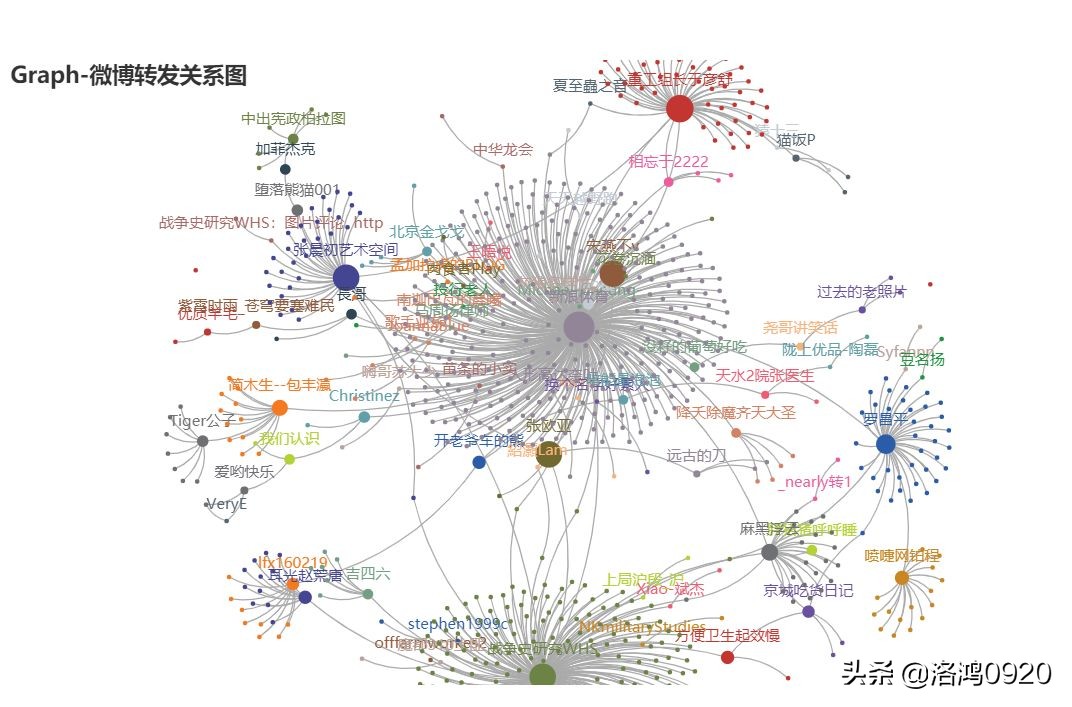
还可以做成微博转发关系图
甚至依存关系图

5 水球图
from pyecharts import options as optsfrom pyecharts.charts import Liquid, Pagefrom pyecharts.globals import SymbolTypedef liquid() -> Liquid: c = ( Liquid() .add("lq", [0.67, 0.30, 0.15]) .set_global_opts(title_opts=opts.TitleOpts(title="Liquid")) ) return cliquid().render( ./img/liquid.html )
水球图的取值[0.67, 0.30, 0.15]表示下图中的三个波浪线,一般代表三个百分比:

6 饼图
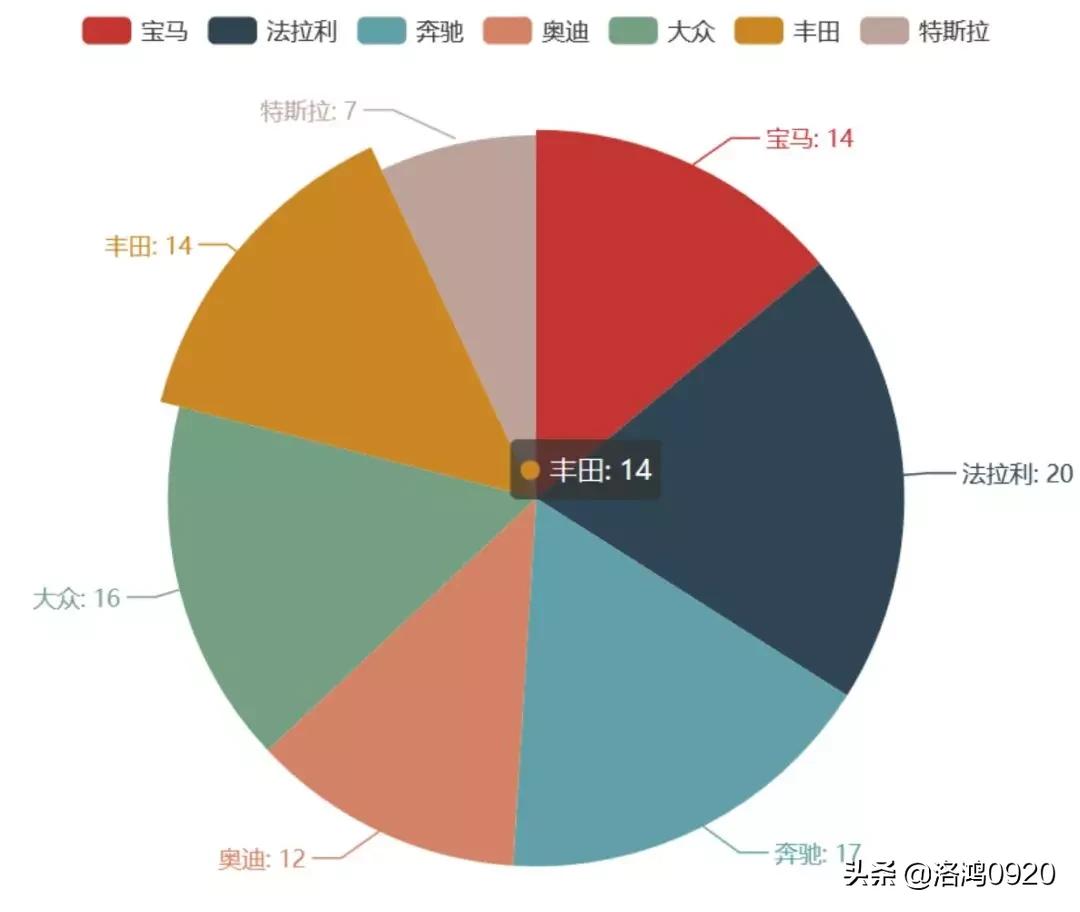
from pyecharts import options as optsfrom pyecharts.charts import Piefrom random import randintdef pie_base() -> Pie: c = ( Pie() .add("", [list(z) for z in zip([ 宝马 , 法拉利 , 奔驰 , 奥迪 , 大众 , 丰田 , 特斯拉 ], [randint(1, 20) for _ in range(7)])]) .set_global_opts(title_opts=opts.TitleOpts(title="Pie-基本示例")) .set_series_opts(label_opts=opts.LabelOpts(formatter="{b}: {c}")) ) return cpie_base().render( ./img/pie_pyecharts.html )
7 极坐标
import randomfrom pyecharts import options as optsfrom pyecharts.charts import Page, Polardef polar_scatter0() -> Polar: data = [(alpha, random.randint(1, 100)) for alpha in range(101)] # r = random.randint(1, 100) print(data) c = ( Polar() .add("", data, type_="bar", label_opts=opts.LabelOpts(is_show=False)) .set_global_opts(title_opts=opts.TitleOpts(title="Polar")) ) return cpolar_scatter0().render( ./img/polar.html )
极坐标表示为(夹角,半径),如(6,94)表示"夹角"为6,半径94的点:

8 词云图
from pyecharts import options as optsfrom pyecharts.charts import Page, WordCloudfrom pyecharts.globals import SymbolTypewords = [ ("Python", 100), ("C++", 80), ("Java", 95), ("R", 50), ("JavaScript", 79), ("C", 65)]def wordcloud() -> WordCloud: c = ( WordCloud() # word_size_range: 单词字体大小范围 .add("", words, word_size_range=[20, 100], shape= cardioid ) .set_global_opts(title_opts=opts.TitleOpts(title="WordCloud")) ) return cwordcloud().render( ./img/wordcloud.html )
("C",65)表示在本次统计中C语言出现65次
9 热力图
import randomfrom pyecharts import options as optsfrom pyecharts.charts import HeatMapdef heatmap_car() -> HeatMap: x = [ 宝马 , 法拉利 , 奔驰 , 奥迪 , 大众 , 丰田 , 特斯拉 ] y = [ 中国 , 日本 , 南非 , 澳大利亚 , 阿根廷 , 阿尔及利亚 , 法国 , 意大利 , 加拿大 ] value = [[i, j, random.randint(0, 100)] for i in range(len(x)) for j in range(len(y))] c = ( HeatMap() .add_xaxis(x) .add_yaxis("销量", y, value) .set_global_opts( title_opts=opts.TitleOpts(title="HeatMap"), visualmap_opts=opts.VisualMapOpts(), ) ) return cheatmap_car().render( ./img/heatmap_pyecharts.html )

10 地图

地图之前用过很多次,不过多说明,看看效果。

省级区域图

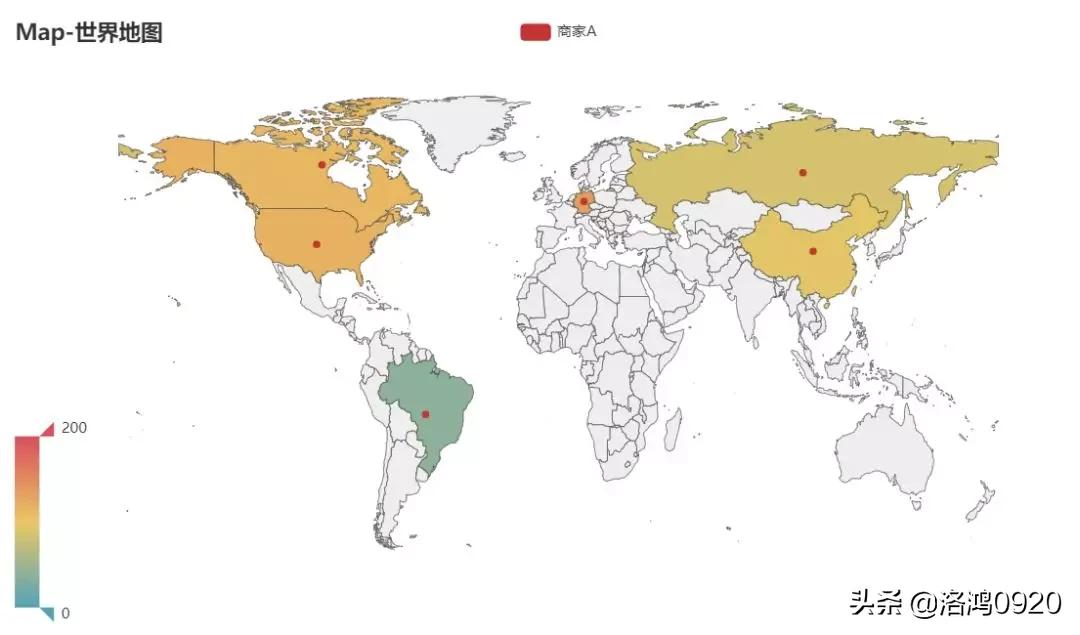
世界地图
甚至还可以结合百度地图做可缩放地图。
结语
pyecharts有30多种不同的可视化图形,开源免费且文档案例详细,可作为数据可视化首选!