
苜蓿小站
导读
此处记录一下原生音频录制,及录制的音频文件转码问题。
音频录制
iOS 核心录制音频的类是 AVAudioRecorder。
/// 核心代码 ------------------------------

/// 导入头文件
import AVFoundation
/// 系统录音类
private var recorder: AVAudioRecorder?

// 获取路径
var urlString = ""
if let filePath = NSSearchPathForDirectoriesInDomains(.documentDirectory, .userDomainMask, true).last {
    urlString = filePath.jjc_appendPath("audio.caf")
}
var url = URL(fileURLWithPath: urlString)

if !isStop {
    // 开始录音
    // 如果不初始化 AVAudioSession 这段代码,会出现 .caf 录音时长和文件大小不正确,同时转成 .mp3 后时长和文件大小也不正确
    let session = AVAudioSession.sharedInstance()
    do {
        try session.setCategory(.playAndRecord)
    } catch let error {
        debugPrint("初始化 AVAudioSession 失败 ----- \(error)")
    }

    let dict: [String:Any] = [AVEncoderAudioQualityKey: NSNumber(value: AVAudioQuality.medium.rawValue),
                                            AVFormatIDKey: NSNumber(value: kAudioFormatLinearPCM),
                                    AVEncoderBitRateKey: NSNumber(value: 16),
                                        AVSampleRateKey: NSNumber(value: 11025),
                                    AVNumberOfChannelsKey: NSNumber(value: 2)]
    do {
        debugPrint("开始录音 ----------")
        self.recorder = try AVAudioRecorder(url: url, settings: dict)
        self.recorder?.record()
    } catch let error {
        HUD.showFailure("录音失败", error.localizedDescription)
    }
} else {
    // 结束录音
    self.recorder?.stop()
    // 将 .caf 转 .mp3 格式
    let mp3Path: String = LameTool.audio(toMP3: urlString, isDeleteSourchFile: false)
}
/// 核心方法参数

/// 创建一个录音文件并准备系统录制
func prepareToRecord() -> Bool
/// 开始录制音频
func record() -> Bool
/// 从一个具体的时间点开始录制音频
func record(atTime: TimeInterval) -> Bool
/// 录制音频持续时长
func record(forDuration: TimeInterval) -> Bool
/// 开始于某个时间录制音频并录制持续设定时长
func record(atTime: TimeInterval, forDuration: TimeInterval) -> Bool
/// 暂停录制音频
func pause()
/// 停止录制音频
func stop()
/// 判断当前是否处于录制中
var isRecording: Bool
/// 删除录制的音频文件
func deleteRecording() -> Bool
/// AVFoundation - AVAudioSettings.h - 所有的参数值都是 NSNumber 类型
/// property keys - values for all keys defined below are NSNumbers

/* keys for all formats */
/// 音频格式
public let AVFormatIDKey: String
/// 采样率
public let AVSampleRateKey: String
/// 通道数
public let AVNumberOfChannelsKey: String

/* linear PCM keys */
/// 采样位数, one of: 8, 16, 24, 32
public let AVLinearPCMBitDepthKey: String
/// 大端还是小端,内存的组织方式
public let AVLinearPCMIsBigEndianKey: String
/// 采样信号是整数还是浮点数
public let AVLinearPCMIsFloatKey: String
/// 是否允许音频交叉他的值
public let AVLinearPCMIsNonInterleaved: String

/* audio file type key */
/// 音频文件类型
public let AVAudioFileTypeKey: String

/* encoder property keys */
/// 音频编码质量
public let AVEncoderAudioQualityKey: String
/// 动态比特率编码时候的音质值
public let AVEncoderAudioQualityForVBRKey: String

/* only one of AVEncoderBitRateKey and AVEncoderBitRatePerChannelKey should be provided. */
/// 解码率
public let AVEncoderBitRateKey: String
/// 声道采样率
public let AVEncoderBitRatePerChannelKey: String
/// 编码时比特率策略
public let AVEncoderBitRateStrategyKey: String
/// 位深度,取值 8~32
public let AVEncoderBitDepthHintKey: String

/* sample rate converter property keys */
/// 采样率转换器的算法
public let AVSampleRateConverterAlgorithmKey: String
/// 采样率转换器的音质值
public let AVSampleRateConverterAudioQualityKey: String

/* channel layout */
/// 通道布局值
public let AVChannelLayoutKey: String

/* property values */
/* values for AVEncoderBitRateStrategyKey */
/// 常数
public let AVAudioBitRateStrategy_Constant: String
/// 平均数
public let AVAudioBitRateStrategy_LongTermAverage: String
/// 有限制的
public let AVAudioBitRateStrategy_VariableConstrained: String
/// 可变的
public let AVAudioBitRateStrategy_Variable: String

/* values for AVSampleRateConverterAlgorithmKey */
/// 普通
public let AVSampleRateConverterAlgorithm_Normal: String
/// 母带处理
public let AVSampleRateConverterAlgorithm_Mastering: String
///
public let AVSampleRateConverterAlgorithm_MinimumPhase: String
/// 音频文件质量
public enum AVAudioQuality : Int, @unchecked Sendable {
    case min = 0        // 最低
    case low = 32       // 较低
    case medium = 64    // 中等
    case high = 96      // 较高
    case max = 127      // 最高
}
音频文件转码
由于 iOS 录制音频的时候,一般默认都是使用 .caf 类型格式文件作为音频存储对象,虽然 .caf 文件在 iOS 系统中是可以通用使用,但是往往项目开发过程中为了兼容 Android 系统,都是需要将录音文件转码成 .mp3 通用格式才方便使用。
由于 Apple 官方提供的转码方式不是很方便,所以在此就比较推荐一个开源库:
- lame - https://sourceforge.net/projects/lame/files/lame/
Lame 是一个开源的 mp3 音频压缩软件,根据官网来看,全称是 Lame Aint an MP3 Encoder。当前最新版本为 2017-10-13 的 v3.100。
主要的处理方式就是将这个 Lame 开源库*载下**并编译打包成静态库,供项目工程中使用。
*载下** Lame
由于当下官方最新版本是 2017-10-13 更新的 v3.100 版本。
- Lame *载下**链接
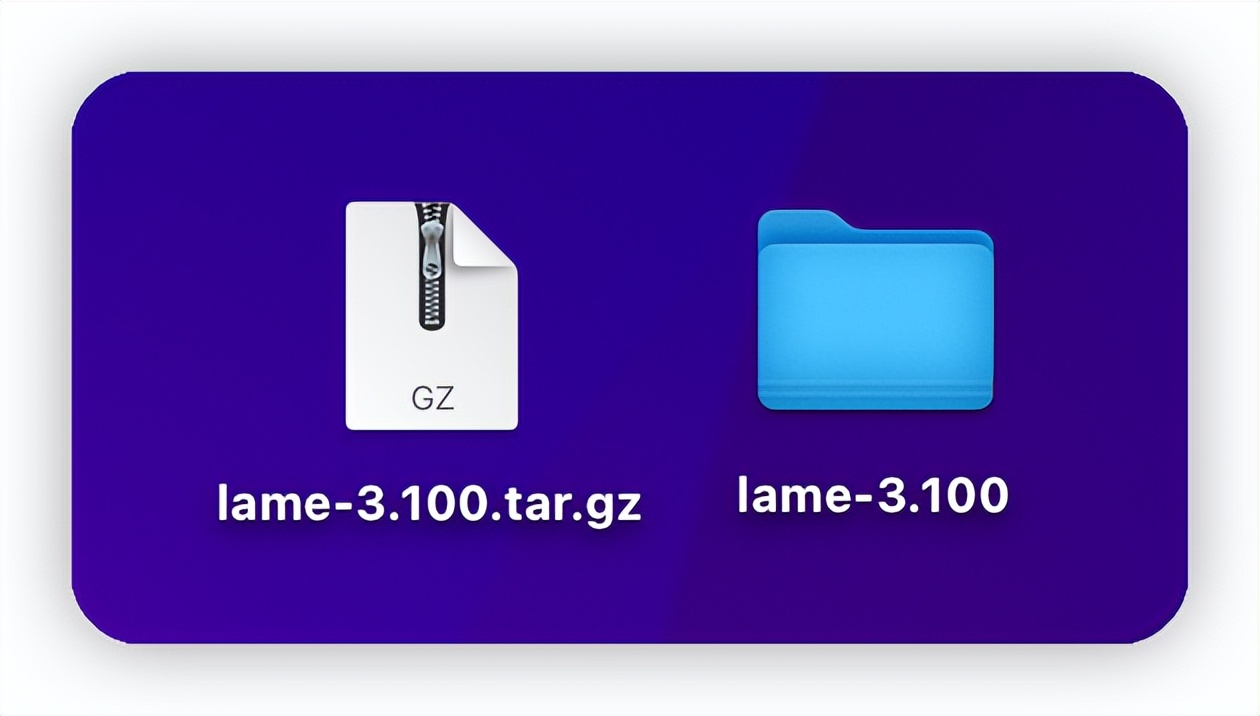
lame_v3.100
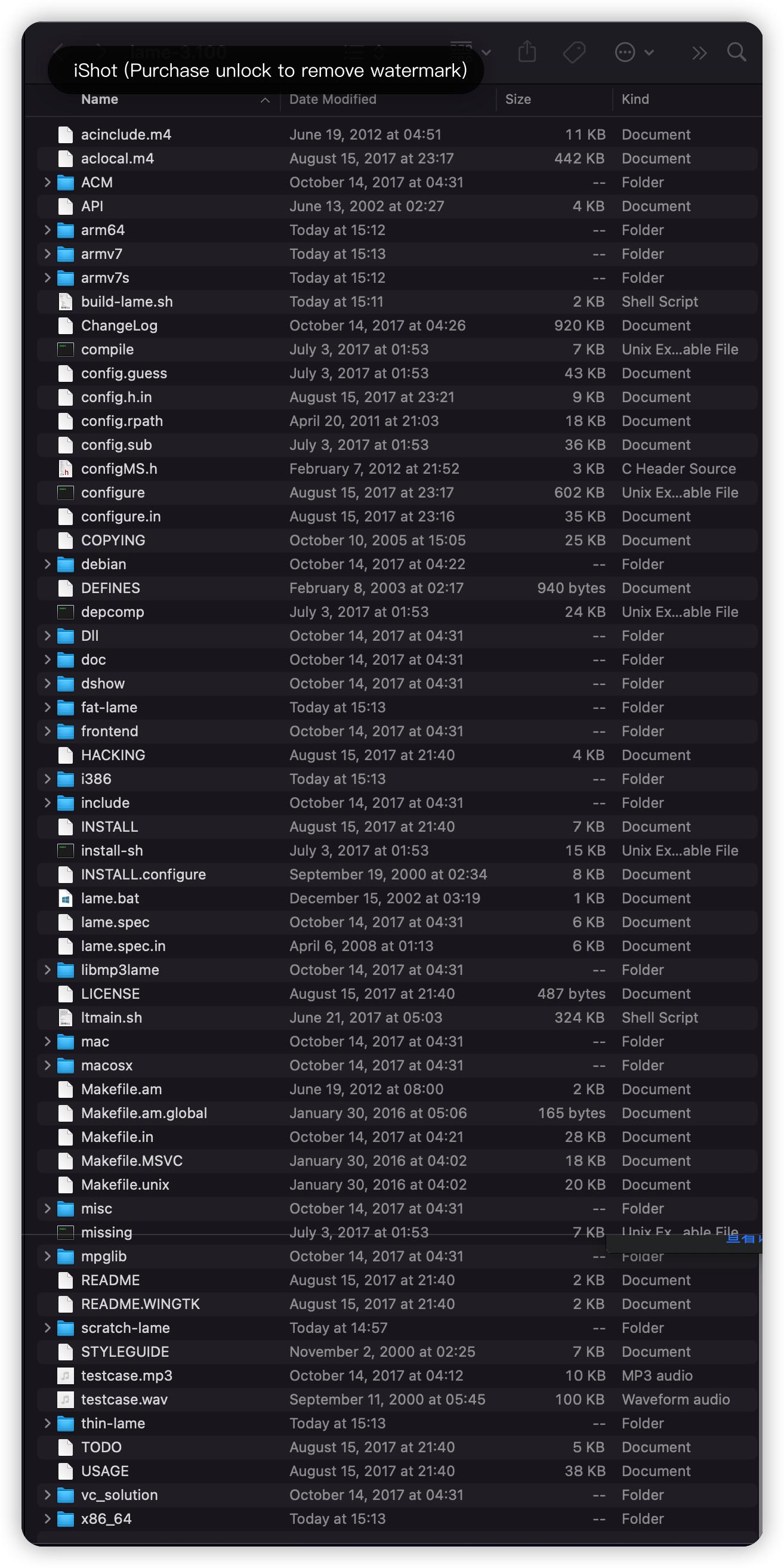
lame_v3.100 解压文件
编译打包静态库
由于*载下**下来的 Lame 解压包无法直接应用在项目中,所以需要编译打包成静态库使用。此处借助一 .sh 脚本进行打包。
- GitHub - kewlbear - lame-ios-build
将*载下**好的 lame-ios-build 压缩包解压后,将其中的 build-lame.sh 文件移动到 Lame 解压包中,并进行部分参数的更改。
待 build-lame.sh 文件参数更改好后,终端执行以下指令:
/// cd 到 lame-3.100 文件夹根目录下
cd /Users/mxgx/Desktop/lame-3.100
/// 执行脚本文件
./build-lame.sh


/// 如果执行报 -bash:./build-lame.sh:Permission denied 错误,是由于没有权限,执行如下指令即可
chmod a+x build-lame.sh
正常情况下,该脚本会执行几十秒左右。
/// 执行结果如下
{22-08-18 15:11}[ruby-3.0.0]jcji:~/Desktop/lame-3.100@master✗✗✗✗✗✗ mxgx% ./build-lame.sh
building arm64...
checking build system type... x86_64-apple-darwin21.5.0
checking host system type... arm-apple-darwin
checking for a BSD-compatible install... /usr/local/bin/ginstall -c
checking whether build environment is sane... yes
checking for arm-apple-darwin-strip... no
checking for strip... strip
checking for a thread-safe mkdir -p... /usr/local/bin/gmkdir -p
checking for gawk... no
checking for mawk... no
checking for nawk... no
checking for awk... awk
checking whether make sets $(MAKE)... yes
......
......
......
Making install in vc_solution
make[2]: Nothing to be done for `install-exec-am'.
make[2]: Nothing to be done for `install-data-am'.
make[2]: Nothing to be done for `install-exec-am'.
make[2]: Nothing to be done for `install-data-am'.
building fat binaries...
正常编译成功后,在 lame-3.100 文件夹下会生成 fat-lame 和 thin-lame 两个文件夹,而在 fat-lame 文件夹下就有我们所需的 .a 和 .h 文件了。
之后将这两个文件引入到项目中,尽量封装一个工具类用于转码成 .mp3 文件,比如文章后面的 LameTool 类。
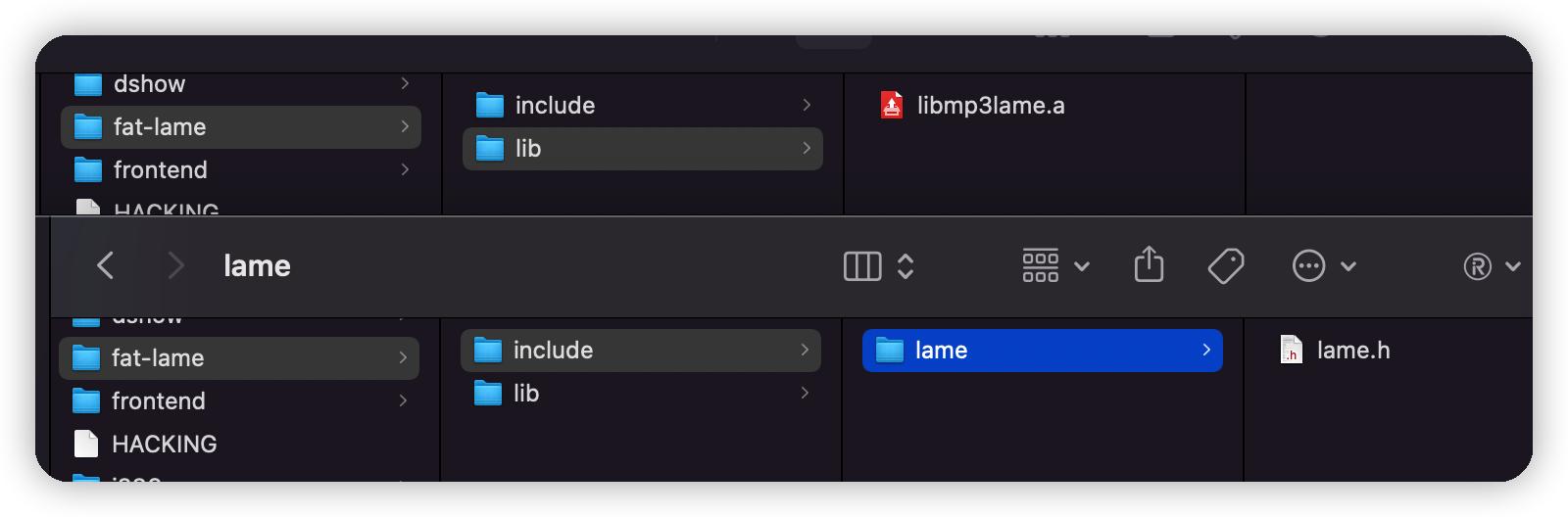
lame 打包 framework
#!/bin/sh

CONFIGURE_FLAGS="--disable-shared --disable-frontend"

ARCHS="arm64 armv7s x86_64 i386 armv7"

# directories
# SOURCE 是*载下**的 lame 源码包解压后的目录,可以把 sh 脚本放到这个目录,source 改为 ""
SOURCE=""
# FAT 是所有指令集 build 后输出的目录,所有静态库被合并成一个静态库,用的就是这个文件夹下的 .h 和 .a 两个文件
FAT="fat-lame"

# SCRATCH="scratch-lame"
# SCRATCH 是*载下**的 lame 源码包解压后的目录,必须是绝对路径
SCRATCH="/Users/mxgx/Desktop/lame-3.100"
# must be an absolute path

# THIN 各自指令集 build 后输出的静态库所在的目录,每个指令集为一个静态库,目录下对用不同的指令有不同的文件夹,里面分别是对应指令的 .h 和 .a 两个文件
THIN=`pwd`/"thin-lame"

COMPILE="y"
LIPO="y"

if [ "$*" ]
then
 if [ "$*" = "lipo" ]
 then
  # skip compile
  COMPILE=
 else
  ARCHS="$*"
  if [ $# -eq 1 ]
  then
   # skip lipo
   LIPO=
  fi
 fi
fi

if [ "$COMPILE" ]
then
 CWD=`pwd`
 for ARCH in $ARCHS
 do
  echo "building $ARCH..."
  mkdir -p "$SCRATCH/$ARCH"
  cd "$SCRATCH/$ARCH"

  if [ "$ARCH" = "i386" -o "$ARCH" = "x86_64" ]
  then
      PLATFORM="iPhoneSimulator"
      if [ "$ARCH" = "x86_64" ]
      then
       SIMULATOR="-mios-simulator-version-min=7.0"
                        HOST=x86_64-apple-darwin
      else
       SIMULATOR="-mios-simulator-version-min=5.0"
                        HOST=i386-apple-darwin
      fi
  else
      PLATFORM="iPhoneOS"
      SIMULATOR=
                    HOST=arm-apple-darwin
  fi

  XCRUN_SDK=`echo $PLATFORM | tr '[:upper:]' '[:lower:]'`
  CC="xcrun -sdk $XCRUN_SDK clang -arch $ARCH"
  #AS="$CWD/$SOURCE/extras/gas-preprocessor.pl $CC"
  CFLAGS="-arch $ARCH $SIMULATOR"
  if ! xcodebuild -version | grep "Xcode [1-6]\."
  then
   CFLAGS="$CFLAGS -fembed-bitcode"
  fi
  CXXFLAGS="$CFLAGS"
  LDFLAGS="$CFLAGS"

  CC=$CC $CWD/$SOURCE/configure \
      $CONFIGURE_FLAGS \
                    --host=$HOST \
      --prefix="$THIN/$ARCH" \
                    CC="$CC" CFLAGS="$CFLAGS" LDFLAGS="$LDFLAGS"

  make -j3 install
  cd $CWD
 done
fi

if [ "$LIPO" ]
then
 echo "building fat binaries..."
 mkdir -p $FAT/lib
 set - $ARCHS
 CWD=`pwd`
 cd $THIN/$1/lib
 for LIB in *.a
 do
  cd $CWD
  lipo -create `find $THIN -name $LIB` -output $FAT/lib/$LIB
 done

 cd $CWD
 cp -rf $THIN/$1/include $FAT
fi
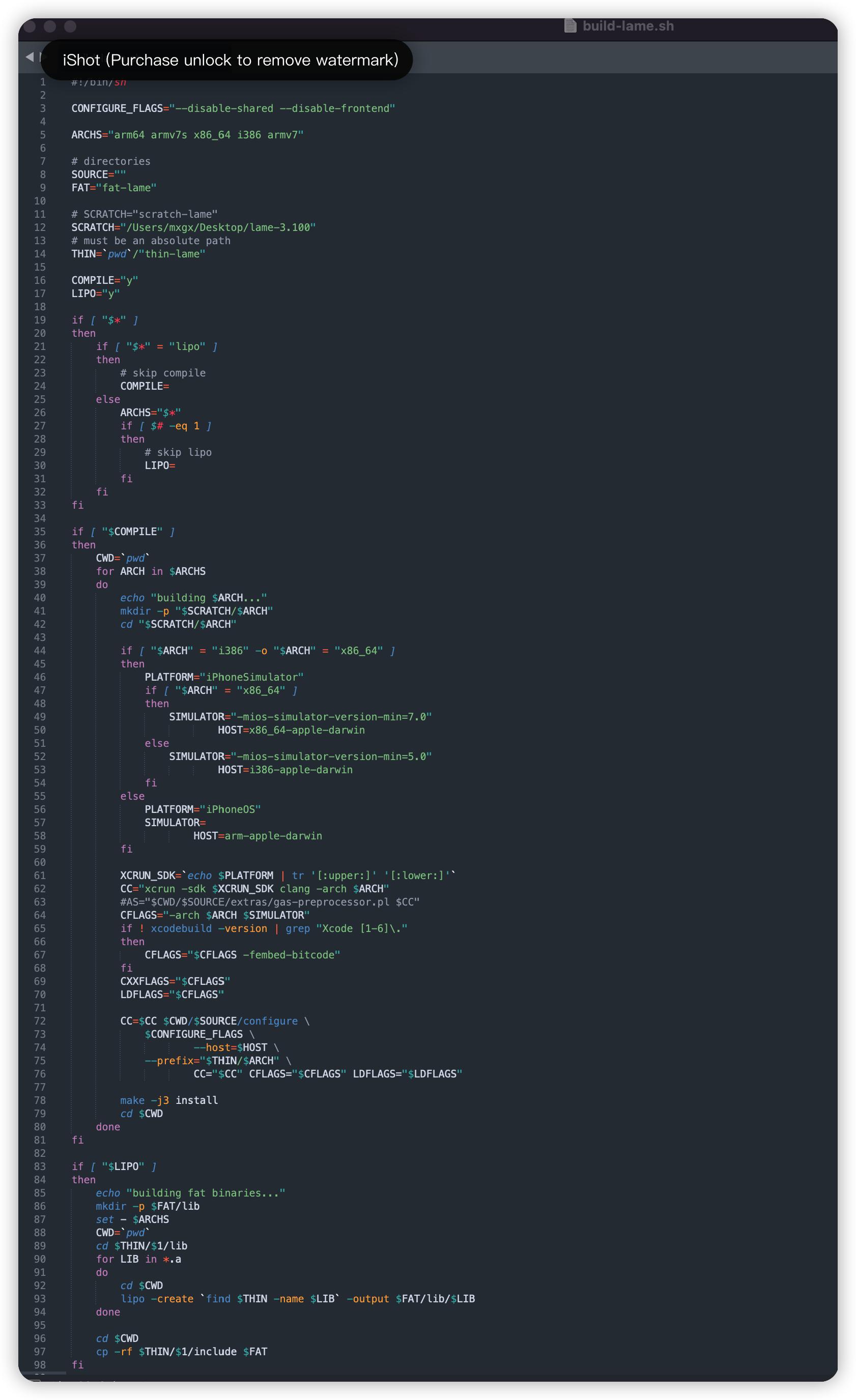
lame 打包 framework 脚本文件
Lame 转码 mp3 工具类
/// LameTool.h -----------------------------------
/// 音频文件转码 MP3(由于方法内部多以 C 语言为主,用 Swift 语言写的时候有些问题,此处仍以 OC 文件)
#import <Foundation/Foundation.h>

@interface LameTool : NSObject

+ (NSString *)audioToMP3: (NSString *)sourcePath isDeleteSourchFile: (BOOL)isDelete;

@end


/// LameTool.m -----------------------------------
#import "LameTool.h"
#import "lame.h"

@implementation LameTool

+ (NSString *)audioToMP3: (NSString *)sourcePath isDeleteSourchFile:(BOOL)isDelete {

    // 输入路径
    NSString *inPath = sourcePath;
    // 判断输入路径是否存在
    NSFileManager *fm = [NSFileManager defaultManager];
    if (![fm fileExistsAtPath:sourcePath]) {
        NSLog(@"文件不存在");
    }
    // 输出路径
    NSString *outPath = [[sourcePath stringByDeletingPathExtension] stringByAppendingString:@".mp3"];
    @try {
        int read, write;

        FILE *pcm = fopen([inPath cStringUsingEncoding:1], "rb");  //source 被转换的音频文件位置
        fseek(pcm, 4*1024, SEEK_CUR);                                   //skip file header
        FILE *mp3 = fopen([outPath cStringUsingEncoding:1], "wb");  //output 输出生成的Mp3文件位置

        const int PCM_SIZE = 8192;
        const int MP3_SIZE = 8192;
        short int pcm_buffer[PCM_SIZE*2];
        unsigned char mp3_buffer[MP3_SIZE];

        lame_t lame = lame_init();
        lame_set_in_samplerate(lame, 11025.0);
        lame_set_VBR(lame, vbr_default);
        lame_init_params(lame);

        do {
            size_t size = (size_t)(2 * sizeof(short int));
            read = fread(pcm_buffer, size, PCM_SIZE, pcm);
            if (read == 0)
                write = lame_encode_flush(lame, mp3_buffer, MP3_SIZE);
            else
                write = lame_encode_buffer_interleaved(lame, pcm_buffer, read, mp3_buffer, MP3_SIZE);

            fwrite(mp3_buffer, write, 1, mp3);

        } while (read != 0);

        lame_close(lame);
        fclose(mp3);
        fclose(pcm);
    }
    @catch (NSException *exception) {
        NSLog(@"%@",[exception description]);
    }
    @finally {
        NSLog(@"MP3生成成功:");
        if (isDelete) {

            NSError *error;
            [fm removeItemAtPath:sourcePath error:&error];
            if (error == nil) {
                NSLog(@"删除源文件成功");
            }
        }
        return outPath;
    }
}

@end
音频录制 + 转码 MP3 完整代码
/// 桥接头文件
DDYEducation-Bridging-Header.h

/// 桥接头文件内容
#import "LameTool.h"
/// 导入头文件
import AVFoundation

/// 系统录音类
private var recorder: AVAudioRecorder?
/// 获取录音权限
fileprivate func getRecordAudioAuthorization() {
    // 获取原生麦克风权限
    let status = AVCaptureDevice.authorizationStatus(for: .audio)
    if status == .notDetermined {
        // 未授权
        AVCaptureDevice.requestAccess(for: .audio) { granted in
            if granted {
                self.recordAudio()
            }
        }
    } else if status == .denied || status == .restricted {
        // 用户拒绝 || 未授权,家长限制
        let alertVC = JJC_Alert(title: "温馨提示", message: "录音权限受限,请前往设置界面进行开启", leftTitle: "取消", rightTitle: "确定", rightAction: {
            if let url = URL(string: UIApplication.openSettingsURLString) {
                UIApplication.shared.open(url)
            }
        })
        present(alertVC, animated: true, completion: nil)
    } else {
        recordAudio()
    }
}


/// 录音功能
fileprivate func recordAudio(_ isStop: Bool = false) {
    // 获取路径
    var urlString = ""
    if let filePath = NSSearchPathForDirectoriesInDomains(.documentDirectory, .userDomainMask, true).last {
        urlString = filePath.jjc_appendPath("audio.caf")
    }
    var url = URL(fileURLWithPath: urlString)

    if !isStop {
        // 开始录音
        // 如果不初始化 AVAudioSession 这段代码,会出现 .caf 录音时长和文件大小不正确,同时转成 .mp3 后时长和文件大小也不正确
        let session = AVAudioSession.sharedInstance()
        do {
            try session.setCategory(.playAndRecord)
        } catch let error {
            debugPrint("初始化 AVAudioSession 失败 ----- \(error)")
        }

        let dict: [String:Any] = [AVEncoderAudioQualityKey: NSNumber(value: AVAudioQuality.medium.rawValue),
                                                AVFormatIDKey: NSNumber(value: kAudioFormatLinearPCM),
                                        AVEncoderBitRateKey: NSNumber(value: 16),
                                            AVSampleRateKey: NSNumber(value: 11025),
                                        AVNumberOfChannelsKey: NSNumber(value: 2)]
        do {
            debugPrint("开始录音 ----------")
            self.recorder = try AVAudioRecorder(url: url, settings: dict)
            self.recorder?.record()
        } catch let error {
            HUD.showFailure("录音失败", error.localizedDescription)
        }
    } else {
        // 结束录音
        self.recorder?.stop()
        // 将 .caf 转 .mp3 格式
        let mp3Path: String = LameTool.audio(toMP3: urlString, isDeleteSourchFile: false)
    }
}
参考链接
- 简书 - 翀鹰精灵 - iOS中录音功能
- 简书 - iOS程序媛ing - iOS 录音文件caf转mp3
- 简书 - 精神病患者link常 - iOS录音--caf转MP3
- 简书 - sweetpf - AVFoundation框架解析看这里 - 目录
- 简书 - sweetpf - AVFoundation框架解析看这里(1)- 概论
- 简书 - sweetpf - AVFoundation框架解析看这里(2)- 媒体捕捉与视频拍摄
- 简书 - sweetpf - AVFoundation框架解析看这里(3)- 音频AVAudio
- 简书 - sweetpf - AVFoundation框架解析看这里(4)- CMTime
- 简书 - sweetpf - AVFoundation框架解析看这里(6)- AVAssetExportSession
- 简书 - sweetpf - AVFoundation框架解析看这里(7)- AVAssetImageGenerator