摘要
WPF提供了三个用于输入文本的控件:TextBox、RichTextBox和PasswordBox。PasswordBox控件直接继承自Control类。TextBox和RichTextBox控件间接继承自TextBoxBase类。
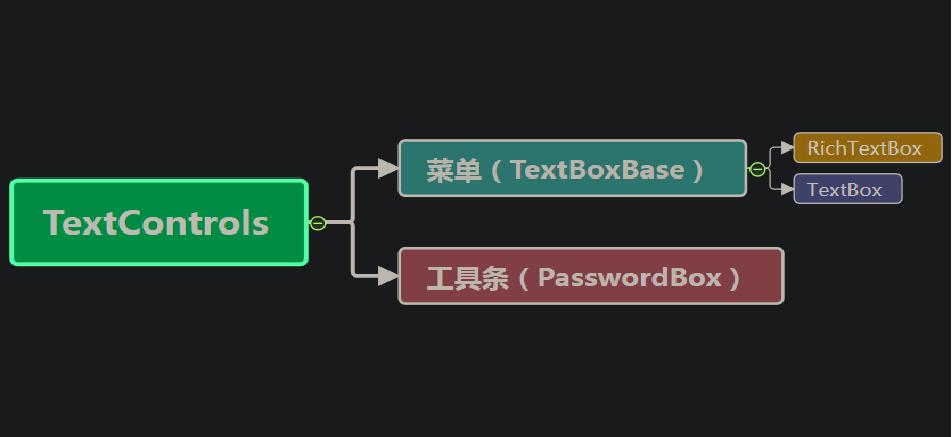
这个地方与Winform区别比较大。
正文
文字输入框(TextBox)
由于 TextBox 和 RichTextBox 都是以 TextBoxBase 为基类,所以这些属性对两种文本输入控件都有效。
|
属性 |
描述 |
|
AcceptsReturn |
是否支持输入 Enter 键换行 |
|
AcceptsTab |
是否支持插入tab控制符 |
|
AutoWordSelection |
是否支持自动选择整个词 |
|
CanRedo |
是否支持重做前一个动作 |
|
CanUndo |
是否支持撤销前一个动作 |
|
ExtentHeight |
获取可见的内容区域的垂直大小 |
|
ExtentWidth |
获取可见的内容区域的水平大小 |
|
HorizontalOffset |
获取或设置水平滚动条位置 |
|
HorizontalScrollBarVisibility |
是否显示水平滚动条 |
|
VerticalOffset |
获取或设置垂直滚动条的位置 |
|
VerticalScrollBarVisibility |
是否显示垂直滚动条 |
|
IsReadOnly |
是否只读 |
|
IsUndoEnabled |
是否支持恢复操作 |
|
UndoLimit |
获取或设置可以恢复的动作次数 |
|
SpellCheck |
设置SpellCheck.IsEnabled属性,可自动检查输入框中单词是否拼写错误 |
|
ViewportWidth |
设置视窗的宽度 |
|
ViewportHeight |
设置视窗的高度 |
文字输入框
文字输入框,该控件可用于显示或编辑无格式文本。
文字输入框是一个非常常用的控件,它是由多个控件组成的,其中含有Border、ScrollViewer、Grid、Rectangle、TextView、ScrollBar等一些控件。
|
属性 |
描述 |
|
MinLines |
获取或设置最小可见行数 |
|
MaxLines |
获取或设置最大可见行数 |
|
Text |
获取或设置文本框的文本内容 |
|
CharacterCasing |
枚举类,获取或设置输入字符的大小写 |
|
TextAlignment |
枚举类,获取或设置文本框的内容的水平对齐方式 |
|
SelectionLength |
获取或设置当前所选内容的字符数 |
|
LineCount |
获取文本框中的总行数 |
|
SelectedText |
获取或设置文本框中当前选择的内容 |
|
TextWrapping |
枚举类,获取或设置文本的换行方式 |
|
MaxLength |
获取或设置文本框中输入的最大字符数 |
密码输入框(PasswordBox)
密码输入框,用于输入和处理密码的控件。
|
属性 |
描述 |
|
MaxLength |
获取或设置密码的最大长度 |
|
PasswordChar |
获取或设置密码的掩码字符 |
|
Password |
获取或设置当前保留的密码 |
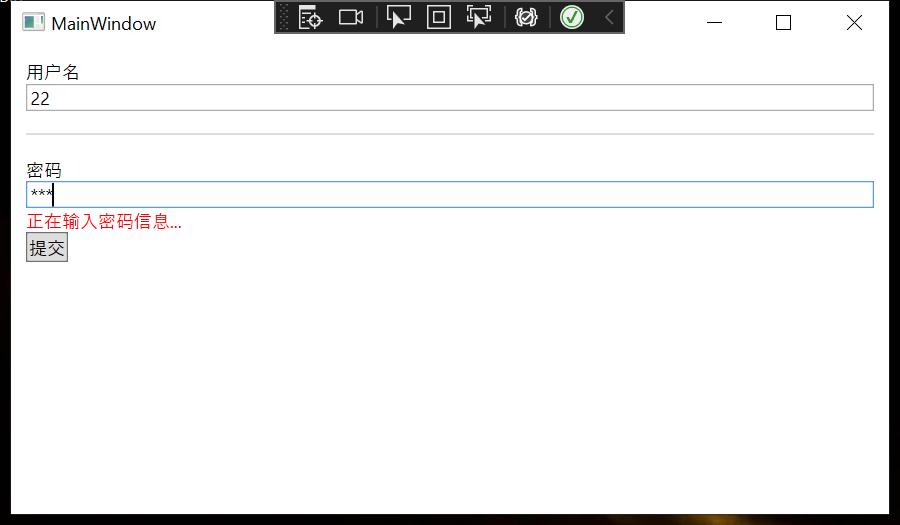
<StackPanel Margin="10">
    <TextBlock Text="用户名"></TextBlock>
    <TextBox></TextBox>
    <Separator Margin="0,15" Background="#dddddd"></Separator>
    <TextBlock Text="密码"></TextBlock>
    <PasswordBox Name="txtPassword" MaxLength="20" PasswordChar="*" PasswordChanged="txtPassword_PasswordChanged"></PasswordBox>
    <TextBlock Name="lblInfo" Foreground="Red"></TextBlock>
    <StackPanel Orientation="Horizontal">
        <Button Name="btnSubmit" Content="提交"></Button>
    </StackPanel>
</StackPanel>
private void txtPassword_PasswordChanged(object sender, RoutedEventArgs e)
{
    this.lblInfo.Text = "正在输入密码信息...";
}
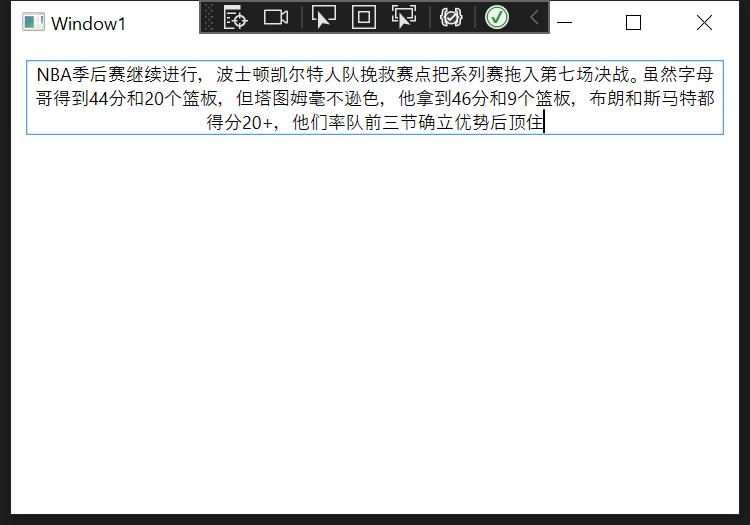
<StackPanel Margin="10">
    <TextBox MinLines="1"
         MaxLines="5"
         MaxLength="100"
         AcceptsTab="True"
         AcceptsReturn="True"
         TextWrapping="Wrap"
         TextAlignment="Center"
         CharacterCasing="Upper"/>
</StackPanel>
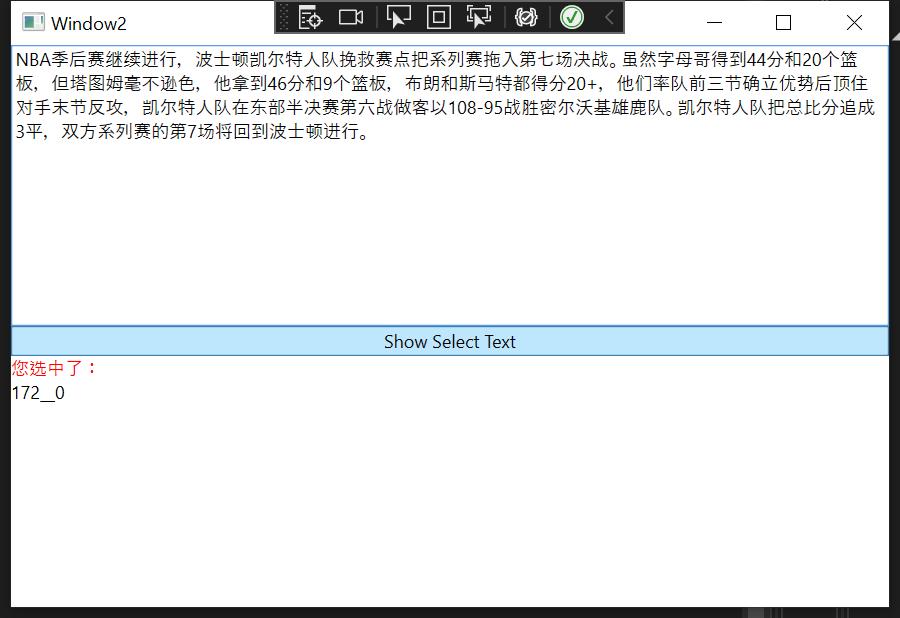
<Grid>
    <Grid.RowDefinitions>
        <RowDefinition></RowDefinition>
        <RowDefinition></RowDefinition>
    </Grid.RowDefinitions>
    <TextBox Grid.Row="0" SpellCheck.IsEnabled="True" MaxLength="500" TextWrapping="Wrap" AcceptsReturn="True"  Name="txt1"
             VerticalScrollBarVisibility="Auto" SelectionChanged="txt1_SelectionChanged"></TextBox>
    <StackPanel Grid.Row="1">
        <Button Content="Show Select Text" Name="btnSelectText" Click="btnSelectText_Click"></Button>
        <TextBlock Foreground="Red">您选中了:</TextBlock>
        <TextBlock x:Name="tb1" TextWrapping="Wrap"></TextBlock>
    </StackPanel>
</Grid>
private void btnSelectText_Click(object sender, RoutedEventArgs e)
{
    MessageBox.Show(txt1.SelectedText);
}

private void txt1_SelectionChanged(object sender, RoutedEventArgs e)
{
    tb1.Text = txt1.SelectionStart.ToString() + "_" + txt1.SelectedText + "_" + txt1.SelectionLength;
}
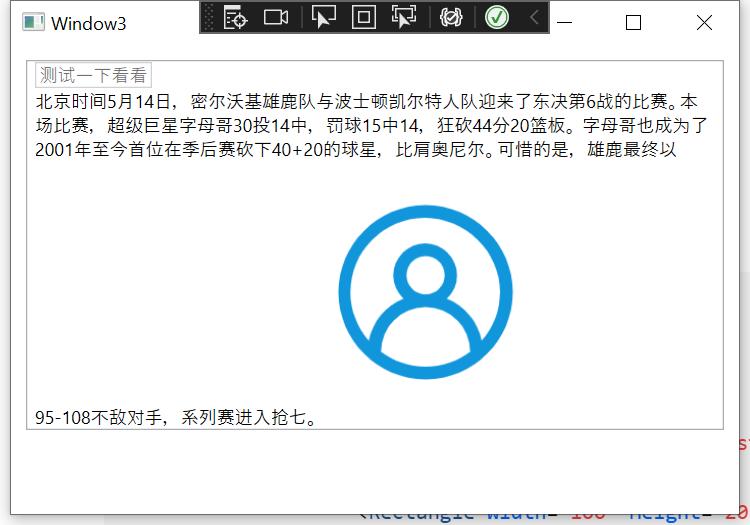
<StackPanel Margin="10">
    <RichTextBox>
        <FlowDocument>
            <Paragraph>
                <TextBox Text="测试一下看看"></TextBox>
                <LineBreak></LineBreak>
                北京时间5月14日,密尔沃基雄鹿队与波士顿凯尔特人队迎来了东决第6战的比赛。本场比赛,超级巨星字母哥30投14中,罚球15中14,狂砍44分20篮板。
                字母哥也成为了2001年至今首位在季后赛砍下40+20的球星,比肩奥尼尔。可惜的是,雄鹿最终以95-108不敌对手,系列赛进入抢七。
                <Image Source="/user.png" Height="176" Width="136"></Image>
            </Paragraph>
        </FlowDocument>
    </RichTextBox>
</StackPanel>