点击右上方红色按钮关注“web秀”,让你真正秀起来
前言
布局是CSS中一个很重要的部分,也是最不好处理的一部分,其他诸如字体大小、颜色等等都是很容易的。总结一下使用过的CSS常用布局,包括水平居中、垂直居中、单列布局、多列布局等,以及flex布局,希望能给前端同学一些帮助。

CSS常用布局方式
居中对齐
这里就不做过多的说明了,前面有文章,详细讲过,没有看的小伙伴请点击:这15种CSS居中的方式,你都用过哪几种?
单列布局
主要有两种:
- header, content, footer宽度相同,有一个max-width
- header和footer占满浏览器100%宽度,content有一个max-width
第一种
<header style="background-color: red; width: 600px; margin: 0 auto;">头部</header>
<main style="background-color: green; width: 600px; margin: 0 auto;">内容</main>
<footer style="background-color: yellow; width: 600px; margin: 0 auto;">尾部</footer>

CSS常用布局方式
第二种
<header style="background-color: red;">头部</header>
<main style="background-color: green; width: 600px; margin: 0 auto;">内容</main>
<footer style="background-color: yellow;">尾部</footer>

CSS常用布局方式
两列布局
float + margin
用float将边栏与主要内容拉到一行,然后设置主要内容的margin。
<main style="background-color: red;">
 <aside style="background-color: yellow; float: left; width: 50px;">边栏</aside>
 <section style="background-color: green; margin-left: 50px;">主要内容</section>
</main>

CSS常用布局方式
position: absolute + margin
左边栏
<main style="background-color: red; position: relative;">
 <aside style="background-color: yellow; position: absolute; left: 0; width: 50px;">边栏</aside>
 <section style="background-color: green; margin-left: 50px;">主要内容</section>
</main>

CSS常用布局方式
右边栏
<main style="background-color: red; position: relative;">
<aside style="background-color: yellow; position: absolute; right: 0; width: 50px;">边栏</aside>
<section style="background-color: green; margin-right: 50px;">主要内容</section>
</main>

CSS常用布局方式
三列布局
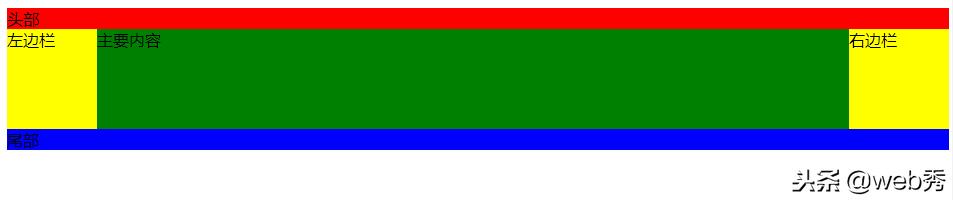
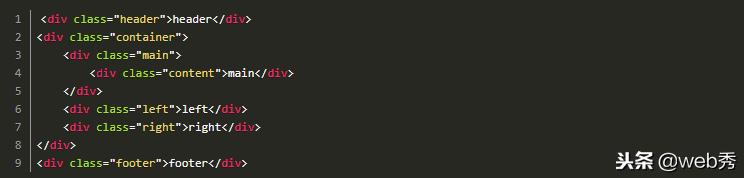
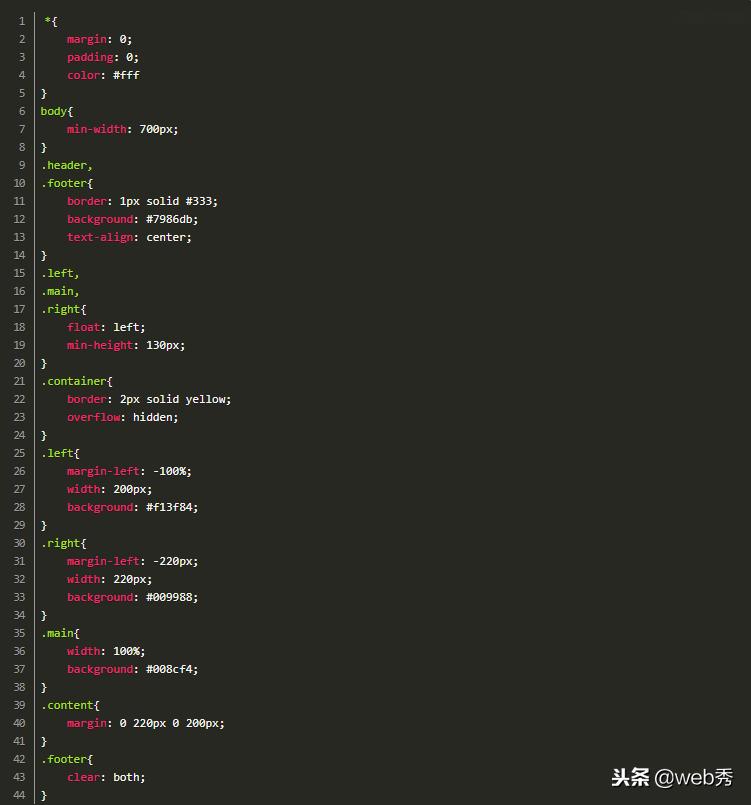
比较经典有圣杯布局,以及据说是淘宝UED(玉伯)提出的双飞翼布局。
圣杯布局

CSS常用布局方式
CSS常用布局方式
双飞翼布局
CSS常用布局方式
CSS常用布局方式

CSS常用布局方式
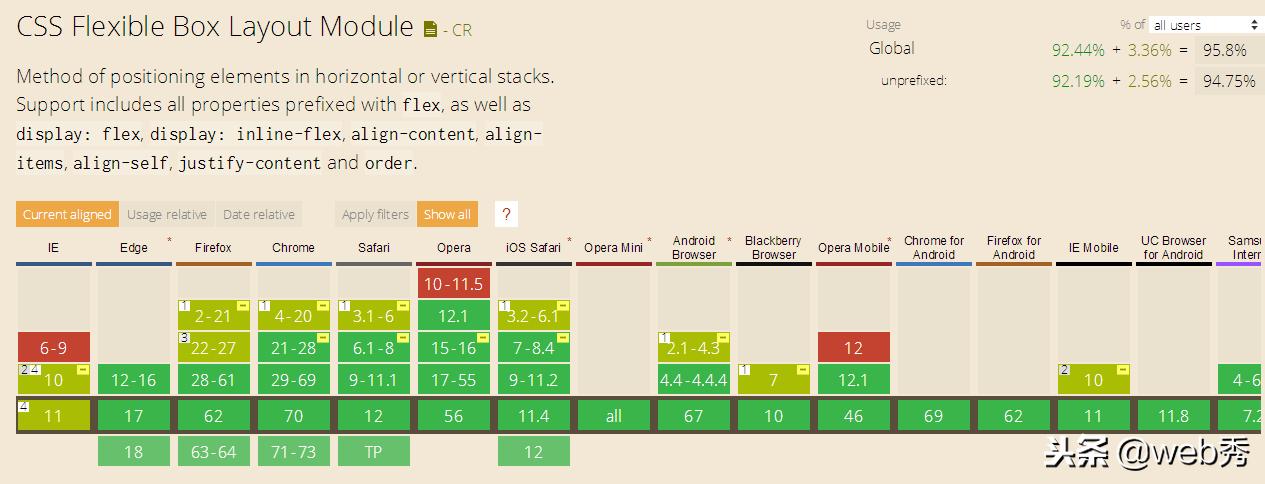
flex布局
flex布局目前已经很常用了,浏览器支持得也很好
CSS常用布局方式
后续提供文章,详细说明。
公告
喜欢小编的点击关注,了解更多知识!
源码地址:请点击下方“了解更多”。